
Technical details
Features
-
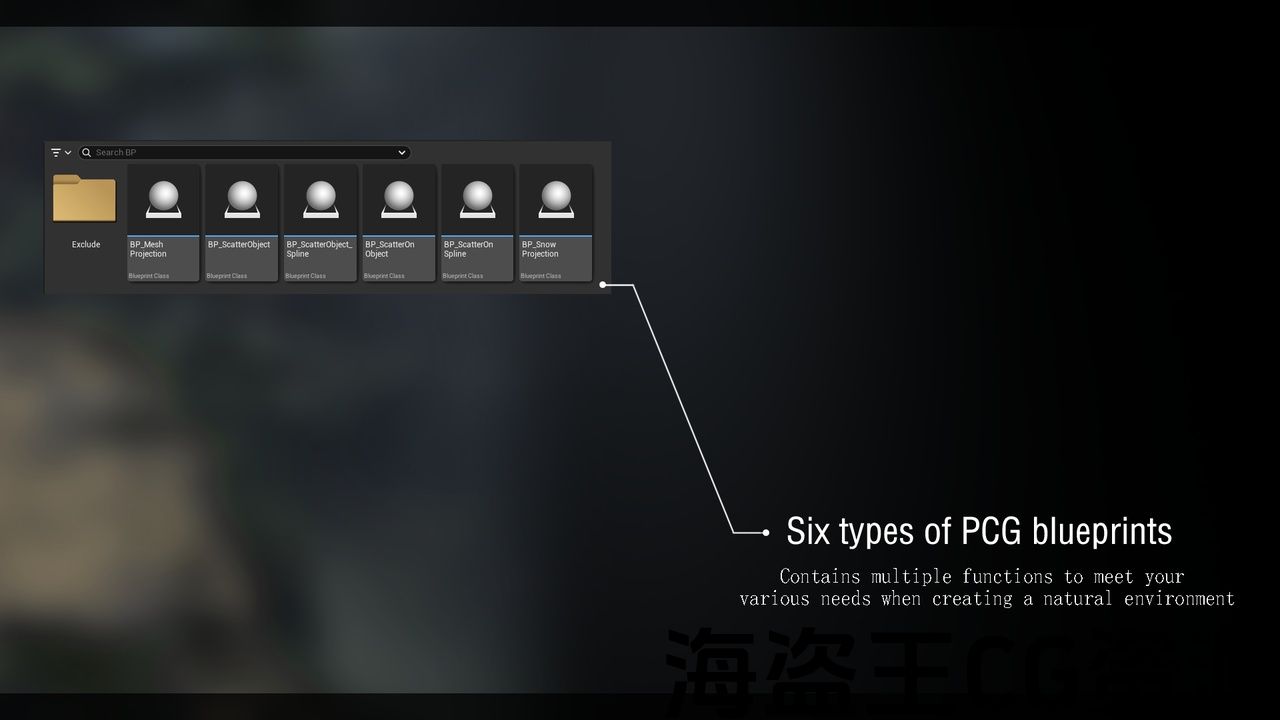
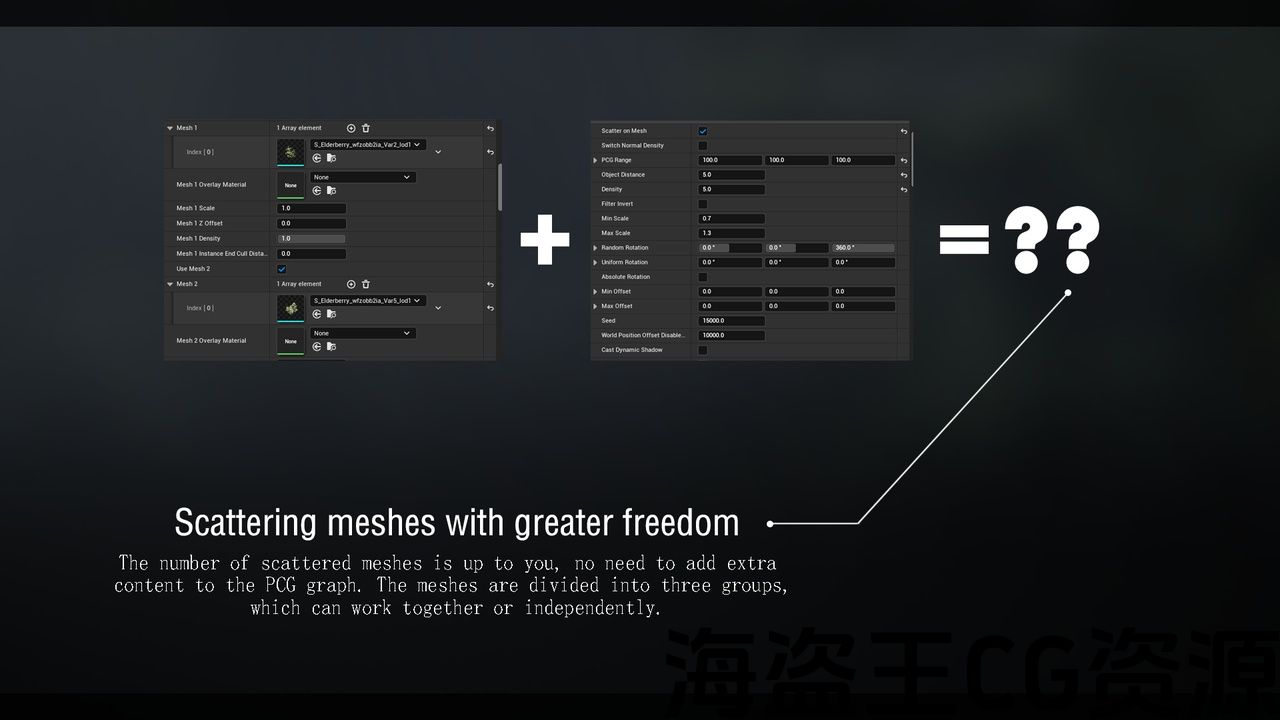
PCG system with any combination
-
Each PCG blueprint has unique parameters
-
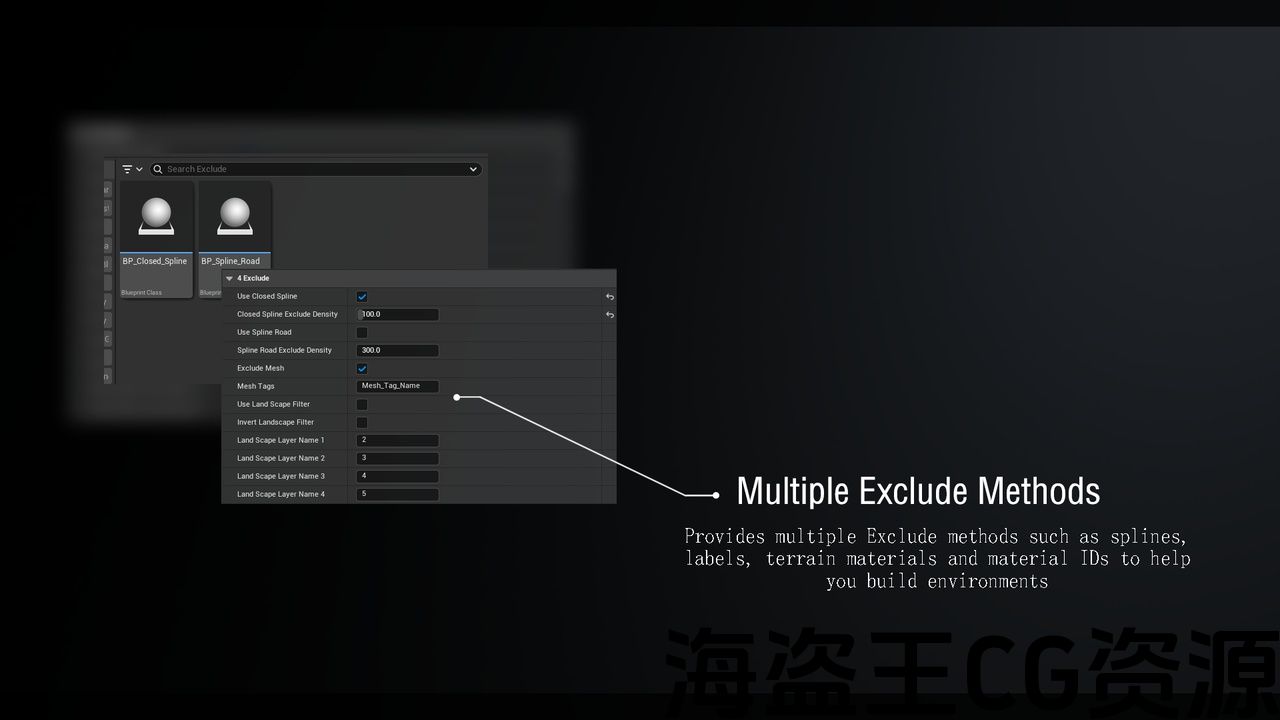
Multiple ways to exclude objects
-
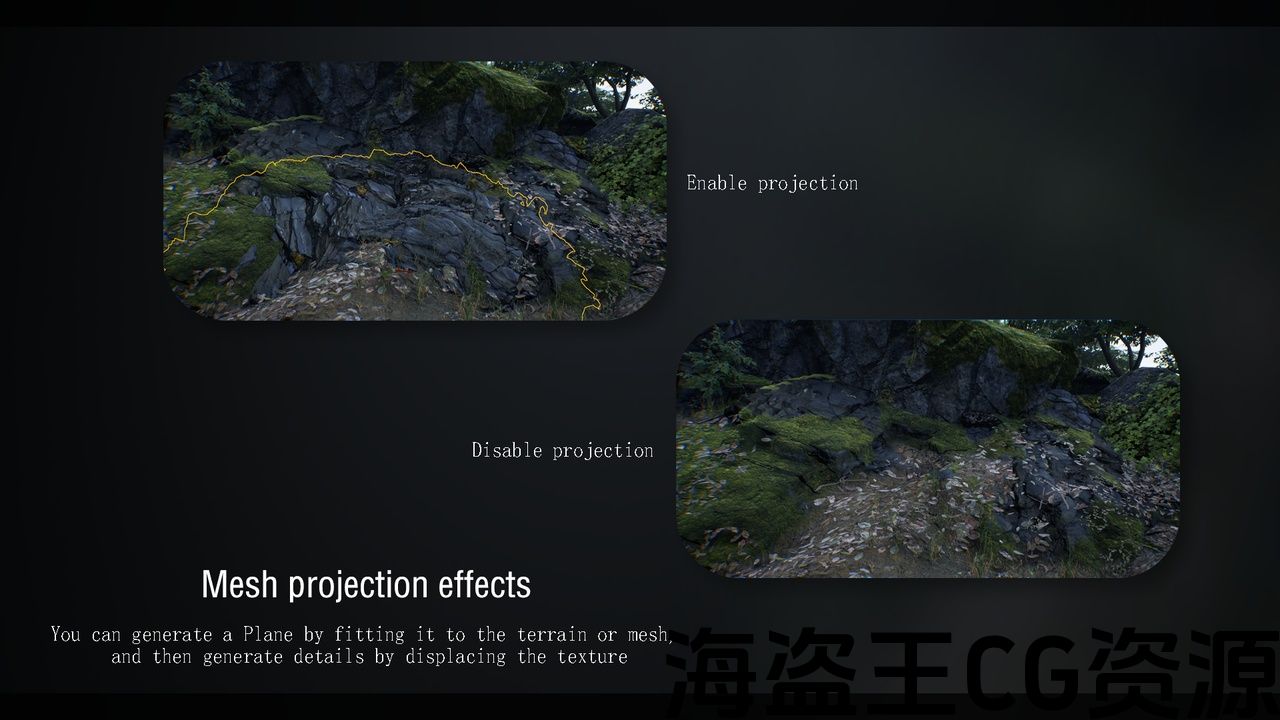
Contains PCG blueprints that can be projected onto terrain or meshes and automatically adapted
Blueprints Included
-
Blueprints:8
-
PCG graph assets: 11
-
Enumeration:1
Static Meshes, Materials and Textures
-
Static Mesh:3
-
Materials:8
-
Material Instances:7
-
Textures:2048*2048=3, 1024*1024=8, 16*16=3
Dependencies
-
Unreal Engine 5.5+ (requires PCG and Nanite support)
-
Plugins to enable: Geometry Script, PCGGeometryScriptInterop, PCGExternalDataInterop,PCG
Supported Development Platforms:
-
Windows: (Yes)
-
Mac: (Not tested)
技术细节
特征
-
任意组合的PCG系统
-
每个PCG蓝图都有唯一的参数
-
排除对象的多种方法
-
包含可投影到地形或网格上并自动调整的PCG蓝图
包括蓝图
-
蓝图:8
-
PCG图形资产:11
-
枚举:1
静态网格、材质和纹理
-
静态网格:3
-
材料:8
-
材料实例:7
-
纹理:2048*2048=3, 1024*1024=8, 16*16=3
依赖关系
-
虚幻引擎5.5+(需要PCG和Nanite支持)
-
要启用的插件:几何脚本,Pcgeometryscriptinterop,PCGExternalDataInterop,PCG
支持的开发平台:
-
视窗:(是)
-
Mac:(未测试)
Showcase | Tutorial
The Showcase video only shows some of the features, please see the tutorial for more details
Description
-
Natural_PCGTools is a convenient tool based on UE5’s built-in PCG and blueprints, allowing you to easily build various environments. With the update of the version, more PCG blueprints will be added or optimized in the future.
-
All assets are licensed under Creative Commons Attribution and are presented as images, movies. Assets and textures from megascans are not included in the asset pack.
-
Models and textures that appear in the Showcase are not included in the asset pack.
-
There are only a few models and textures in the document level of the asset package, all of which are made by me.
-
You can find similar textures on the following websites.
-
https://quixel.com/megascans
-
https://polyhaven.com/textures
-
https://noisecreater.com
-
If you have any questions, please contact me as soon as possible.
Currently available functions:
-
MeshProjection
-
SnowProjection
-
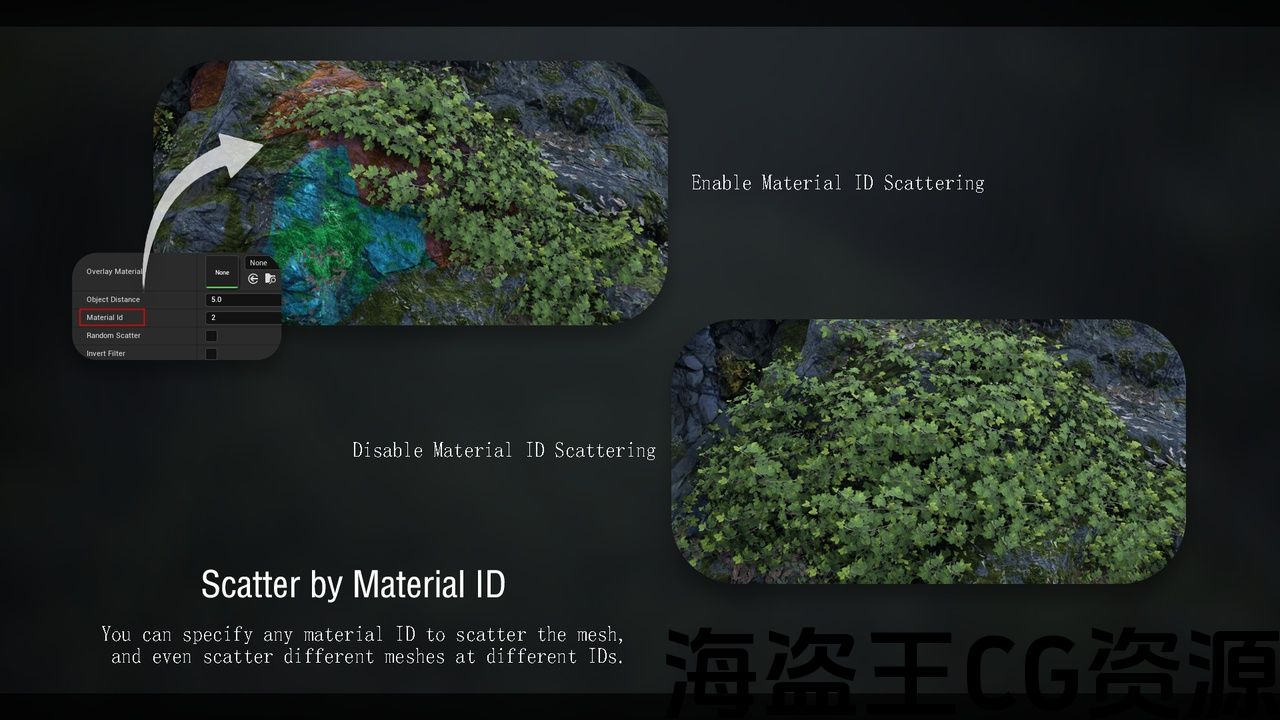
ScatterObject
-
Scatter objects along a spline
-
Scatter objects within a spline
-
Scattering Objects on a Mesh
-
Spline used to exclude scatter range
Before using the tool, make sure to go to Edit -> Plugins and enable:
-
Geometry Script
-
PCG
-
PCGExternalDataInterop
-
PCGGeometryScriptInterop
How to use:
-
Enable the required plugins and restart the engine
-
Open the PCG documentation level and read the relevant blueprint information and examples
-
Find the required blueprint and drag it into the scene
-
Adjust parameters as needed (different for each blueprint)
-
Bake the mesh (if available)
If you have any questions about PCG, you can refer to:Here
Some blueprints may require the use of Nanite, for related knowledge, please read:Here
展览厅 | 教程
展示视频只显示了部分功能,请参阅教程了解更多详细信息
资料描述
-
天然植物 是一款基于UE5内置PCG和蓝图的便捷工具,可让您轻松构建各种环境。 随着版本的更新,未来将增加或优化更多PCG蓝图。
-
所有资产均根据知识共享署名许可,并以图像,电影的形式呈现。 来自megascans的资源和纹理不包括在资源包中。
-
在展示中显示的模型和纹理不包括在资源包中。
-
资源包的文档级别中只有几个模型和纹理,所有这些都是我制作的。
-
您可以在以下网站上找到类似的纹理。
-
https://quixel.com/megascans
-
https://polyhaven.com/textures
-
https://noisecreater.com
-
如果您有任何问题,请尽快与我联系。
目前可用的功能:
-
网格投影
-
雪地喷射
-
散射物体
-
沿样条线散射对象
-
在样条线内散射对象
-
在网格上散射对象
-
用于排除散点范围的样条
在使用该工具之前,请确保转到编辑->插件并启用:
-
几何脚本
-
PCG的
-
PCGExternalDataInterop,PCGExternalDataInterop
-
PCGGeometryScriptInterop
如何使用:
-
启用所需的插件并重新启动引擎
-
打开PCG文档级别,阅读相关蓝图信息和示例
-
找到所需的蓝图并将其拖到场景中
-
根据需要调整参数(每个蓝图不同)
-
烘烤网格(如果可用)
如果您对PCG有任何疑问,可以参考:这里
有些蓝图可能需要使用Nanite,相关知识请阅读:这里
评论(0)