
Features:
- Edit individual instance or multiple instances in editor.
- Edit instances in a level by creating a graph in editor.
- Work with multiple HISM or ISM components, actors or static mesh in a level.
- Work with multiple levels, where, instances edited in one level, has no effect on instances in other levels.
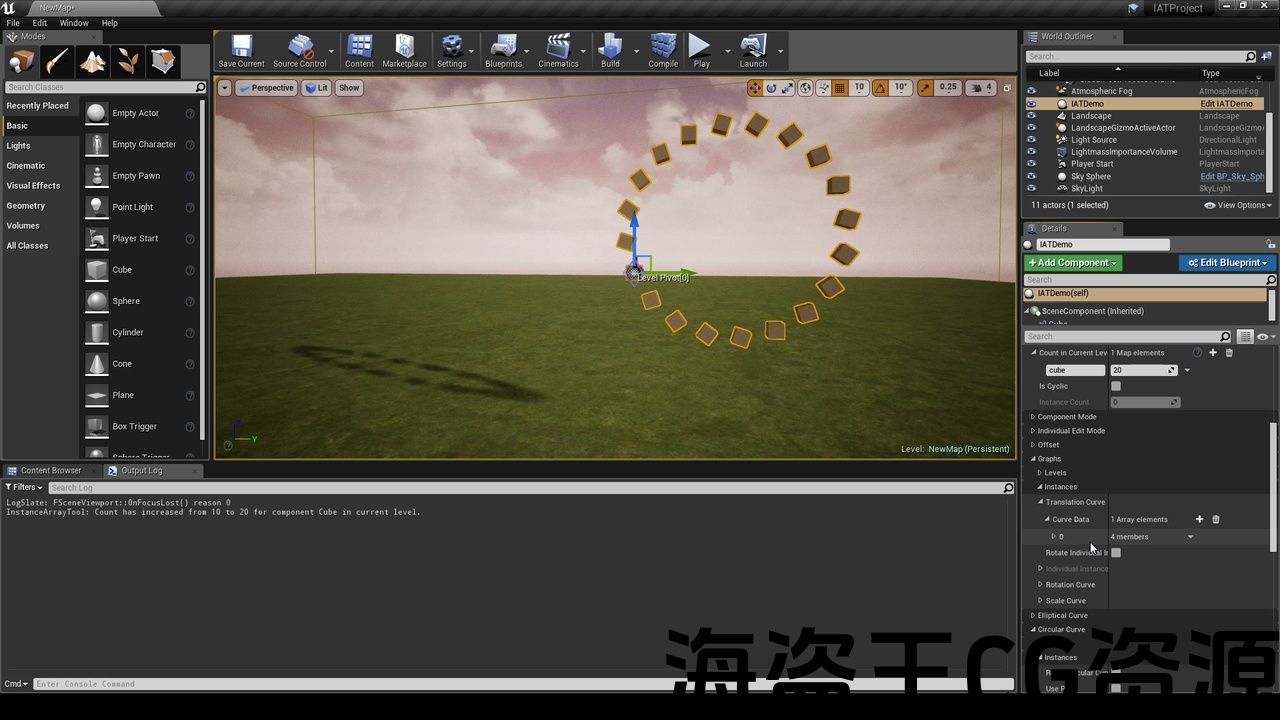
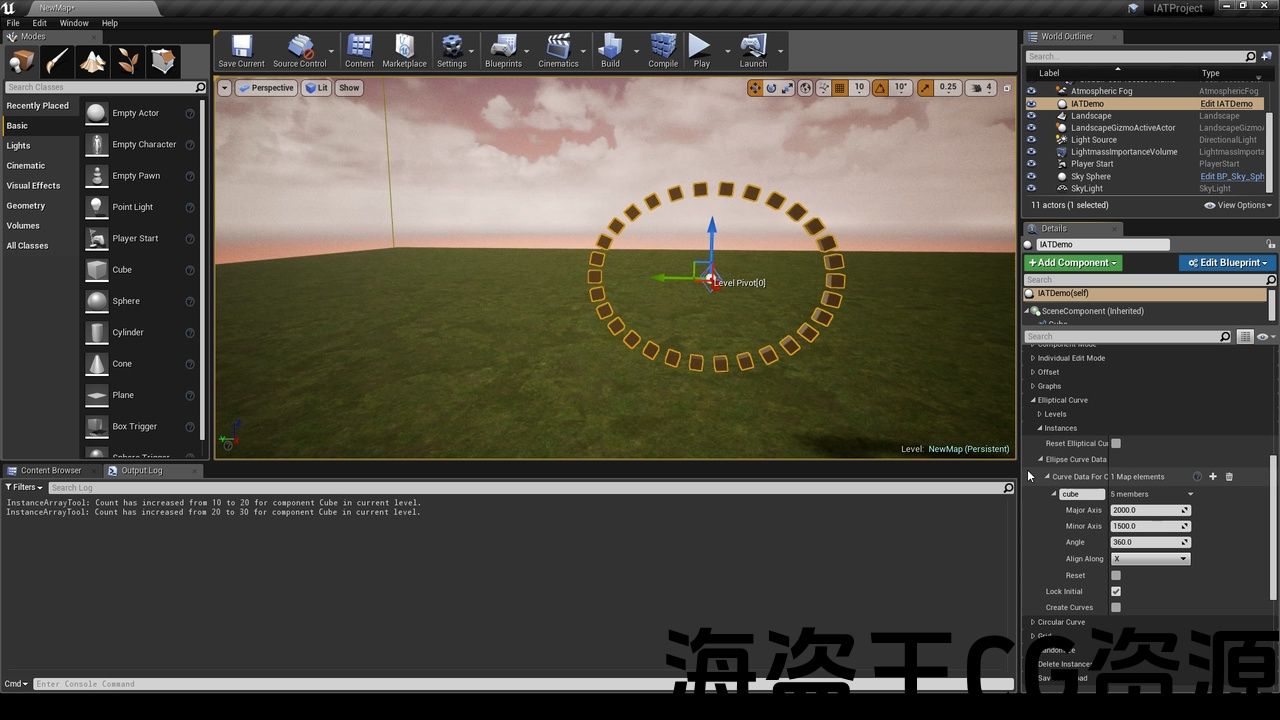
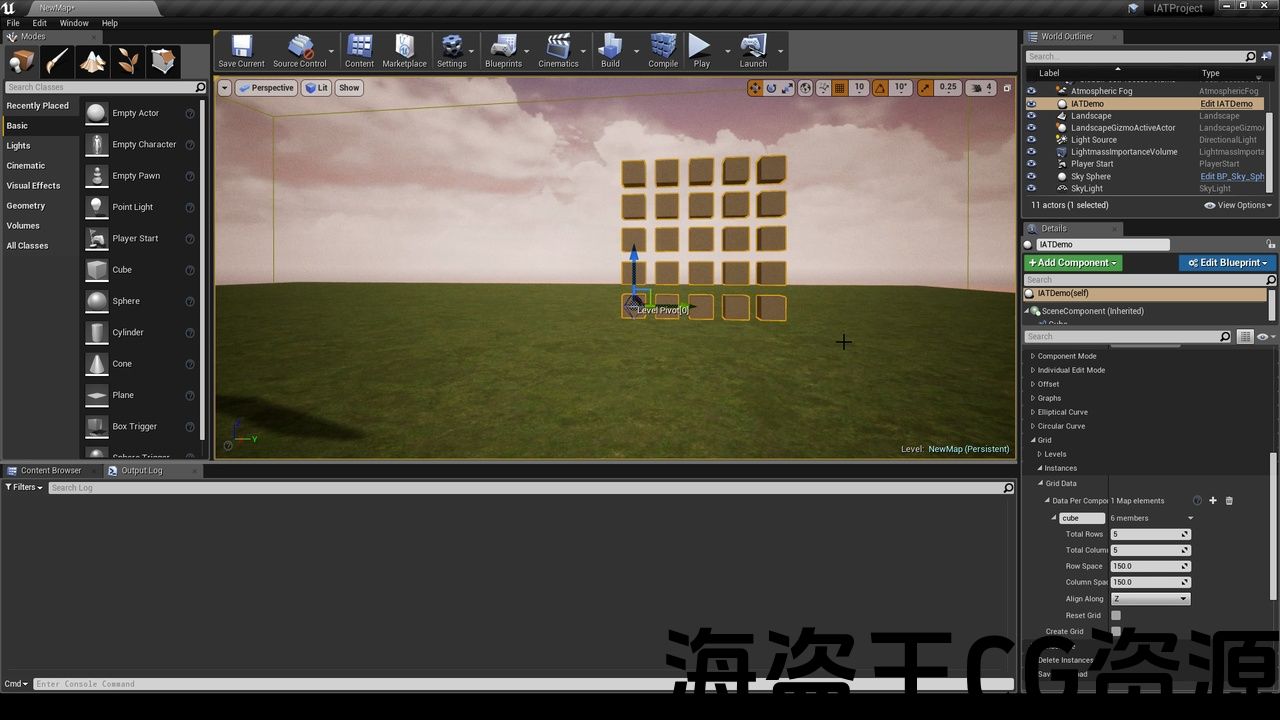
- Create circular or elliptical curves, grids or randomize instances in a level, or all levels.
- Add equal offset between instances in a level, or add equal offset between levels.
- Create a save file which can be used in multiple projects without having to recreate again.
- Place instances or levels along spline.
- Convert existing Static mesh in editor to either HISM or ISM component instances.
- Spawn level-based Actors or static mesh using blueprint.
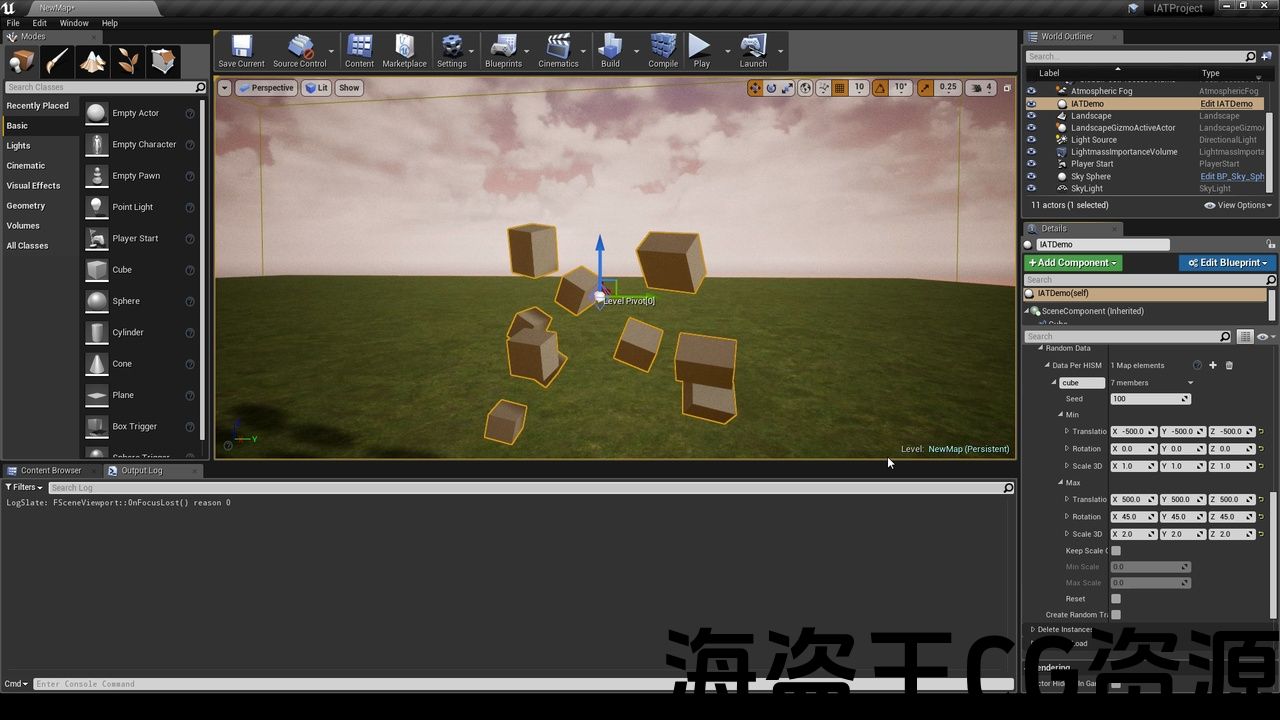
- Spawn HISM or ISM instances, actors or static mesh randomly.
- Change visibility, collision, simulate physics or tick function state of a group of actors in a level during runtime.
Code Modules:
- InstanceArrayTool (Runtime)
- InstanceArrayToolEditor (Editor)
- ActorArrayTool (Runtime)
No of Blueprints: 0
No of C++ Classes: 61
Supported Development Platforms: Windows, Mac
Tested Platforms: Windows, Mac
Documentation: Included
特征:
- 在编辑器中编辑单个实例或多个实例。
- 通过在编辑器中创建图表来编辑关卡中的实例。
- 在关卡中处理多个HISM或ISM组件、actor或静态网格体。
- 使用多个级别,其中在一个级别中编辑的实例对其他级别中的实例没有影响。
- 在关卡或所有关卡中创建圆形或椭圆曲线、网格或随机化实例。
- 在一个级别中的实例之间添加相等的偏移量,或者在级别之间添加相等的偏移量。
- 创建一个可以在多个项目中使用的保存文件,而无需再次重新创建。
- 沿着样条线放置实例或级别。
- 将编辑器中现有的静态网格体转换为HISM或ISM组件实例.
- 使用蓝图生成基于关卡的Actor或静态网格体。
- 随机生成HISM或ISM实例、actor或静态网格体。
- 在运行时更改关卡中一组actor的可见性、碰撞、模拟物理或勾选函数状态。
代码模块:
- InstanceArrayTool(运行时)
- InstanceArrayToolEditor(编辑)
- ActorArrayTool(运行时)
蓝图:0
C++类的编号:61
支持的开发平台:Windows、Mac
测试平台:Windows、Mac
文件:包括

- Features preview video: Youtube
- Features preview for working with spline for editing instances: Youtube
Whats new in 5.0?
- Added support for spawning actors using blueprints during run time. Everything is level based in run time just like when they are spawned in editor.
- Added support for changing visibility, collision, simulate physics and tick function state of actors in a level during run time. This can be helpful for actor pooling.
Instance Array Tool provides some advance abilities of spawning and editing Hierarchical instanced static mesh and Instanced Static mesh component instances or Actors and static mesh inside Unreal Engine 4.
It is a level based instance editing tool. You can edit a group of instances or an individual instance in a level, without affecting other instances in other levels.
You can either edit instances directly inside editor or edit it by creating a graph available in details panel. This provides great flexibility while working with multiple instances.
You can create circular or elliptical curves. You can also create grids, or you can randomize transform of instances or levels if you want to just add some randomization to them. Almost all the features are supported while spawning actors during run time using blueprint. You can also do actor pooling.
A save file can be created to save the changes that you made, which can then be used in other Unreal Engine 4 projects.
5.0有什么新功能?
- 增加了对在运行时使用蓝图生成actor的支持。 一切都是基于运行时的级别,就像在编辑器中生成它们一样。
- 增加了对在运行时更改关卡中actor的可见性、碰撞、模拟物理和刻度功能状态的支持。 这对演员池很有帮助。
实例数组工具 提供了一些产卵和编辑的高级能力 分层实例化静态网格体和实例化静态网格体组件实例或Actor和静态网格体 虚幻引擎4内部。
它是一个 以水平为基础 实例编辑工具。 您可以编辑一个 团体 一个级别中的实例或单个实例,而不影响其他级别中的其他实例。
您可以直接在编辑器中编辑实例,也可以通过创建 图表 可在详细信息面板。 这在处理多个实例时提供了很大的灵活性。
您可以创建 通告 或 椭圆曲线. 您还可以创建 网格, 或者你可以 随机化 如果您只想为实例或级别添加一些随机化,则可以转换实例或级别。 在运行时使用蓝图生成actor时,几乎支持所有功能。 你也可以这样做 演员池.
A 保存文件 可以创建以保存您所做的更改,然后可以在其他虚幻引擎4项目中使用这些更改。
评论(0)