
Features:
-
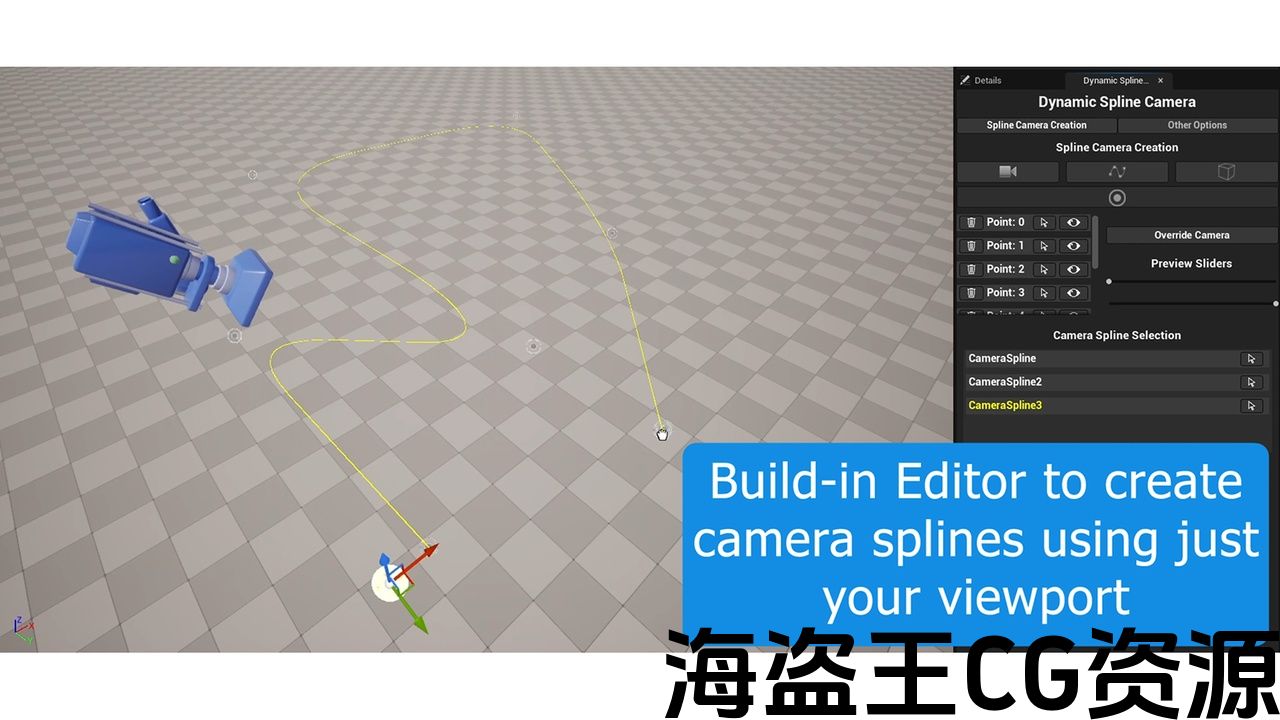
Editor tab that will allow the user to set up camera splines.
-
Camera Actor that will follow active camera splines.
Code Modules:
-
DynamicSplineCamera (Runtime)
-
DynamicSplineCameraEditor (Editor)
Number of Blueprints: 5
Number of C++ Classes: 10
Network Replicated: No
Supported Development Platforms:
-
Windows: Yes
-
Mac: No
Supported Target Build Platforms: Windows.
Documentation Link: https://docs.google.com/document/d/1jGZqjwpe9TR-KWTDqEhYVVe17ZDl-5J7/edit
Example Project: https://drive.google.com/file/d/1lk0TJ5muADyWZSzBPhRPBlUTps3vShN2/view?usp=sharing
Important/Additional Notes:
Demo map might change in the future; make sure to follow the documentation to undertand the tool.
特征:
-
编辑器选项卡,允许用户设置相机样条。
-
将跟随活动摄像机样条的摄像机Actor。
代码模块:
-
DynamicSplineCamera(运行时)
-
DynamicSplineCameraEditor(编辑)
蓝图数目:5
C++类数:10
网络复制:没有
支持的开发平台:
-
Windows:是的
-
Mac:没有
支持的目标构建平台:Windows。
文档链接: https://docs.google.com/document/d/1jGZqjwpe9TR-KWTDqEhYVVe17ZDl-5J7/edit
示例项目: https://drive.google.com/file/d/1lk0TJ5muADyWZSzBPhRPBlUTps3vShN2/view?usp=sharing
重要/附加注意事项:
演示地图可能会在将来更改;请确保按照文档操作该工具。
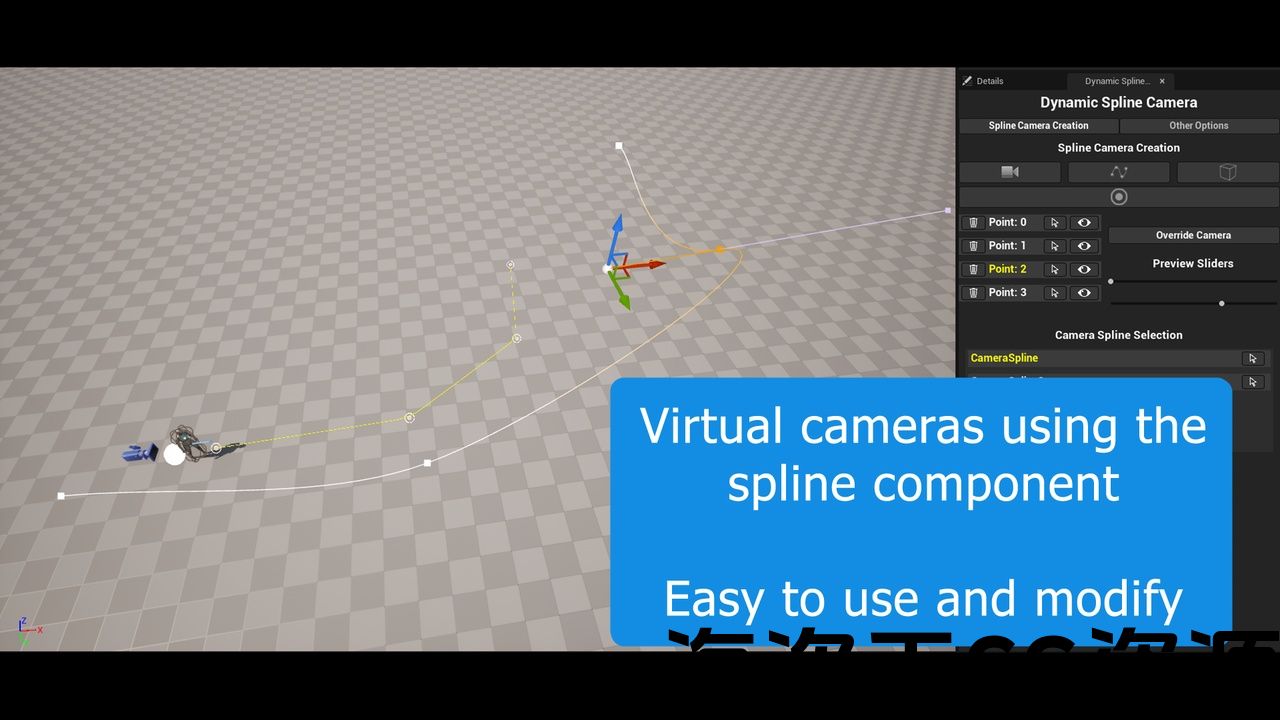
Improve your workflow! With Dynamic Spline Camera you can place virtual cameras following a spline using the editor’s own camera!
This plugin is perfect for games where the camera is automatically controlled based on the player’s position.
How it works
The plugin has its own editor so you can work very quickly, it’s very simple:
1 – Create a spline by dragging it from the editor.
2 – Place the editor camera (the viewport camera) in the desired position.
3 – Place a reference point where the player will be approximately.
That’s it! One camera in place and the rest follow the same simple process.
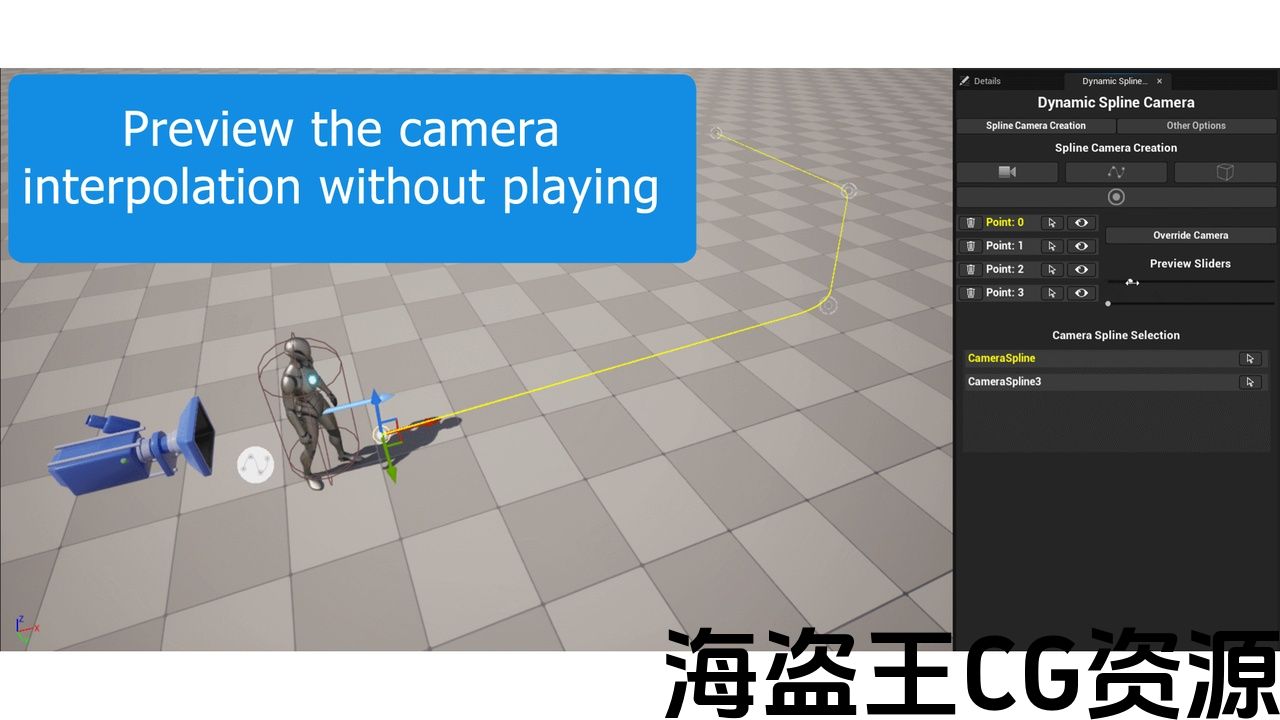
The tool is designed to avoid previewing the camera while playing from the editor. It has buttons and sliders to preview the camera interpolation without playing the game!
To transition between splines just create a trigger box to activate the designated spline.
改善您的工作流程! 使用动态样条相机,您可以使用编辑器自己的相机将虚拟相机放置在样条之后!
这个插件非常适合根据玩家的位置自动控制相机的游戏。
如何运作
该插件有自己的编辑器,因此您可以非常快速地工作,非常简单:
1-通过从编辑器中拖动来创建样条。
2-将编辑器相机(视口相机)置于所需位置。
3-放置一个参考点,玩家将大约。
就这样! 一个摄像头到位,其余的遵循相同的简单过程。
该工具旨在避免在编辑器播放时预览相机。 它有按钮和滑块来预览相机插值而不玩游戏!
要在样条线之间转换,只需创建一个触发框来激活指定的样条线。
评论(0)