
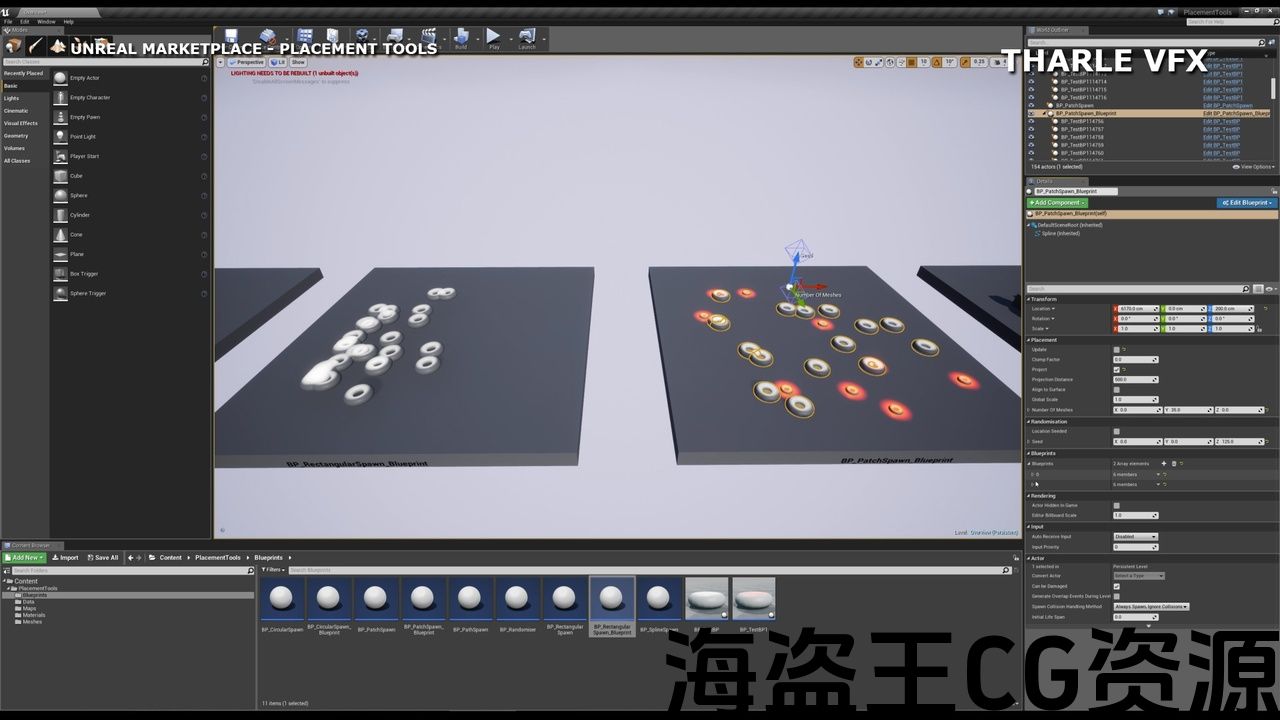
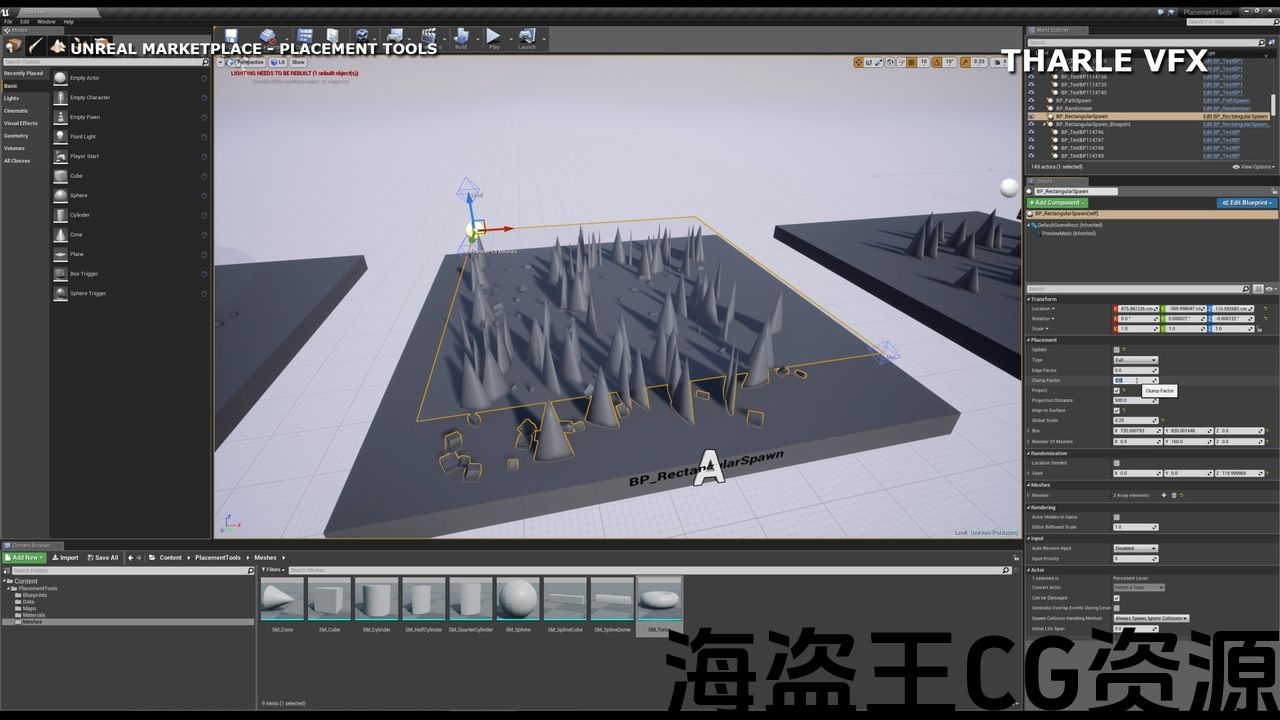
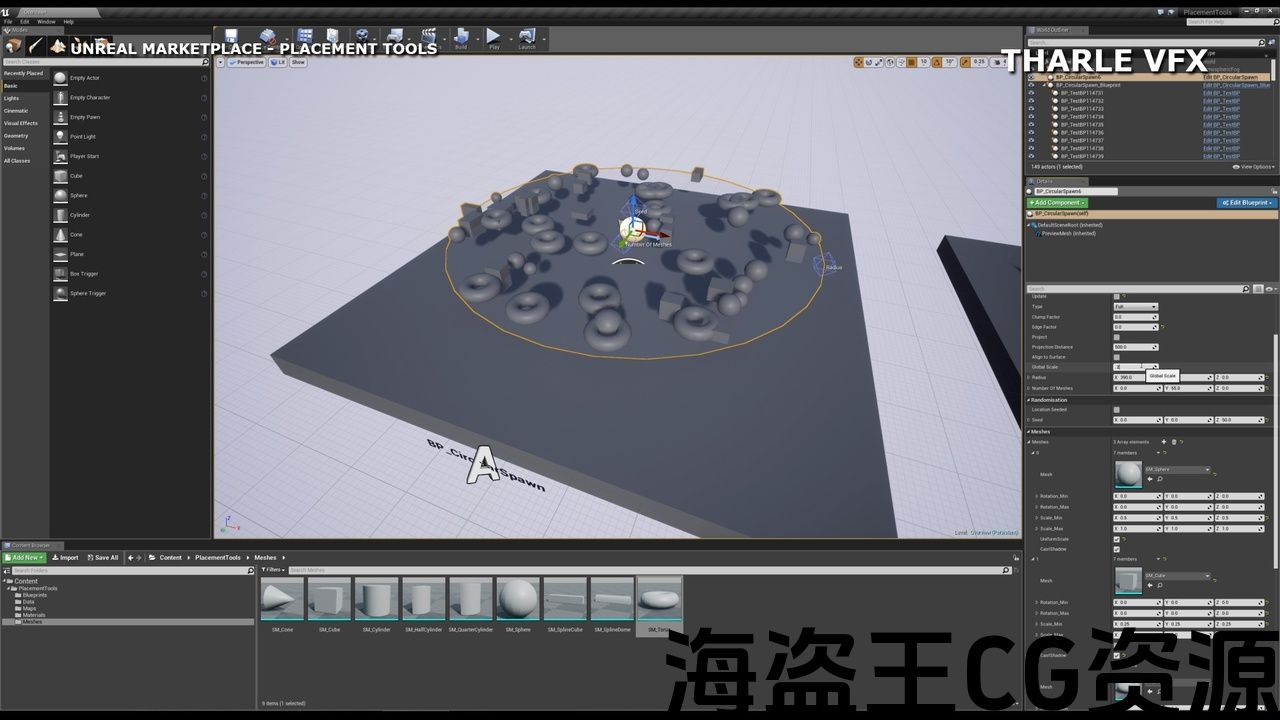
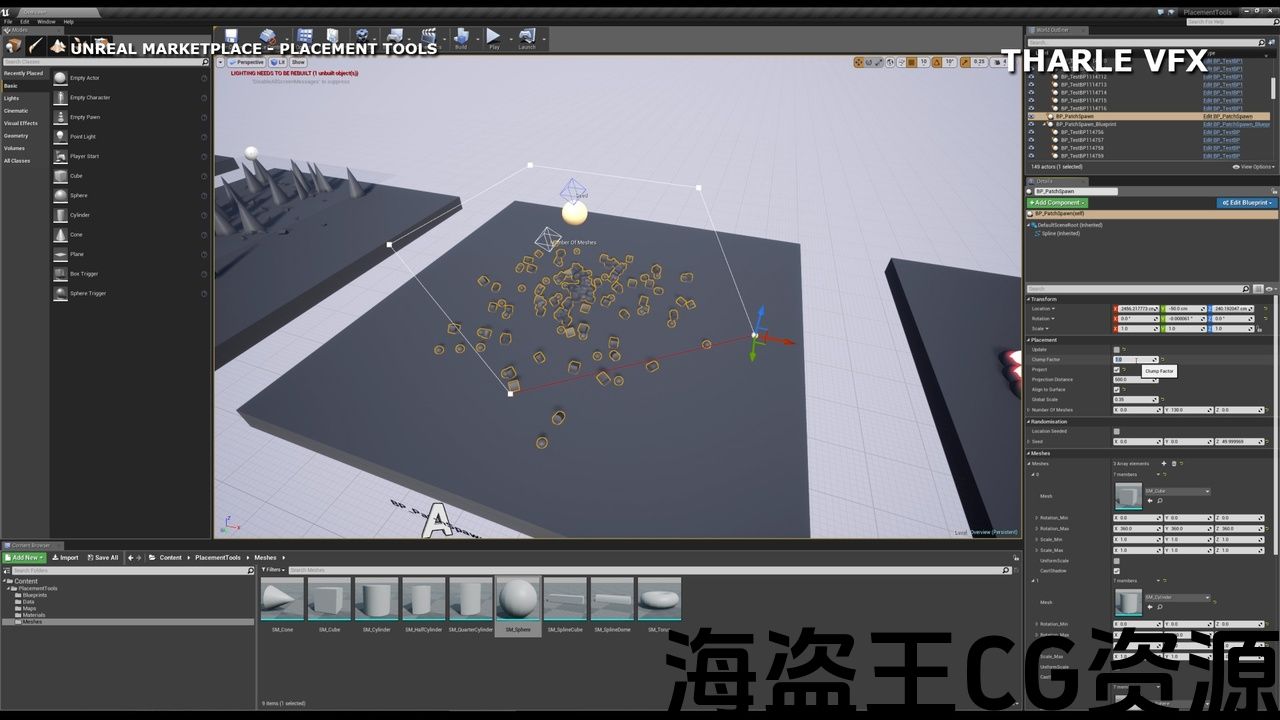
Number of Blueprints: 9 Placement Blueprints and 2 Example Blueprints
Meshes: 8 Example Meshes
Materials: 4 Example Materials
Editor only so suitable for all Platforms
All the Blueprints have been designed with ease of use in mind but here’s a breakdown of how to use them:
BP_xxx_Spawn: (Circular, Box, Patch)
Firstly select Full/Edge/Corner mode as appropriate and load the BP with the different meshes/Blueprints you want to scatter.
Then use the 3D widgets to place and edit the Radius, Box, Seed Value and Number of Meshes quickly and easily in the Viewport. Adjust the Spline points for the Patch spawn BPs.
Finally adjust the Projection, Align, Clumping Factor and Mesh/BP settings to create a good random look. Now you can quickly and easily duplicate that BP around the level for quick object placement.
BP_Randomiser:
Select the objects in world you wish to randomise.
Add an Actor Tag (not Component Tag) to them that matches the one in the Blueprint.
Set up the Random Parameters and Randomize using the Buttons provided.
Clear the Tags using the last button to avoid Randomising accidentally in future.
BP_Spline_Spawn:
Set the BP to use whatever Spline and Point Meshes are appropriate. Set them to be Random or Sequential and set the randomization settings accordingly.
Create Spline points to draw out the path required and Project if necessary.
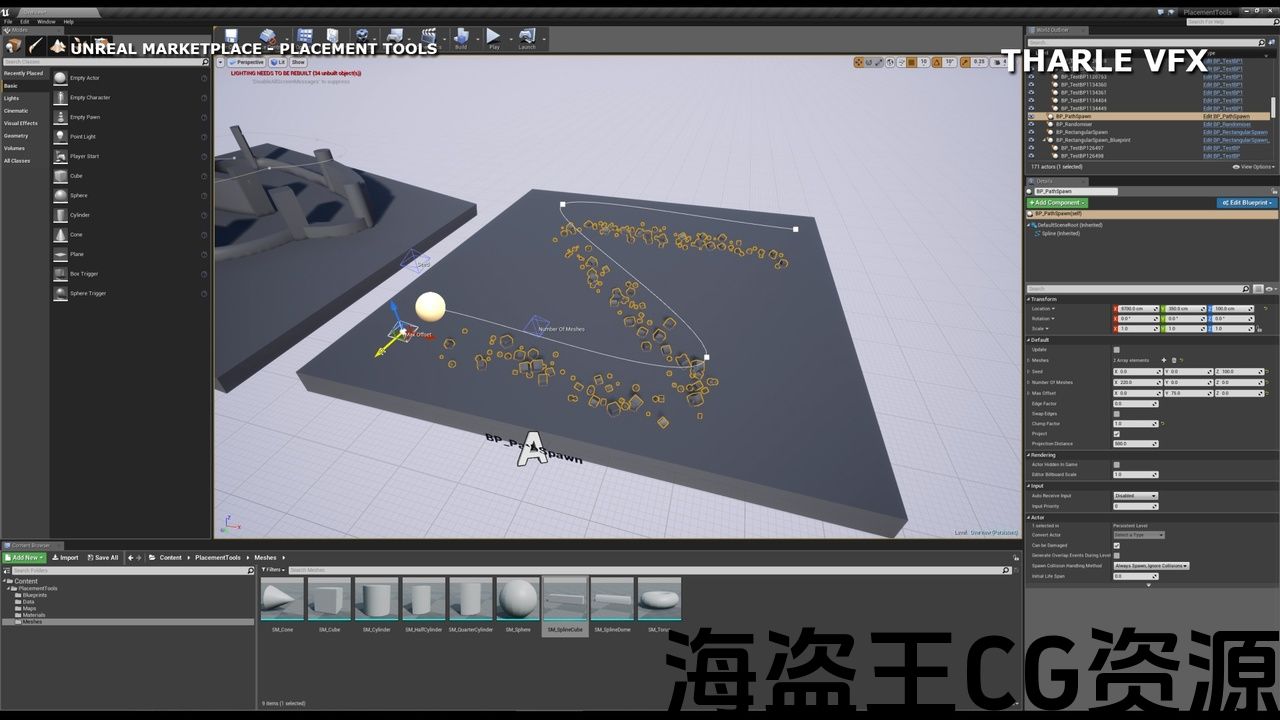
BP_Path_Spawn:
Similar to above – set the Spline points, Number of Meshes, Seed and Max Offset values using the viewport.
Load the Mesh array with a number of meshes and whatever randomization settings are required.
Adjust as appropriate!
蓝图数量:9个放置蓝图和2个示例蓝图
网格:8个示例网格
材料:4例材料
编辑器只适用于所有平台
所有的蓝图都是在设计时考虑到易于使用的,但下面是如何使用它们的详细说明:
BP_xxx_Spawn:(圆形,盒子,补丁)
首先根据需要选择全/边/角模式,并使用要分散的不同网格/蓝图加载BP。
然后使用3D小部件在视口中快速轻松地放置和编辑半径、框、种子值和网格数。 调整补丁生成BPs的样条点。
最后调整投影,对齐,团块因子和网格/BP设置,以创建良好的随机外观。 现在,您可以快速轻松地在关卡周围复制该BP,以便快速放置对象。
Bp_兰多明:
选择您希望随机化的世界中的对象。
向其添加与蓝图中的Actor标签(而非组件标签)相匹配的Actor标签。
设置随机参数并使用提供的按钮进行随机化。
使用最后一个按钮清除标签,以避免将来意外随机化。
BP_Spline_Spawn:
将BP设置为使用适当的样条和点网格。 将它们设置为随机或顺序,并相应地设置随机化设置。
创建样条点以绘制出所需的路径,并在必要时进行投影。
BP_Path_Spawn:
与上述类似-使用视口设置样条点,网格数,种子和最大偏移值。
加载具有多个网格和任何需要的随机化设置的网格数组。
酌情调整!
For Tutorials on how to make effects such as these check out my tutorials at https://tharlevfx.gumroad.com/ and follow me on youtube: https://www.youtube.com/@tharlevfx
9 Blueprints:
Circular, Rectangular and Patch Spawn for Static Mesh Instances and Blueprints.
Static Mesh Randomiser, Spline and Path Tools.
All designed to be optimal and use Static Mesh Instances for placement, with interactive in Editor handles for ease of use.
Common Settings:
Randomise which Meshes are placed, Rotation, Scale either Seeded or using the BP location as the Seed Value.
Project Meshes on to uneven surfaces, with the option to align with those surfaces.
Clump and Edge Factor parameters to control the distribution of Meshes over the selected shape.
All Blueprints are Construction Script only so will have no impact on Runtime performance.
有关如何制作效果的教程,请参阅我的教程 https://tharlevfx.gumroad.com/ 在youtube上跟我走: https://www.youtube.com/@tharlevfx
9蓝图:
静态网格体实例和蓝图的圆形、矩形和补丁生成。
静态网格随机器,样条和路径工具。
所有设计都是最佳的,并使用静态网格实例进行放置,在编辑器句柄中具有交互式操作以方便使用。
常用设置:
随机化放置的网格,旋转,缩放或种子或使用BP位置作为种子值。
将网格投影到不平坦的表面上,并选择与这些表面对齐。
团块和边缘因子参数,用于控制网格在所选形状上的分布。
所有蓝图仅为构造脚本,因此不会对运行时性能产生影响。
评论(0)