

Blueprint Classes: 5
Blueprint Class Interfaces: 1
Enums: 3
Structures: 6
Control Rigs: 2
Widget Blueprints: 5
Editor Utility Widgets: 1
Materials: 4
Textures: 58
Render Targets: 1
Slate Brushes: 1
Network Replicated: No (Editor Tool)
Supported Development Platforms:
Windows: Yes
Mac: No (Not Tested)
Documentation: Beginner’s Guide and Manual
Current Version: 4.1.1
Important: Please read the documents thoroughly. If you want to use this tool with your custom character, you need to have your own Control Rig. If you use MetaHuman, you can start right away since everything you need is already provided.
Important 2: If you use MetaHuman template, you can directly update the tool when there is a newer version. If you have your custom character and template, don’t forget to export your config as json (Faceboard.json file) and back up somewhere so that you won’t lose your template.
Important 3: None of the characters are included.
Required Plugins (Already included in Unreal Engine) : Json Blueprint Utilities
蓝图类:5
蓝图类接口:1
枚举:3
结构:6
控制钻机:2
小部件蓝图:5
编辑器工具小部件:1
材料:4
纹理:58
渲染目标:1
石板刷:1
网络复制:没有(编辑器工具)
支持的开发平台:
Windows:是的
Mac:没有(未测试)
当前版本: 4.1.1
重要事项: 请仔细阅读这些文件. 如果您想将此工具与自定义角色一起使用,则需要拥有自己的Control Rig。 如果您使用MetaHuman,您可以立即开始,因为您需要的一切都已经提供。
重要2: 如果您使用MetaHuman模板,则可以在有较新版本时直接更新该工具。 如果您有自定义字符和模板,请不要忘记将配置导出为json(Faceboard)。json文件)并备份到某个地方,这样您就不会丢失模板。
重要3: 无 的字符包括在内。
所需插件(已包含在虚幻引擎中) : Json蓝图实用程序
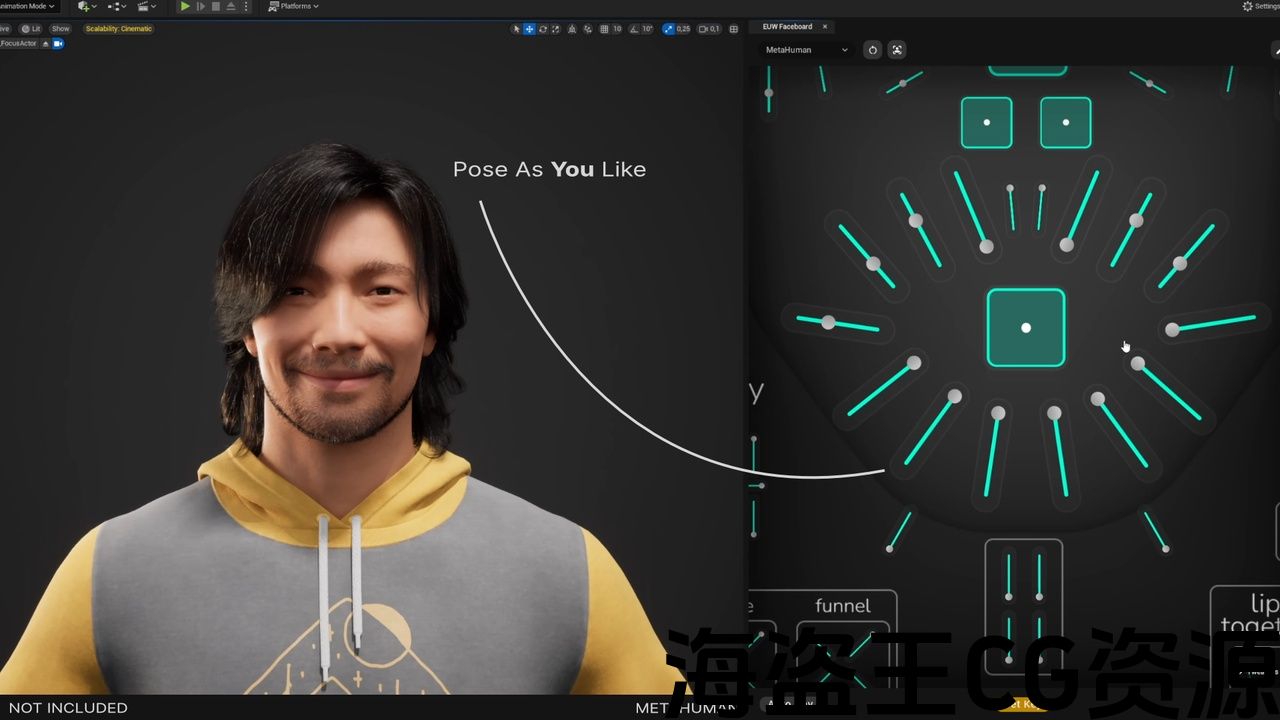
This tool lets you drive controls of your character’s Control Rig from Editor UI. It is mainly focused on Faceboard but other uses are also possible.
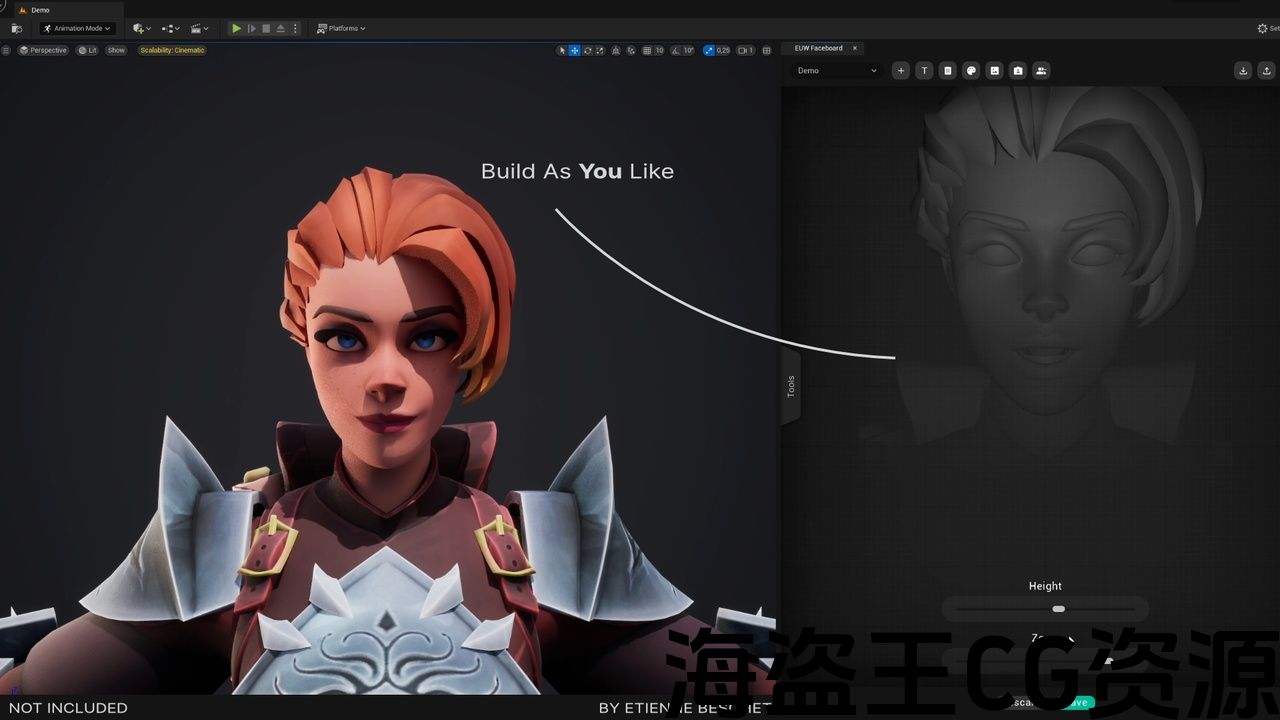
You can create beautiful Faceboards to your liking with this tool’s advanced, yet easy to use UI building features. Then, you’ll intuitively use these Faceboards to drive your controls easily which is especially important for complex key frame animations or mocap editing.
You can even hide control rig controls or activate game mode while you’re working with the tool since you won’t need to see them. Since Control Rig asset is used, this tool is able to access Sequencer and write data to it.
To see the tool in action, Showcase – MetaHuman Setup Tutorial – Custom Character Tutorial – Character Creator 4 – Using ARKit Character
Faceboard UI has edit and use modes. Edit mode is where the rigger builds the custom Faceboard by using drag and drop slider workflow and use mode is where the animator uses these sliders to control the corresponding Control Rig controls.
Also MetaHuman Faceboard UI template is already provided with the tool and fully supported. You can start animating right away If you are after using MetaHumans.
Key Features
- Full MetaHuman Support
- Full Character Creator (CC) Support
- Full ARKit Character Support with a standardized Control Rig [new v4]
- Additive animation layer support
- Pan, zoom and grab
- Group selection (box and CTRL)
- Simultaneous control of multiple sliders
- Mirror tool for pose mode
- Keyboard based precision control of slider values
- Dockable to any part in UE Editor including to a secondary monitor
- Drag & drop based Faceboard construction workflow for custom characters
- Align, distribute and mirror tools in edit mode for construction workflow
- Multiple color options for your sliders
- 1-click face based background image generation feature
- 1-click focus on head feature
- 1-click group pick for right side and left side sliders
- Support for custom characters
Important: Please read the documents thoroughly. If you want to use this tool with your custom character, you need to have your own Control Rig. If you use MetaHuman, you can start right away since everything you need is already provided.
Important 2: If you use MetaHuman template, you can directly update the tool when there is a newer version. If you have your custom character and template, don’t forget to export your config as json (Faceboard.json file) and back up somewhere so that you won’t lose your template.
Important 3: None of the characters are included.
Required Plugins (Already included in Unreal Engine) : Json Blueprint Utilities
Support
To ask questions, report bugs, request features or just to say hi;
Please reach us via: info@wilypumpkin.com
Documentation: Beginner’s Guide and Manual
Current Version: 4.1
此工具允许您从编辑器UI驱动角色控件绑定的控件。 它主要集中在面板上,但其他用途也是可能的。
使用此工具的高级但易于使用的UI构建功能,您可以根据自己的喜好创建漂亮的面板。 然后,您将直观地使用这些面板轻松驱动您的控件,这对于复杂的关键帧动画或mocap编辑尤其重要。
您甚至可以在使用该工具时隐藏control rig控件或激活游戏模式,因为您不需要看到它们。 由于使用了Control Rig资产,因此该工具能够访问Sequencer并向其写入数据。
查看工具的运行情况, 展览厅 – MetaHuman设置教程 – 自定义字符教程 – 角色创造者4 – 使用ARKit字符
面板UI具有编辑和使用模式. 编辑模式是rigger使用拖放滑块工作流构建自定义面板的地方,使用模式是动画师使用这些滑块来控制相应的控件Rig控件的地方。
此外,MetaHuman Faceboard UI模板已经提供了该工具并完全支持。 如果您在使用MetaHumans之后,您可以立即开始动画。
主要特点
- 全面的元人支持
- 全角色创建者(CC)支持
- 完整的ARKit字符支持与标准化控制钻机[新v4]
- 附加动画层支持
- 平移、缩放和抓取
- 组选择(框和CTRL)
- 同时控制多个滑块
- 姿势模式的镜像工具
- 基于键盘的滑块值精密控制
- 可停靠到UE编辑器中的任何部分,包括辅助监视器
- 基于拖放的自定义字符面板构建工作流
- 在编辑模式下对齐、分发和镜像工具,用于构建工作流
- 滑块的多种颜色选项
- 1-单击基于人脸的背景图像生成功能
- 1-点击聚焦头部功能
- 1-单击组选择右侧和左侧滑块
- 支持自定义字符
重要事项: 请仔细阅读这些文件. 如果您想将此工具与自定义角色一起使用,则需要拥有自己的Control Rig。 如果您使用MetaHuman,您可以立即开始,因为您需要的一切都已经提供。
重要2: 如果您使用MetaHuman模板,则可以在有较新版本时直接更新该工具。 如果您有自定义字符和模板,请不要忘记将配置导出为json(Faceboard)。json文件)并备份到某个地方,这样您就不会丢失模板。
重要3: 无 的字符包括在内。
所需插件(已包含在虚幻引擎中) : Json蓝图实用程序
支援服务
提出问题,报告错误,请求功能或只是打个招呼;
请通过以下方式与我们联系: info@wilypumpkin.com
当前版本: 4.1
评论(0)