
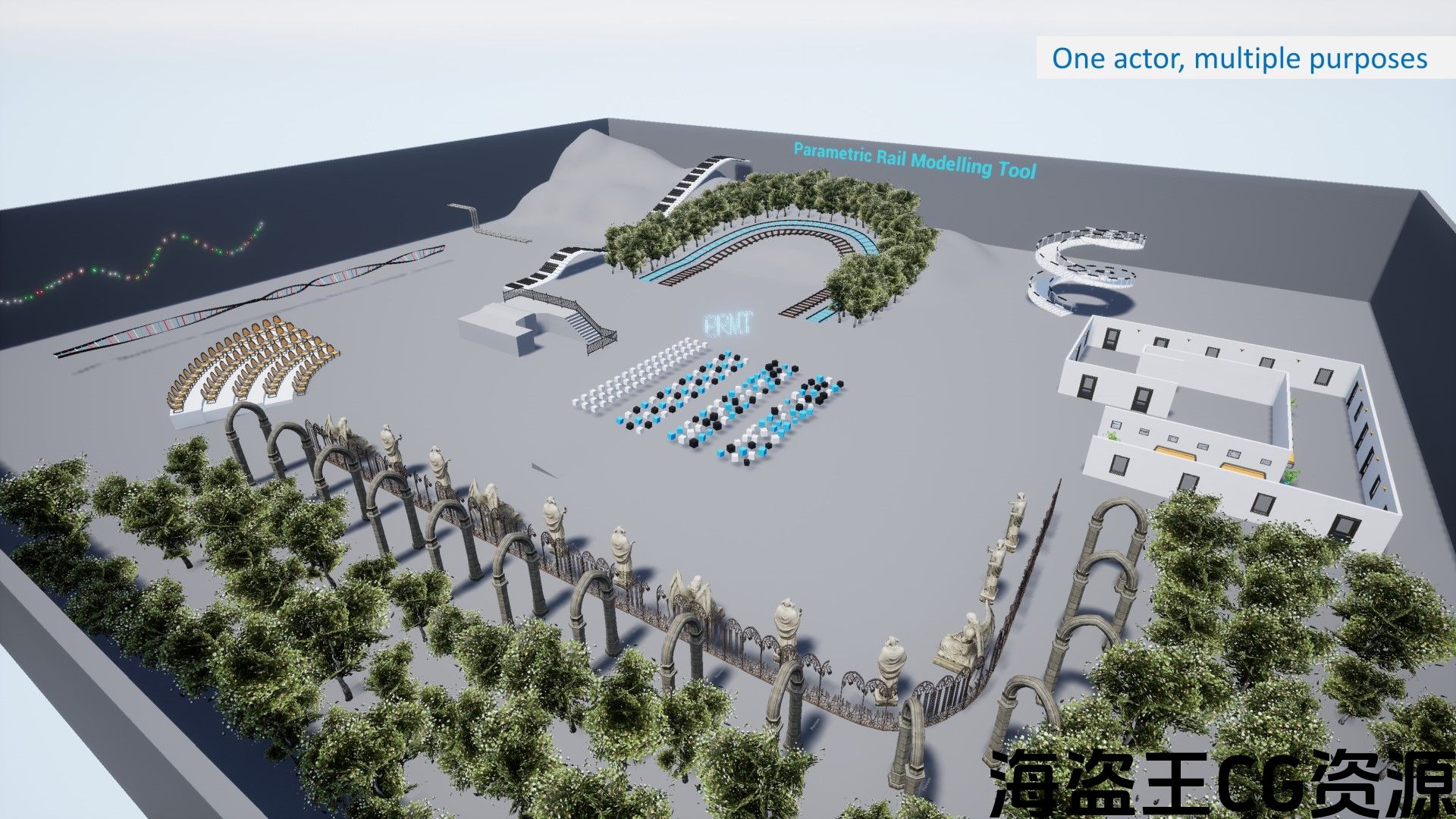
一种灵活的工具,可使用分层实例静态网格物体和样条网格物体在几分钟内创建基于样条线的对象(例如铁轨、扶手)、道具(例如椅子、灯柱、树木)和形状(例如楼梯)。在编辑器和运行时都有效。
请参阅下面的用户指南,了解完整的技术细节。 Note that latest update is for 4.25+ only, 4.22-4.24 is still supported but will stay at v2.
For PRMT v3 (4.25+): Demo video | Sample packaged build | User guide
For PRMT v2 (4.22 – 4.24): 演示视频 | Sample packaged build | User guide
Latest Release (see Changelog for full details and before updating existing project):
v3.2 (13 Feb 2022) – new features and improvements
Number of Blueprints Actors: 2
Supported Development Platforms: Windows
Supported Target Build Platforms: Windows
*****
现有 PRMT 用户请注意 – 不幸的是,我目前不再开发 PRMT,并且该产品不再在市场上列出。但是,我很乐意回答您在使用/寻求修改项目工具时可能遇到的任何问题。 Please email me instead of posting questions in marketplace as I am not able to make a reply.
如果您打算在 UE5 中使用 PRMT,请注意它并不完全兼容。我之前尝试升级,但在打包构建中遇到了问题。我已经成功缩小了问题的范围,该问题似乎仅与实时重建网格有关(即,如果您正在使用游戏内编辑 UMG/功能)。 Simply using PRMT to populate your scene in editor should be ok.但请确保尽早通过构建和运行项目进行测试。
感谢您对该工具的支持。
*****
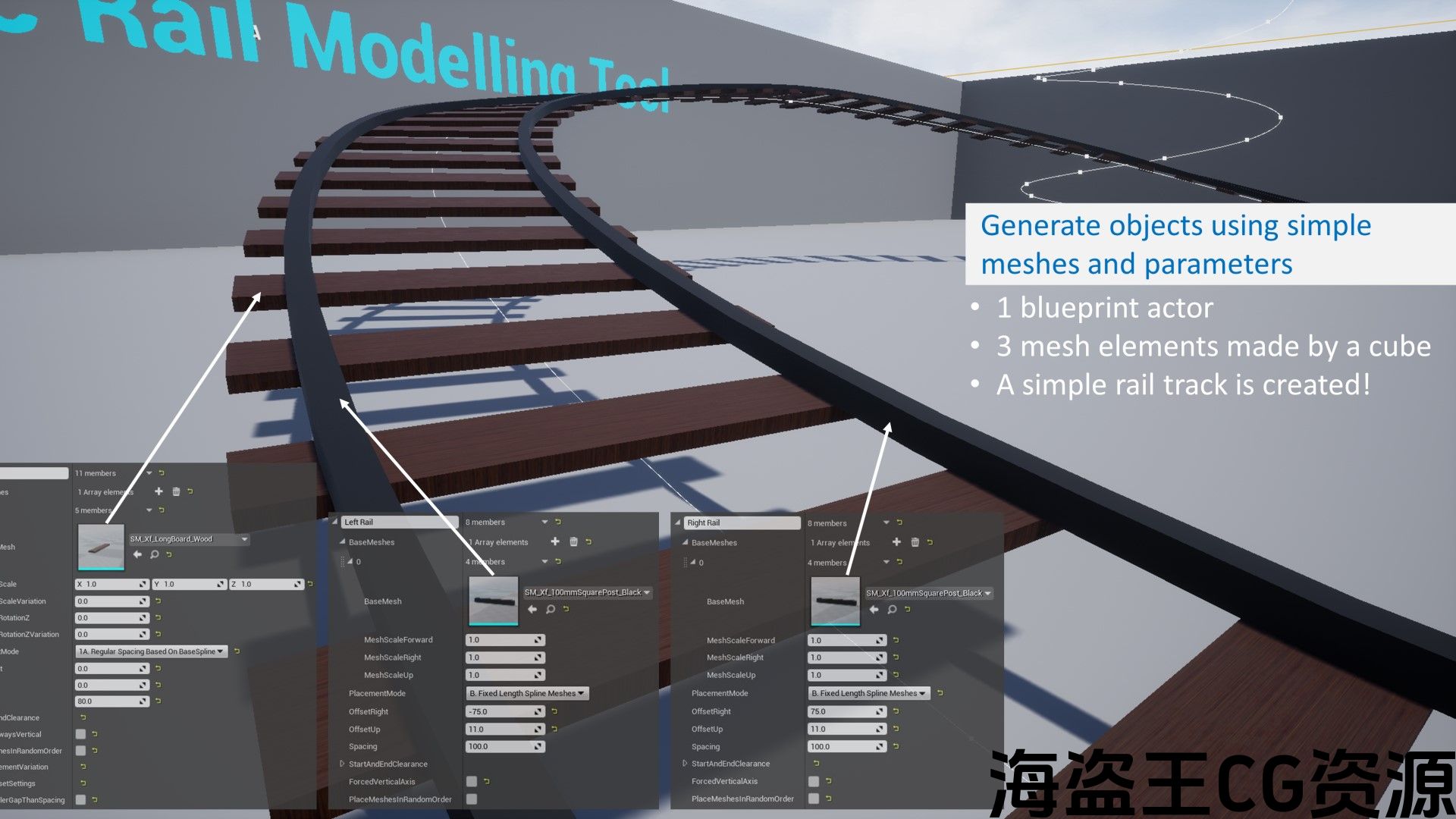
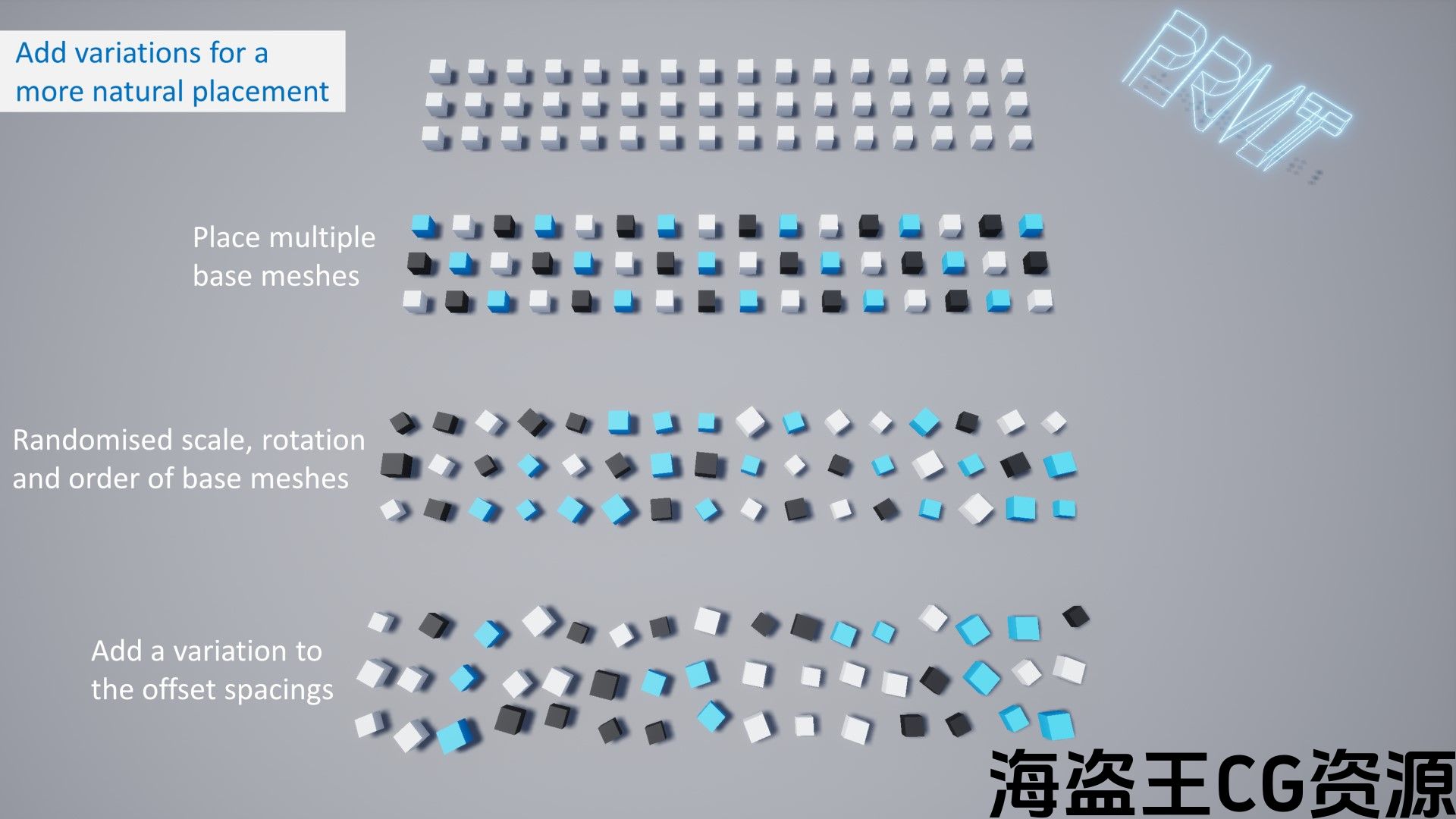
PRMT 是一种高度灵活的工具,用于沿样条线生成网格。 A range of objects can be generated using even just simple meshes. 仅使用基本立方体、圆柱体、球体即可在几分钟内创建示例对象,包括铁轨、扶手、楼梯、巨型键盘和灯线。 You can also use this tool to generate more sophisticated objects using your own props and assets. PRMT provides options of using spline meshes and hierarchical instanced static meshes to optimise performance.
You can add multiple elements within a single blueprint to generate an object. For example, the rail track example consists of two ‘line elements’ (left rail, right rail) and one ‘point element’ (sleeper). There are multiple parameters you can use to place the meshes the way you needed.
主要功能:
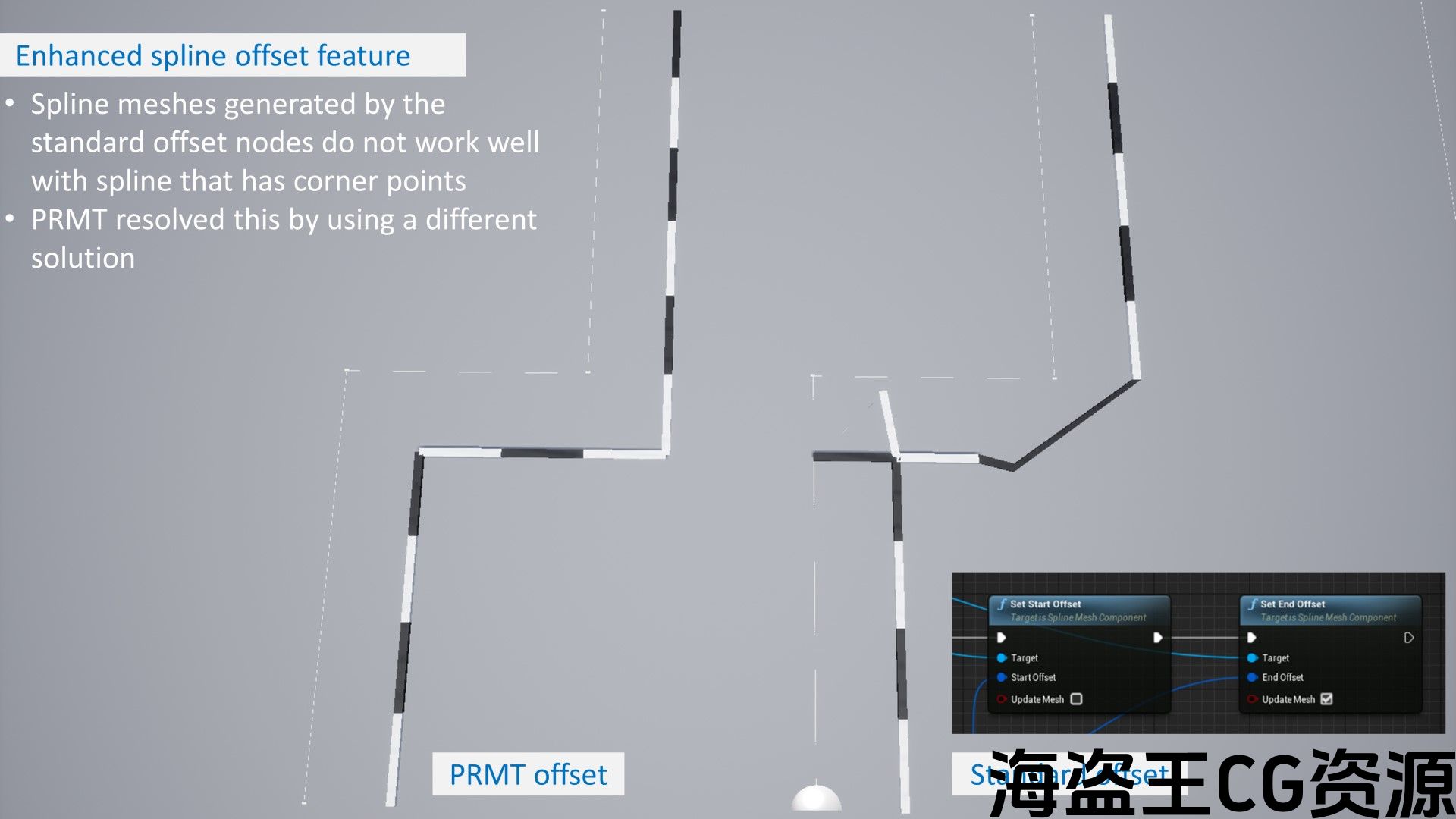
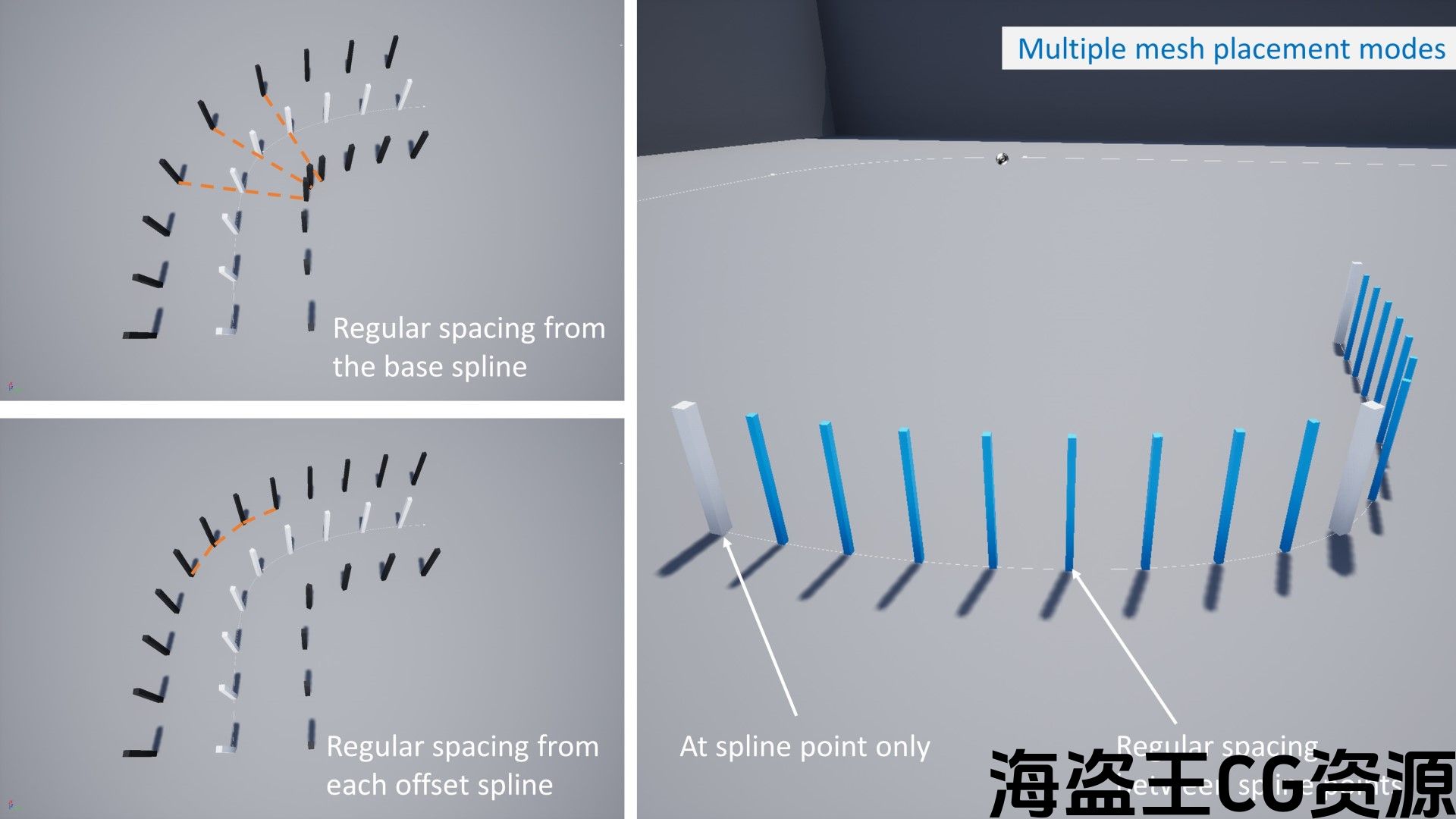
— 具有增强样条线偏移的点和线元素–
两种类型的元素和多种放置模式,适用于不同的情况。 PRMT 还具有增强的样条线偏移解决方案,可以处理包含角点的样条线偏移(即由一系列线性点组成的样条线)
— 通过数据表编辑样条线(仅限编辑器内)–
如果您从其他软件创建样条线,则可以将点导出到数据表,PRMT 将相应地生成样条线。
–运行时编辑器–
PRMT 包括控制器蓝图和用户小部件,用于处理运行时的功能,这意味着您可以允许用户在打包项目中创建/编辑样条线和 PRMT 对象。
评论(0)