



Features:
- Party Menu: Replicated session less party main menu where client can invite steam friends to join his lobby with real time updates.
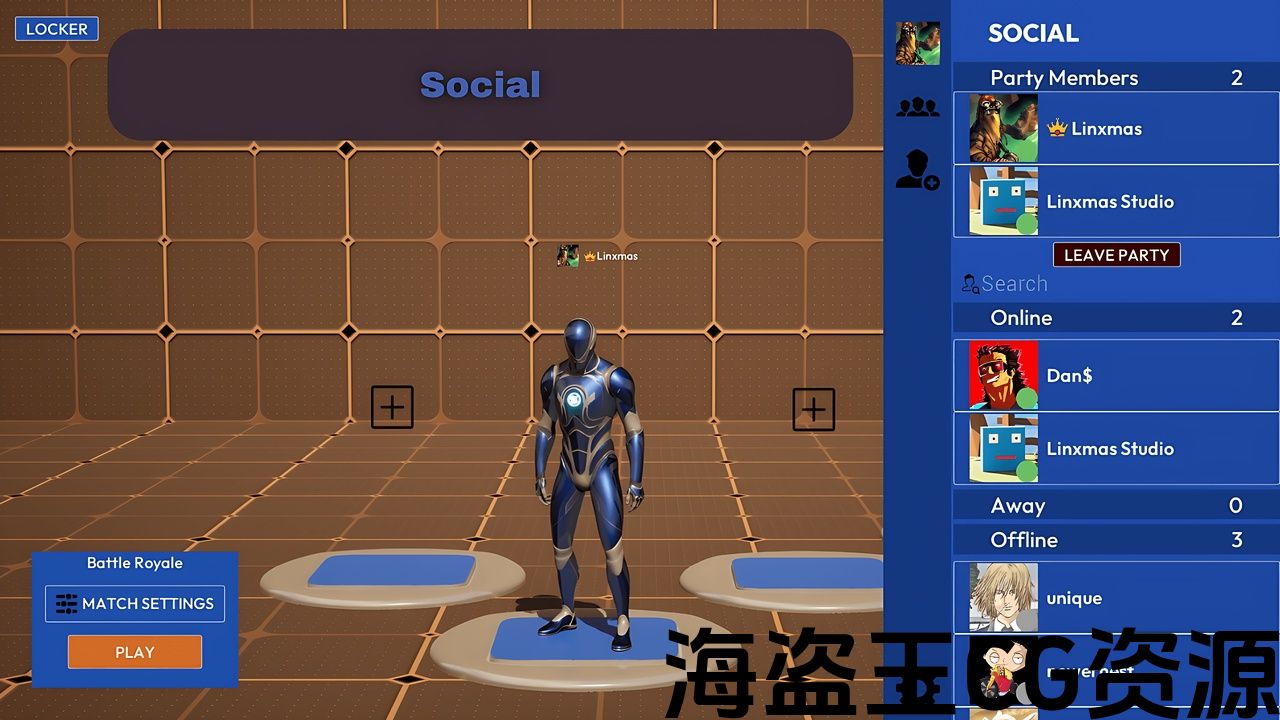
- Social Menus: Steam friends, add/remove friend, invite to party. Party management: kick member, change party owner.
- Character Selection: It allows member to select a character mesh and any variations of that mesh. Updates for all in lobby then saved.
Number of Blueprints: 25
Input: Keyboard, Mouse
Network Replicated: Yes
Supported Development Platforms:
- Windows: Yes
- Mac: No
Supported Target Build Platforms: Windows
Supported Development Platforms: Windows
Documentation Link: Documentation
Example Project: SPM_Demo
Important/Additional Notes: Template build with and requires Steam Integration Kit to work out of the box with no blueprint code change.
Features:
- Party Menu: Replicated session less party main menu where client can invite steam friends to join his lobby with real time updates.
- Social Menus: Steam friends, add/remove friend, invite to party. Party management: kick member, change party owner.
- Character Selection: It allows member to select a character mesh and any variations of that mesh. Updates for all in lobby then saved.
Number of Blueprints: 25
Input: Keyboard, Mouse
Network Replicated: Yes
Supported Development Platforms:
- Windows: Yes
- Mac: No
Supported Target Build Platforms: Windows
Supported Development Platforms: Windows
Documentation Link: Documentation
Example Project: SPM_Demo
Important/Additional Notes: Template build with and requires Steam Integration Kit to work out of the box with no blueprint code change.
Steam Party Menu (SPM) is 100% blueprint template that utilizes the Steam Integration Kit to create a seamless party main menu for Steam games.
For SPM to function out of the box, you must use the Steam Integration Kit (SIK).
You can purchase SIK from FAB store here or compile the GitHub version. The Marketplace version comes with extra features, with differences outlined here.
SPM works with both versions but is developed and tested primarily with the Marketplace version.
Important: Steam Party Menu requires Steam Integration Kit to function. Using it with general Steam plugins or any other Steam plugins will require modifications to ensure it works the same way as it does out of the box with Steam Integration Kit.
🎮: Demo
🗣️: Discord Support
Features:
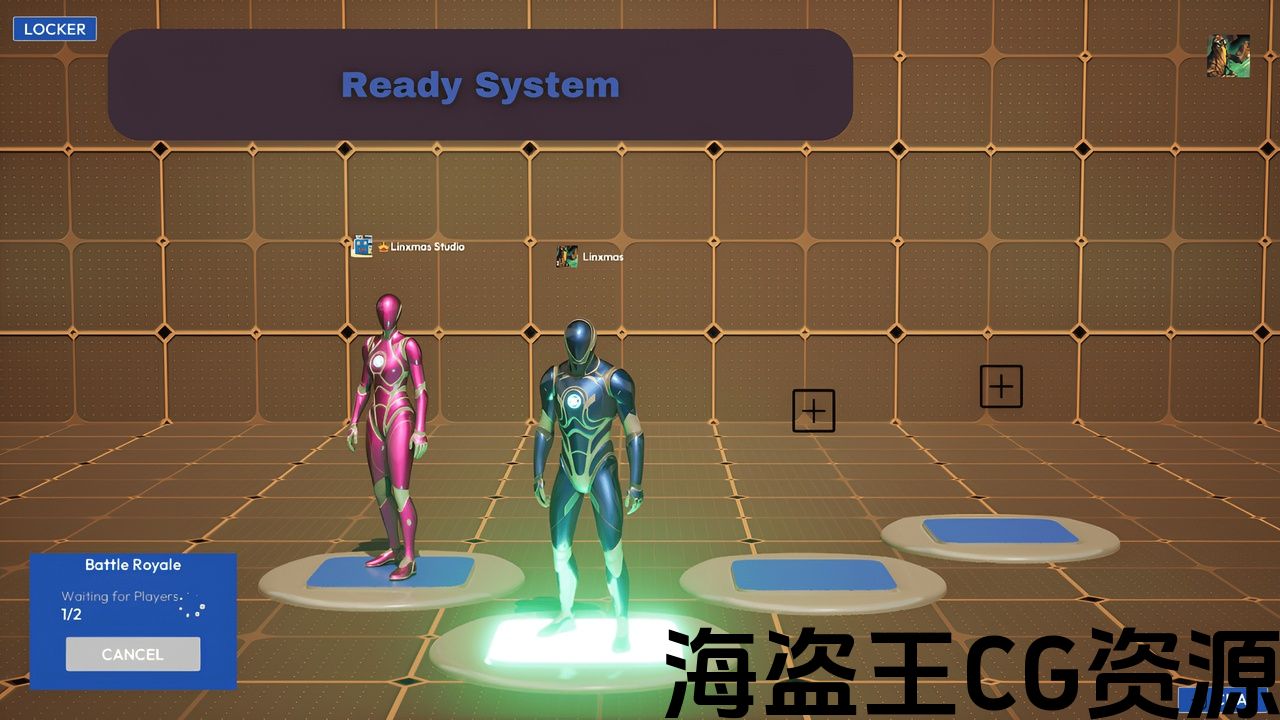
- Ready System: The travel to the game level begins only after all party members have pressed the “Ready” button, ensuring everyone is prepared. Once all members confirm their readiness, the session starts.
- Match Settings: The host can customize match settings by configuring options such as party size, game mode, and game level.
- Party Chat: Party members can communicate using a preset text chat feature. It can also create and send system messages, such as notifications for when a party member joins or leaves.
- Rejoin System: It allows disconnected members to rejoin sessions.
- Character Selection: It allows member to select a character mesh and any variations of that mesh.
- Social Menus: Steam friends, add/remove friend, invite to party. Party management: kick member, change party owner.
- Escape Menu: Leave match game alone or with all party (if host).
- Settings Menu: Graphics settings, audio volume settings, account settings.
Steam Party Menu (SPM) is 100% blueprint template that utilizes the Steam Integration Kit to create a seamless party main menu for Steam games.
For SPM to function out of the box, you must use the Steam Integration Kit (SIK).
You can purchase SIK from FAB store here or compile the GitHub version. The Marketplace version comes with extra features, with differences outlined here.
SPM works with both versions but is developed and tested primarily with the Marketplace version.
Important: Steam Party Menu requires Steam Integration Kit to function. Using it with general Steam plugins or any other Steam plugins will require modifications to ensure it works the same way as it does out of the box with Steam Integration Kit.
🎮: Demo
🗣️: Discord Support
Features:
- Ready System: The travel to the game level begins only after all party members have pressed the “Ready” button, ensuring everyone is prepared. Once all members confirm their readiness, the session starts.
- Match Settings: The host can customize match settings by configuring options such as party size, game mode, and game level.
- Party Chat: Party members can communicate using a preset text chat feature. It can also create and send system messages, such as notifications for when a party member joins or leaves.
- Rejoin System: It allows disconnected members to rejoin sessions.
- Character Selection: It allows member to select a character mesh and any variations of that mesh.
- Social Menus: Steam friends, add/remove friend, invite to party. Party management: kick member, change party owner.
- Escape Menu: Leave match game alone or with all party (if host).
- Settings Menu: Graphics settings, audio volume settings, account settings.
评论(0)