
-
Number of Unique Materials and Material Instances : 2
-
Number of Material Functions : 12
-
Number of Textures : 1 (for debugging purpose, no textures used by the shader itself)
-
Number of Blueprints : 1
-
Supported Development Platforms : Windows & Mac
-
Documentation : Click here to see the documentation
-
独特材质和材质实例的数量:2
-
材质函数的数量:12
-
纹理数量:1(出于调试目的,着色器本身不使用纹理)
-
蓝图数量: 1
-
支持的开发平台:Windows 和 Mac
-
文档:点击此处查看文档
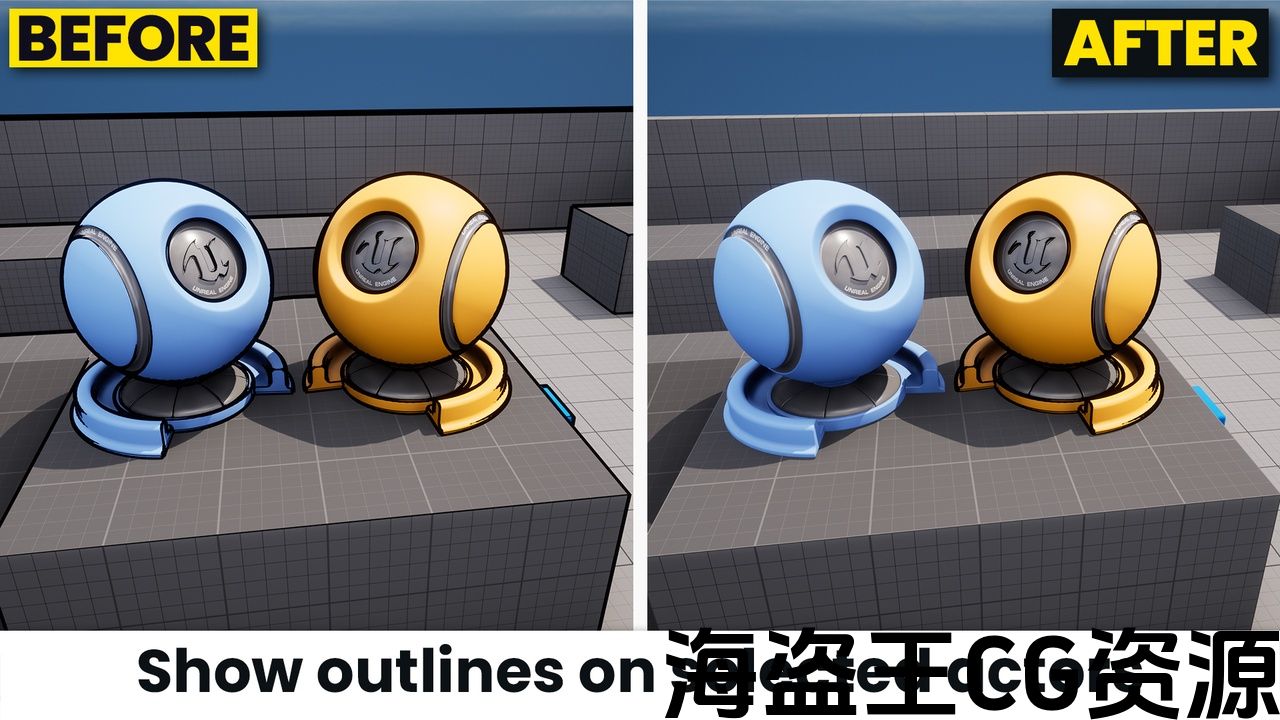
This post process material shader allows you to get the cleanest outlines possible in Unreal Engine! Even if it’s an advanced Outline Shader, you’ll be able to configure it easily thanks to all the comments in the code and the documentation that I tried to make as understandable as possible!
What can I achieve with this shader?
Thanks to this Advanced Outline Shader, you’ll be able to :
-
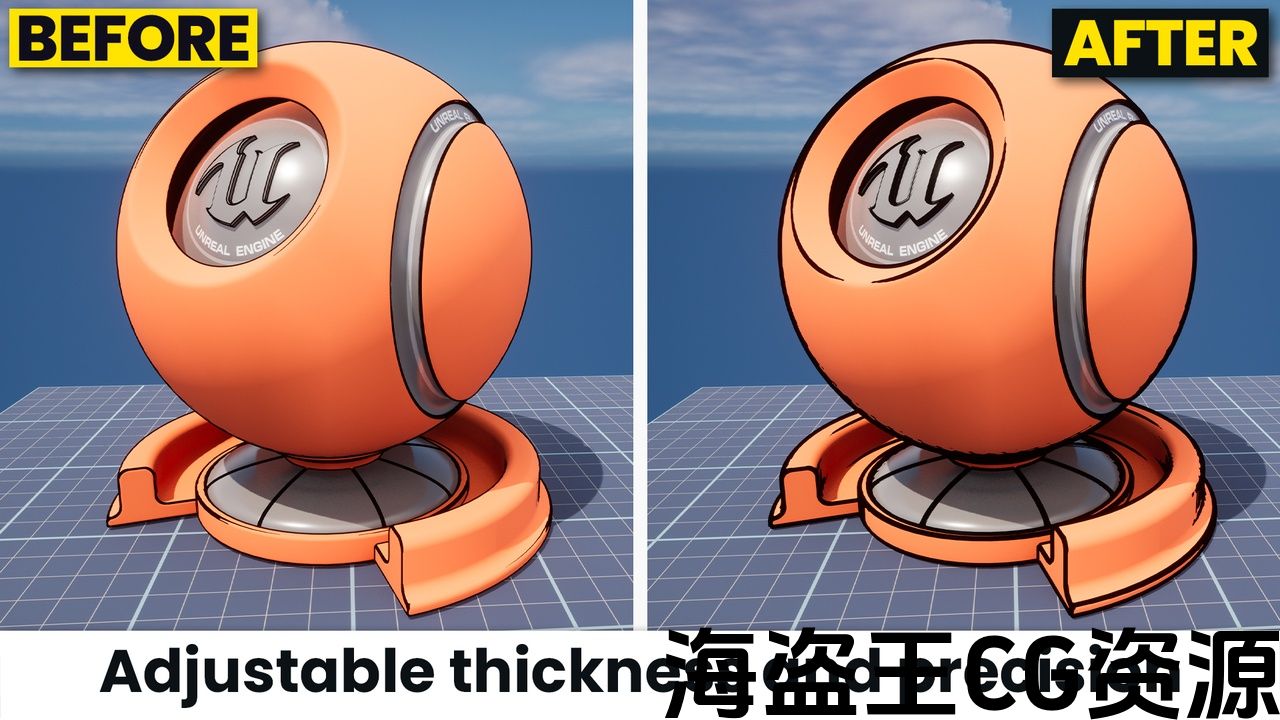
Change the thickness of the Outlines Strokes;
-
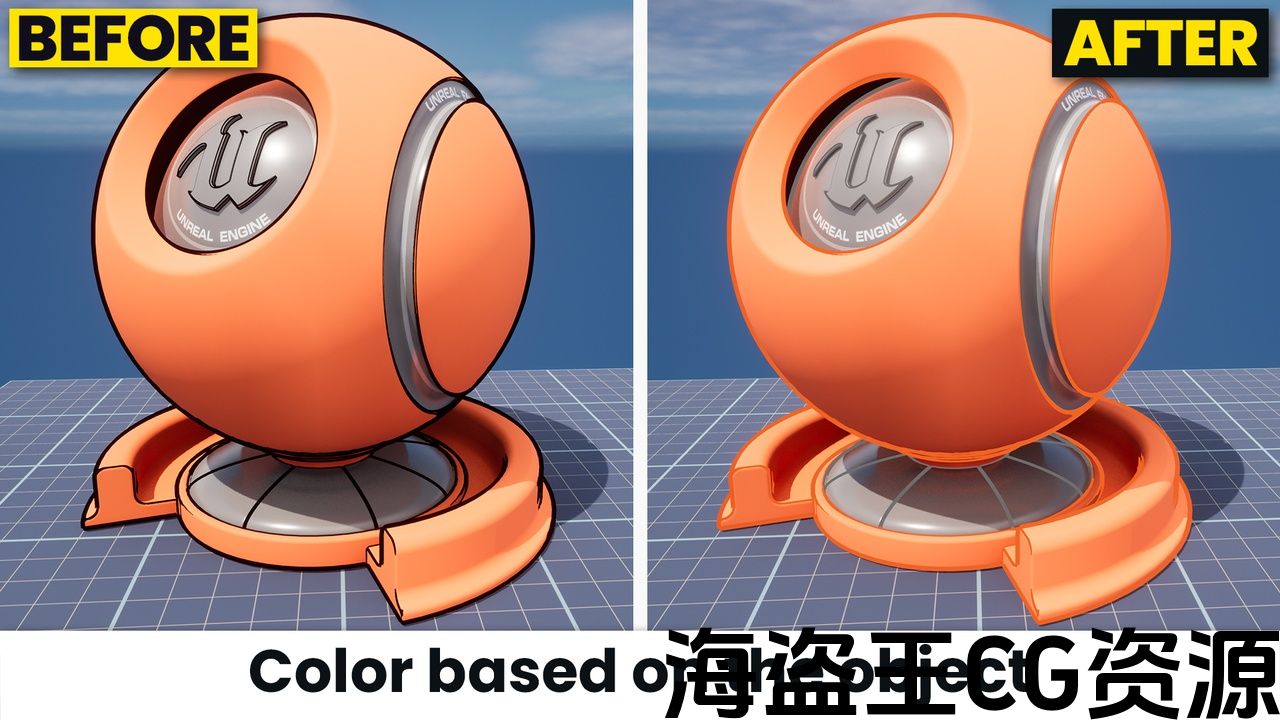
Change their color either to a defined color or to the color of the object itself (like in Genshin Impact);
-
Apply the Outline Shader effect only on some of the actors of the scene, thanks to the custom depth buffer;
-
Modulate the thickness of the strokes so that they become thinner when a object is far away and thicker when it’s close to the camera;
-
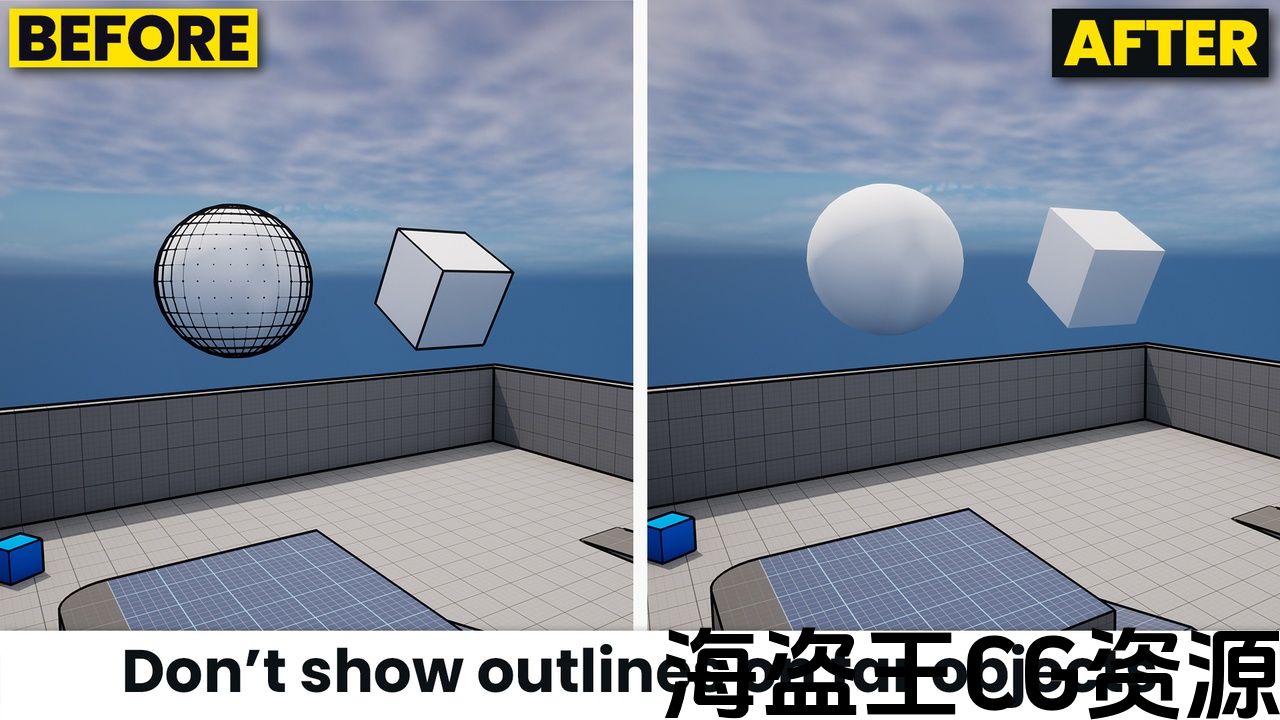
Prevent the strokes from being drawn on things that are too far away, like the skybox for example;
-
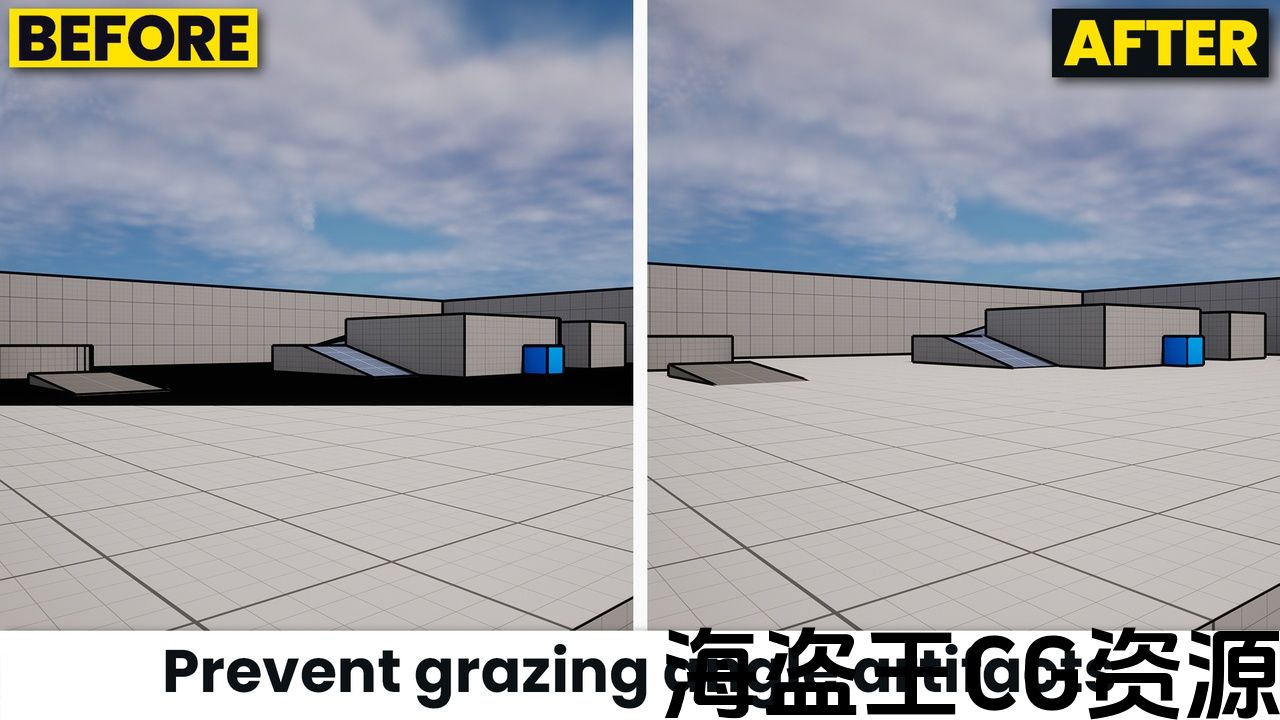
Limit the artifacts that appear on a surface when the camera view is nearly parallel to it;
-
Apply 256 different outlines in the scene with the same shader, without modifying the code!
Technical Details
-
Number of Unique Materials and Material Instances : 2
-
Number of Material Functions : 12
-
Number of Textures : 1 (for debugging purpose, no textures used by the shader itself)
-
Number of Blueprints : 1
-
Supported Development Platforms : Windows & Mac
-
Documentation : Click here to see the documentation
这个后处理材质着色器可以让您在虚幻引擎中获得尽可能清晰的轮廓!即使它是一个高级轮廓着色器,您将能够轻松配置它,这要归功于我尽力使代码和文档尽可能易于理解的所有注释!
使用此着色器我可以实现什么?
感谢此高级轮廓着色器,您将能够:
-
更改轮廓笔画的粗细;
-
将其颜色更改为定义的颜色或对象本身的颜色(如在《原神》中);
-
借助自定义深度缓冲区,仅将轮廓着色器效果应用于场景的某些演员;
-
调节轮廓笔画的粗细使笔触在物体远离相机时变细,在物体靠近相机时变粗;
-
防止在距离太远的物体(例如天空盒)上绘制笔触;
-
限制当相机视图几乎与表面平行时出现在表面上的伪影;
-
在场景中应用 256 种不同的轮廓相同的着色器,无需修改代码!
技术细节
-
独特材质和材质实例的数量:2
-
材质函数的数量:12
-
纹理的数量:1(出于调试目的,着色器不使用任何纹理本身)
-
蓝图数量:1
-
支持的开发平台:Windows 和 Mac
-
文档:点击此处查看文档
评论(0)