
A manual setting of movement along a spline. Provides many options for basic and advanced implementations. Saves a lot of time.
沿样条移动的手动设置。 为基本和高级实现提供了许多选项。 节省了大量的时间。
Features:
- Object attachment
- Closed loop movement
- Backward movement
- Repetitions
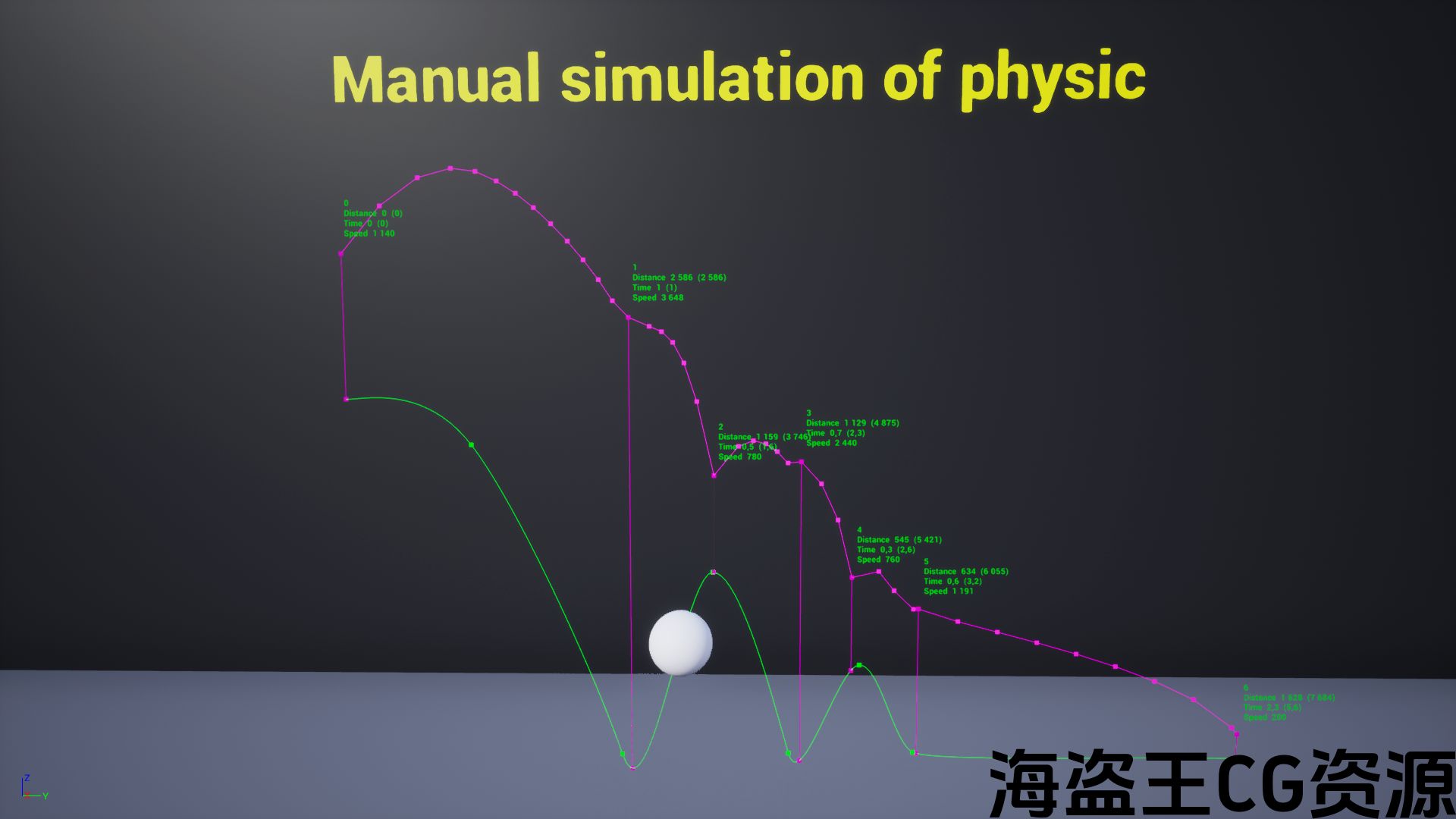
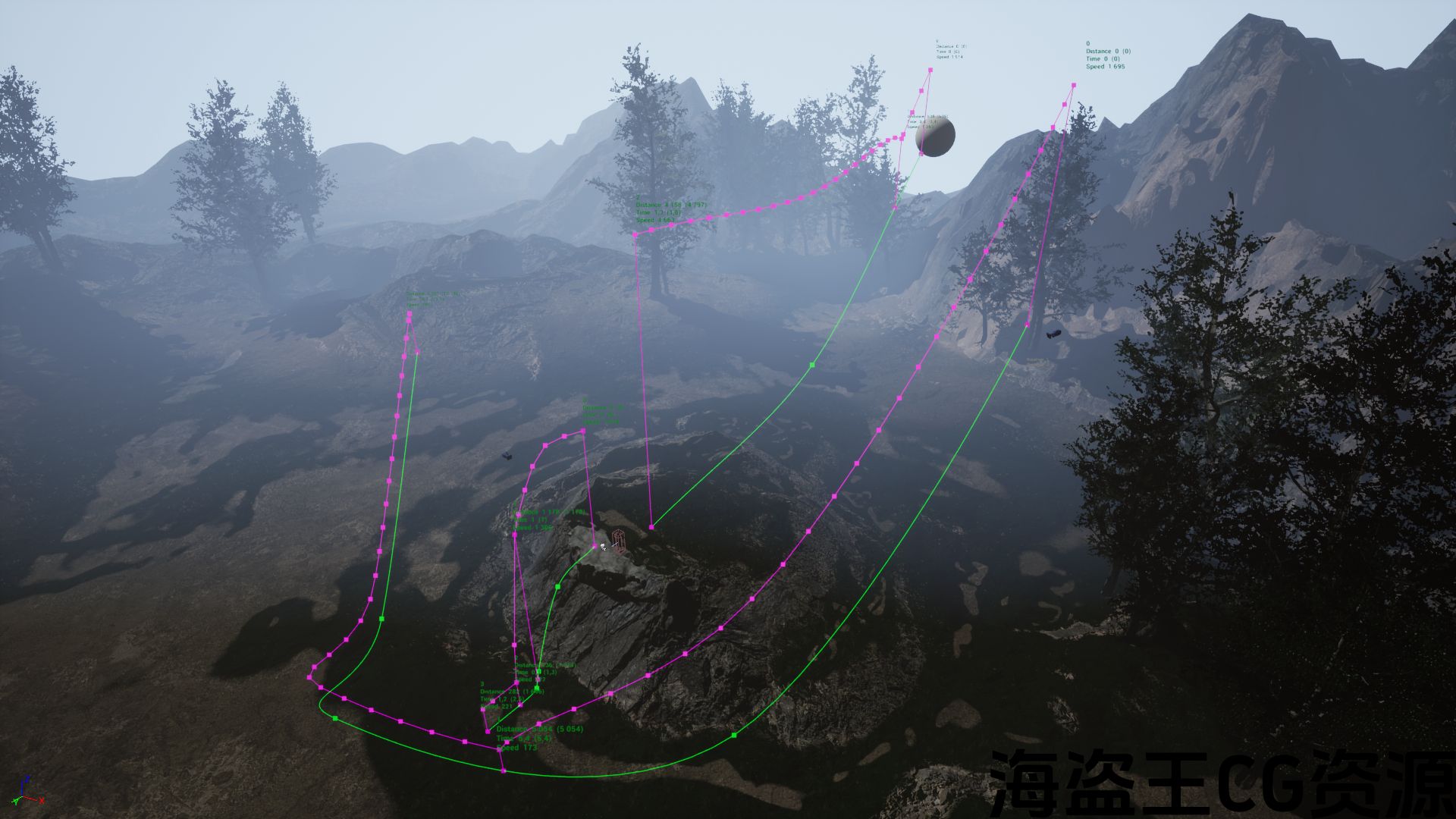
- Movement on surfaces
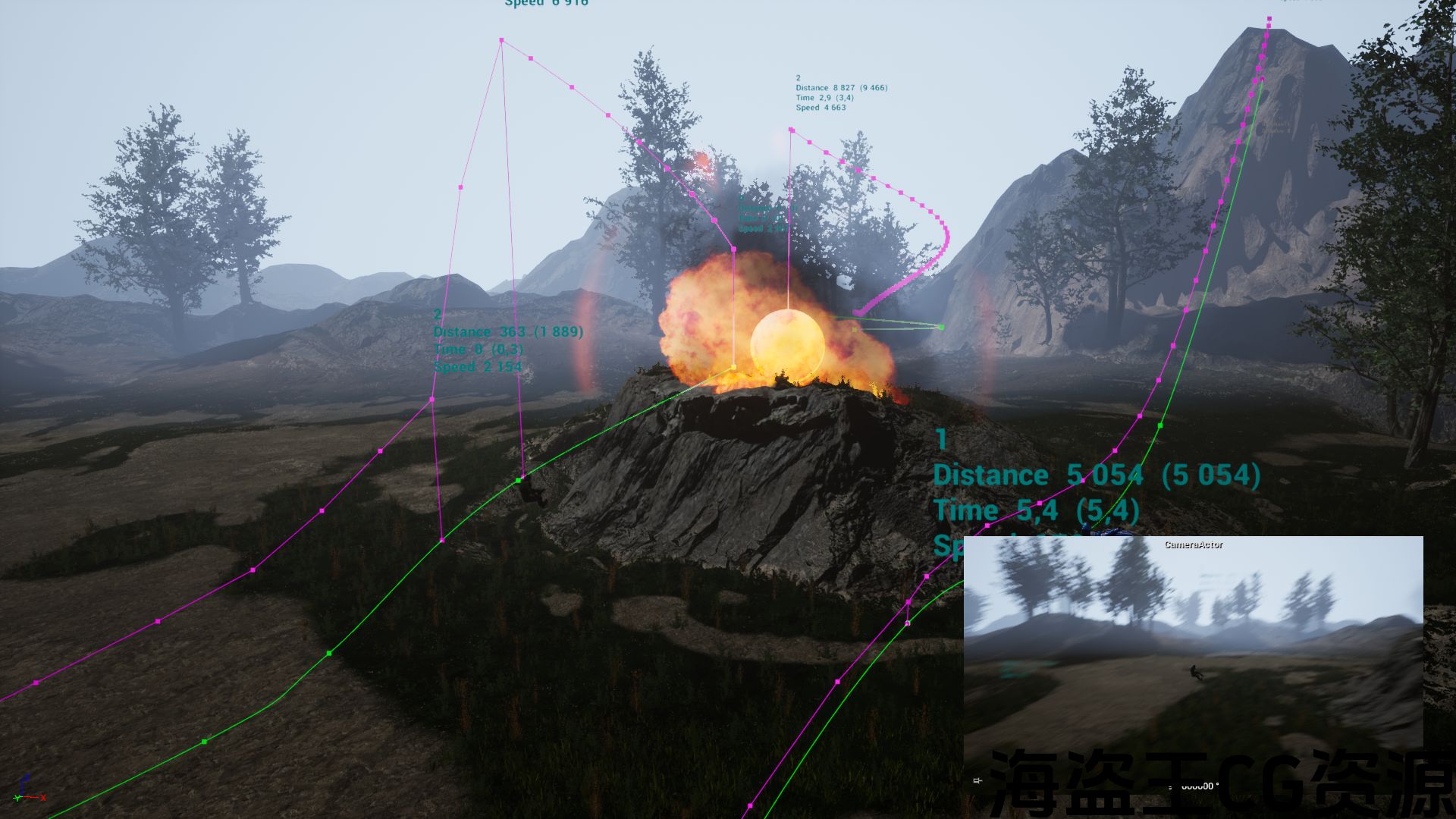
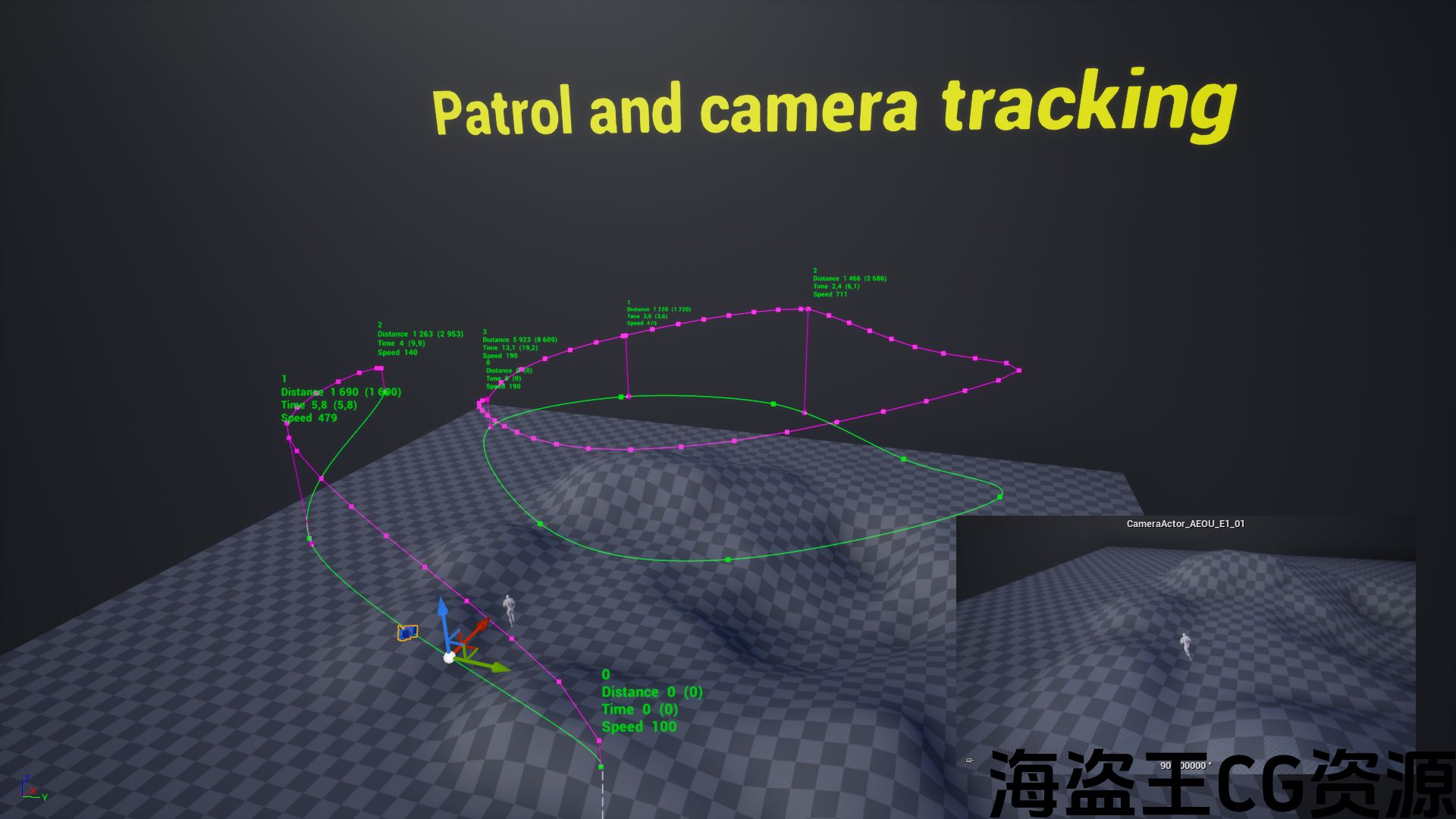
- Camera tracking
- Possible to control in blueprints
- Assign any of the possible directions for the attached actor
- A variety of settings for speed, delays and rotations
- 3 types of movements (set location, add offset, add movement input)
- Different ways of placing the attached object after the end of the movement
- Restore initial location, rotation and max walk speed (use if the attached actor is character)
- Start from a given distance along spline
- Placing tool to the attached actor (with offset assignment)
- Stop conditions (at end of spline, after distance, after seconds)
- Stop or not if the movement of the attached object is blocked
- Interactions with triggers and configuration of actions at begin and end overlap (none, start, restart, stop, suspend, continue, backward movement)
- and much more
Number of Blueprints: 2 (main tool and API examples)
Network Replicated: No
Windows: Yes
Mac: Yes
Important/Additional Notes:
- Set Transform Mobility to Movable for the attached actor
- Pre-install a standard UE template “ThirdPerson” in the project so that examples with characters work in the example map
- If you want to purchase this instrument ONLY to use it in a sequencer, then be sure to read the answer about this here or in the discord. Use with a sequencer is NOT complete due to technical limitations
特征:
- 对象附件
- 闭环运动
- 向后运动
- 重复次数
- 表面上的运动
- 相机追踪
- 可以在蓝图中进行控制
- 为附加的actor分配任何可能的方向
- 速度、延迟和旋转的多种设置
- 3种类型的运动(设置位置,添加偏移量,添加运动输入)
- 运动结束后放置附着物体的不同方式
- 恢复初始位置,旋转和最大行走速度(如果附加的actor是character,则使用)
- 沿着样条从给定距离开始
- 将工具放置到附加的actor(使用偏移分配)
- 停止条件(样条结束时,距离后,秒后)
- 如果附加对象的移动被阻止,则停止或不停止
- 与触发器的交互以及开始和结束时的操作配置重叠(无、开始、重新启动、停止、挂起、继续、向后移动)
- 还有更多
蓝图数量:2(主要工具和API示例)
网络复制:没有
Windows:是的
Mac:是的
重要/附加注意事项:
- 套装 变换机动性 到 可移动 对于附加的演员
- 预先安装标准UE模板 “第三人” 在项目中,以便具有字符的示例在示例映射中工作
- 如果你想购买这个仪器只在音序器中使用它,那么一定要在这里或在不和谐中阅读有关此的答案。 由于技术限制,与测序器一起使用并不完整
Videos:
[Demonstration of most features]
[Discord] (there you can get support, suggest ideas for improvement for future updates, receive notifications etc.)
[Website with documentation and some info]
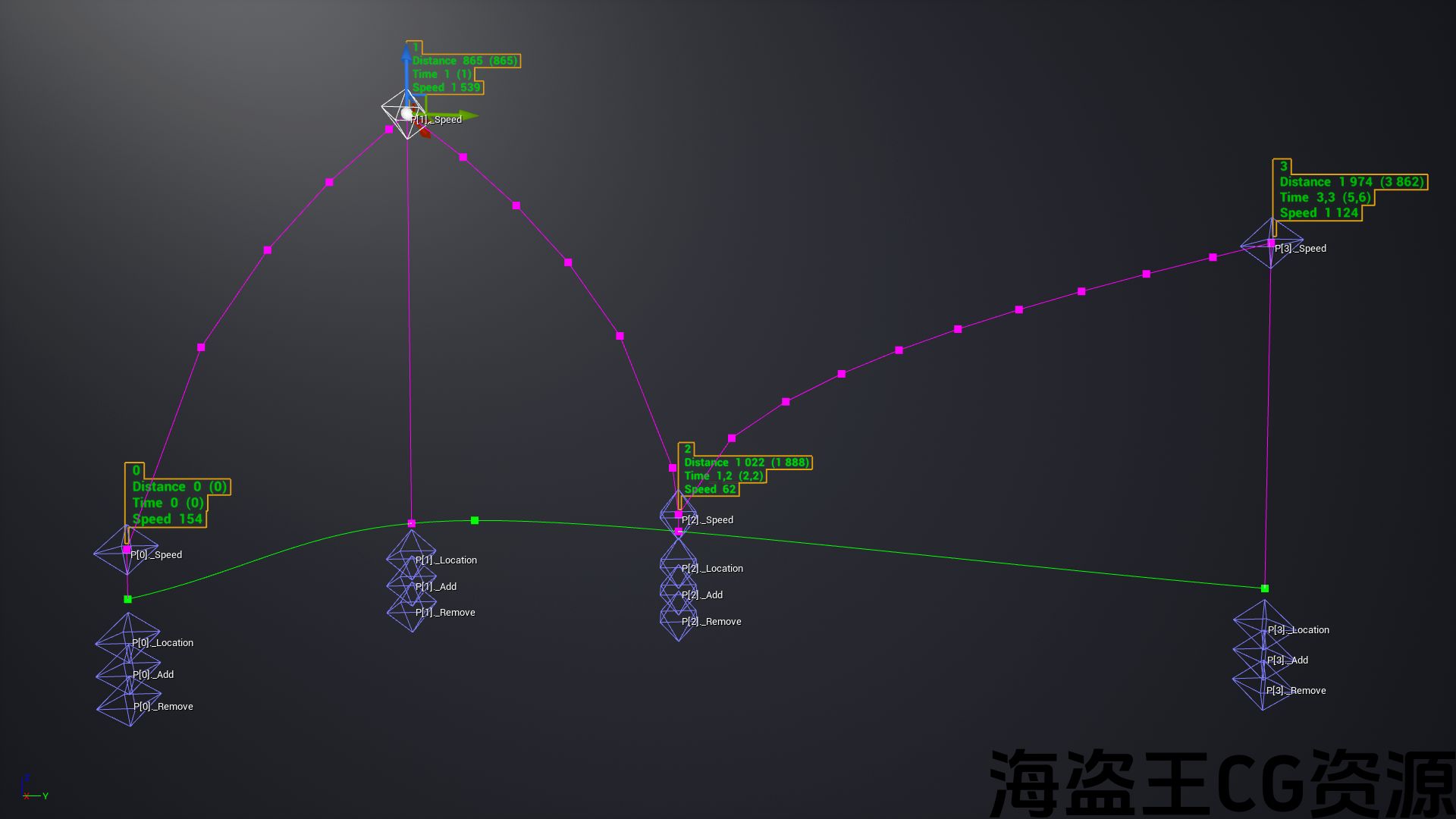
Adjustment is made by moving manipulators directly in the viewport. You can immediately see how long and at what speed the object will move on the specified sections of the spline. More than 80 parameters can be used for a very different settings. Which includes rotations, delays, interactions with triggers, moving exactly over surfaces, tracking other objects (for an example for applying to camera), connecting several Handy Movers to each other, etc. You can also control from blueprints and subscribe to the tool’s events for custom reactions.
Most settings can work at the same time and provide a very variable use. Saves a lot of time.
Updates:
[How to update and save dependencies]
(2021.06.27)
- a small bug fix
- improved inheritance usability
[2021.07.03]
- posted a video with one of the use cases
短片:
[不和谐] (在那里你可以得到支持,建议改进未来更新的想法,接收通知等。)
通过移动机械手进行调整 直接在视口中. 您可以立即看到对象在样条曲线的指定部分上移动的时间和速度。 超过80个参数 可以用于非常不同的设置。 其中包括旋转、延迟、与触发器的交互、精确地在表面上移动、跟踪其他对象(例如应用于相机)、将几个方便的移动器连接起来等。 您还可以从蓝图进行控制并订阅工具的事件以进行自定义反应。
大多数设置可以在同一时间工作,并提供一个非常可变的使用。 节省了大量的时间。
更新资料:
(2021.06.27)
- 一个小错误修复
- 改进的继承可用性
[2021.07.03]
- 发布了一个包含其中一个用例的视频
评论(0)