
Number of Blueprints: 290+ functions, 100+ events
Supported Development Platforms: All Unreal Engine development platforms
Supported Target Build Platforms: All Unreal Engine runtime platforms
Supported Unreal Engine Versions: Last 3 stable Unreal Engine releases*
Documentation: Website
Example Project: Website
Product Support: To access support, upload your receipt to the License Manager. You will then be able to access support on Discord.
Refund Policy: View on our website
* The engine versions listed at the top of this page refer to the engine versions that plugin binaries are available for. We do not offer support for engines older than the last 3 versions through Standard Support. If you need support for older engine versions, please refer to our Premium Support page.
蓝图数目: 290+功能,100+活动
支持的开发平台: 所有虚幻引擎开发平台
支持的目标构建平台: 所有虚幻引擎运行时平台
支持的虚幻引擎版本: 最后3个稳定的虚幻引擎版本*
文件: 网站
示例项目: 网站
产品支持: 要获得支持,请将收据上传到 许可证管理器. 然后,您将能够 访问Discord上的支持.
退款政策: 浏览我们的网站
*本页顶部列出的引擎版本是指插件二进制文件可用的引擎版本。 我们不通过标准支持为超过最后3个版本的引擎提供支持。 如果您需要对旧版引擎的支持,请参阅我们的 高级支持页面.
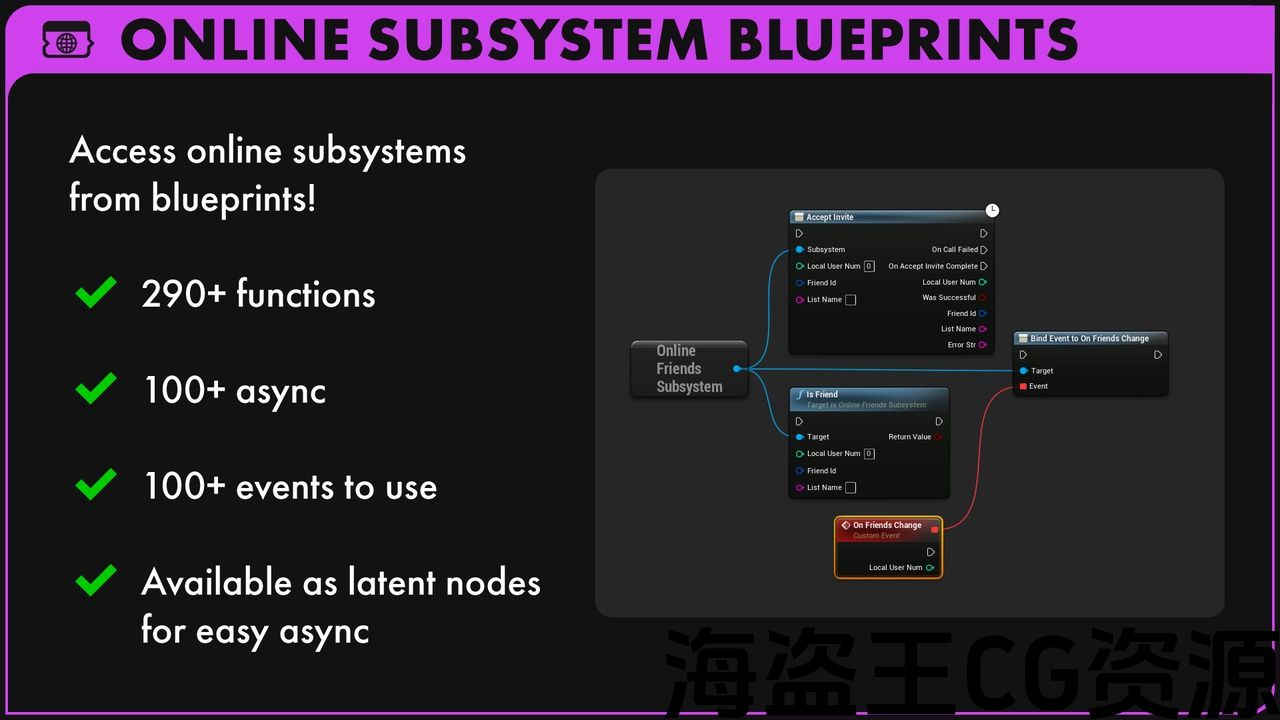
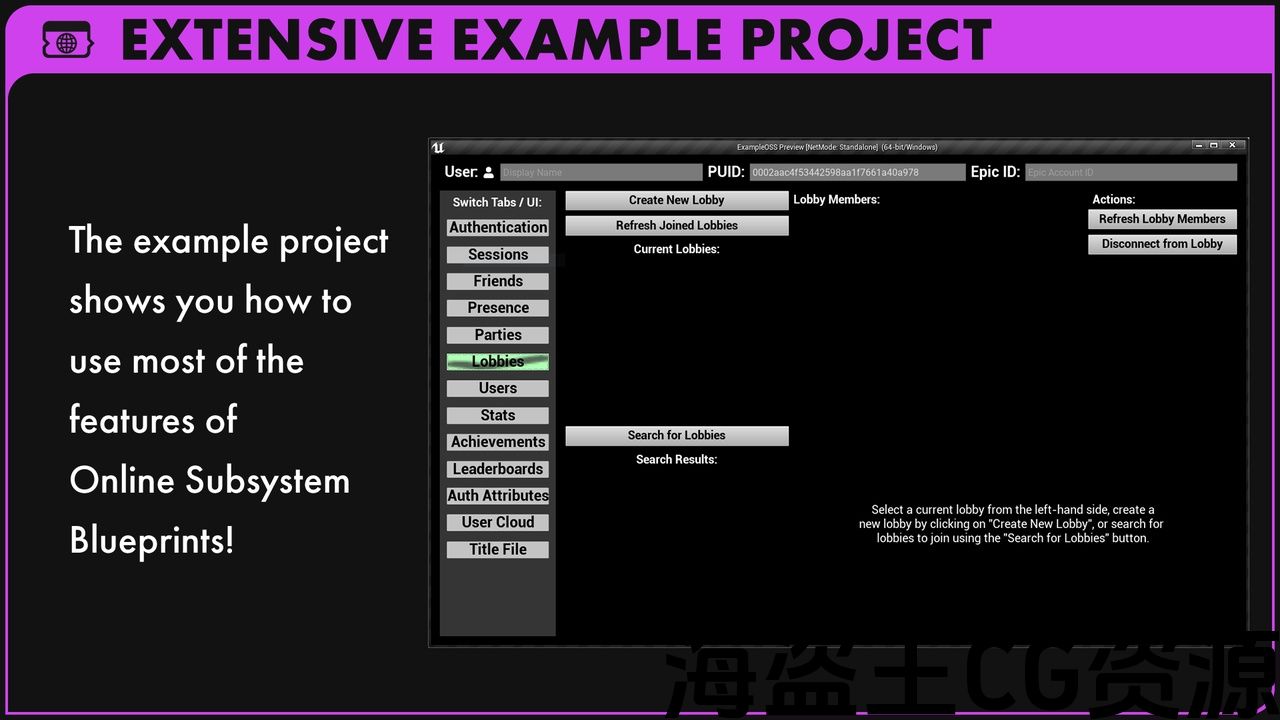
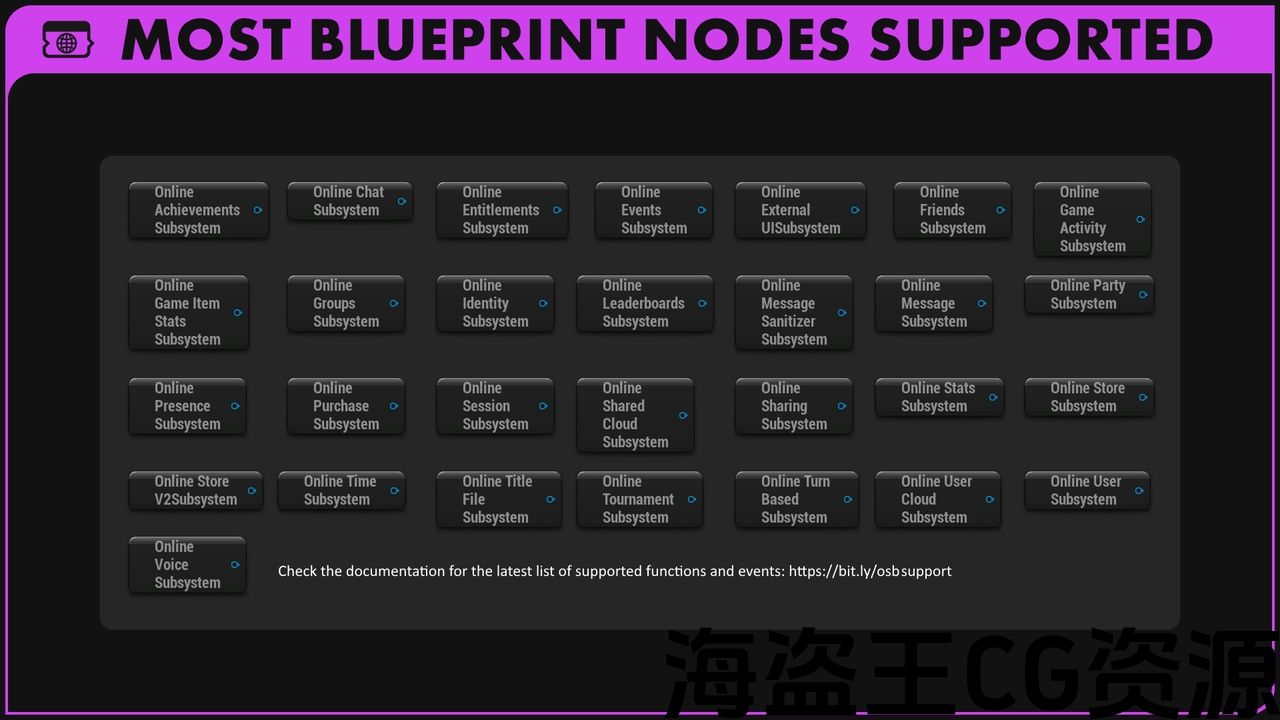
Now you can access the online subsystems that Unreal Engine provides from blueprints. With over 290+ functions (100+ async) and 100+ events supported, you can create friend list UIs and party invite systems, all without touching C++!
For a full list of supported functions and events, please refer to the documentation before purchasing. This list will expand over time.
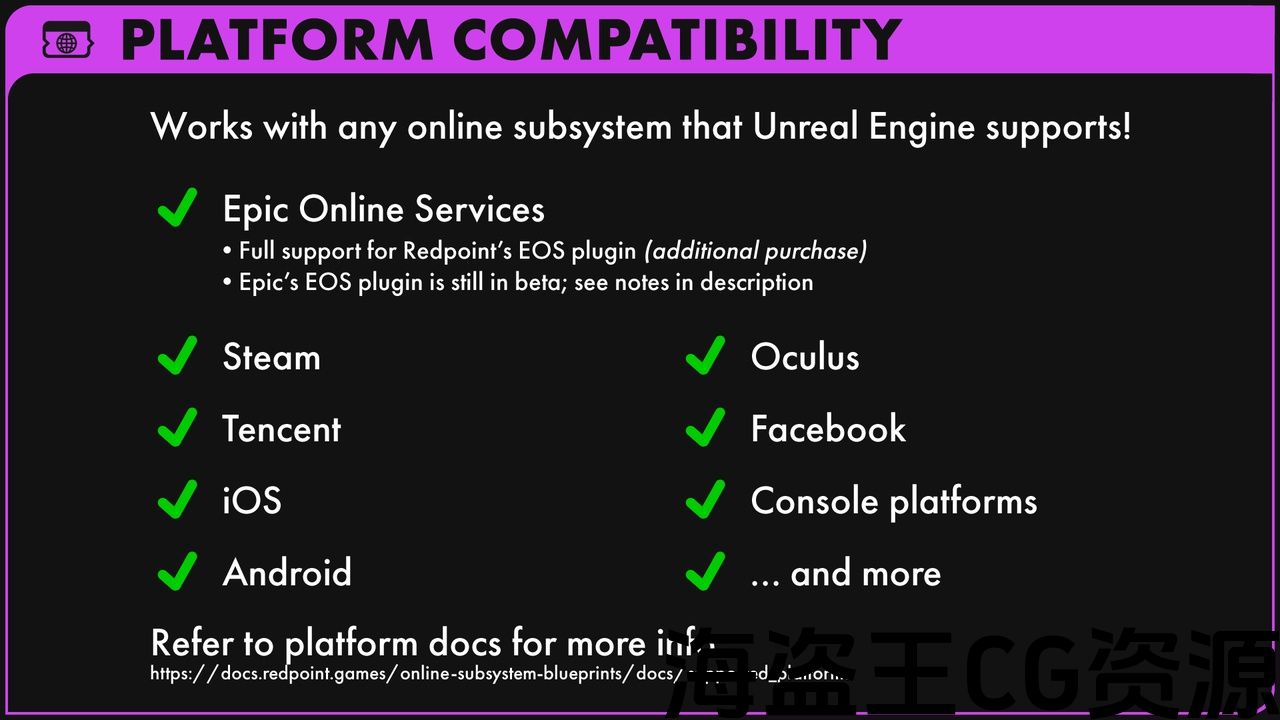
Accessing EOS from Blueprints
To access EOS from blueprints, you have two options:
-
Redpoint’s EOS plugin which is fully supported and well tested.
-
Epic’s plugin which is in beta and has known issues. You must read the important compatibility notes if you intend to use OSB with Epic’s plugin: we will not be able to fix these issues as they are bugs in Epic’s implementation.
If you’re unsure or want the best support, you should use the Redpoint EOS plugin.
Example Projects
-
Epic’s EOS subsystem – please read: important compatibility notes
-
Online Subsystem Blueprints will work with other subsystems as well, but these are the ones we provide example projects for.
Source Code Access
If you have purchased a license to use Online Subsystem Blueprints, you may request access to the source code repository we use to develop the software by logging into the License Manager and uploading a copy of your receipt from the marketplace. You will then be able to access the source code here: https://src.redpoint.games/redpointgames/online-subsystem-blueprints
Features
-
Auto-generated blueprint bindings to the Unreal Engine online subsystems.
-
Over 290+ blueprint nodes and 100+ blueprint events to use in your game.
现在,您可以通过蓝图访问虚幻引擎提供的在线子系统。 通过支持超过290+函数(100+异步)和100+事件,您可以创建朋友列表Ui和派对邀请系统,所有这些都不需要接触C++!
有关支持的功能和事件的完整列表, 购买前请参阅相关文件. 此列表将随着时间的推移而扩展。
从蓝图访问EOS
要从蓝图访问EOS,您有两个选项:
-
Redpoint的EOS插件 这是完全支持和良好的测试。
-
Epic的插件,这是在测试版和已知的问题。 你必须阅读 重要的兼容性说明 如果您打算将OSB与Epic的插件一起使用:我们将无法修复这些问题,因为它们是Epic实现中的错误。
如果您不确定或想要最好的支持,您应该使用Redpoint EOS插件。
示例项目
-
Epic的EOS子系统 – 请阅读: 重要的兼容性说明
-
在线子系统蓝图也可以与其他子系统一起使用,但这些是我们提供的示例项目。
源代码访问
如果您已经购买了使用在线子系统蓝图的许可证,您可以通过登录到 许可证管理器 并从市场上传您的收据副本。 然后,您将能够在这里访问源代码: https://src…红点。游戏/redpointgames/在线-子系统-蓝图
特征
-
自动生成的蓝图绑定到虚幻引擎在线子系统。
-
在游戏中使用超过290个蓝图节点和100多个蓝图事件。
评论(0)