

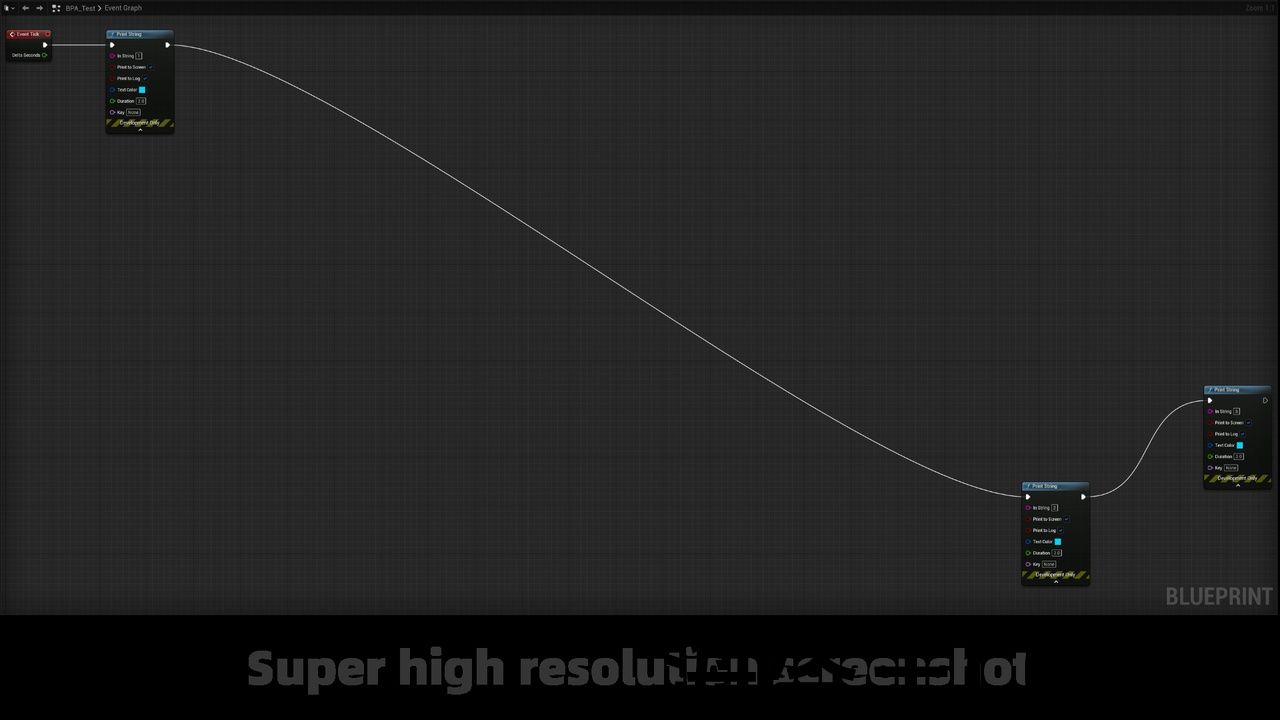
Features:
- Taking screenshots for Any BlueprintGraph(Such as Normal BlueprintGraph, MaterialGraph, AnimationBlueprintGraph, BehaviorTreeGraph, PhysicalAssetGraph…).
- No screen size restrictions.
- Supporting very large (Max support 16200 resolution output) screenshots of any blueprint graph.
- Save as .png files and share your images by the image site: “https://imgbb.com/“. This is a shared sample image:https://i.ibb.co/60PQb0Y/BPGraph-Screenshot-2020-Y-06-M-21-D-20h-17m-29s-620-00.png

Code Modules:
- BlueprintGraphScreenshot: Editor
Number of C++ Classes: 3
Network Replicated: (No)
Supported Development Platforms: Windows; Mac.
Supported Target Build Platforms: Win64; Mac.
Example Project: https://gitlab.com/UE4MarketplaceSubmission_Public/BlueprintGraphScreenshot_Public
特征:
- 截图 任何BlueprintGraph(例如Normal BlueprintGraph,MaterialGraph,AnimationBlueprintGraph,BehaviorTreeGraph,PhysicalAssetGraph。..).
- 没有屏幕尺寸限制。
- 支持非常大(最大支持 16200 分辨率输出)任何蓝图图表的屏幕截图。
- 省省吧。png文件并通过图像网站共享您的图像:”https://imgbb.com/这是一个共享的示例图像:https://i.ibb.co/60PQb0Y/BPGraph-Screenshot-2020-Y-06-M-21-D-20h-17m-29s-620-00.png
代码模块:
- 蓝图:编辑
C++类数: 3
网络复制: (否)
支持的开发平台: Windows;Mac。
支持的目标构建平台: Win64;Mac.
示例项目: https://gitlab.com/UE4MarketplaceSubmission_Public/BlueprintGraphScreenshot_Public
NOTE, This is the UE5 Version. The free UE4 Version is: https://www.unrealengine.com/marketplace/en-US/product/blueprint-graph-screenshot
Demo Video: https://www.youtube.com/watch?v=JV0cwojGR6I&feature=youtu.be
This is an Editor tool used to take screenshots of Blueprint Graph Nodes, regardless of screen size. Even if there are many Blueprint Nodes in one Blueprint Graph, you can also take the screenshot at one time without any screen size restrictions.
Features:
-
Taking screenshots for Any BlueprintGraph(Such as Normal BlueprintGraph, MaterialGraph, AnimationBlueprintGraph, BehaviorTreeGraph, PhysicalAssetGraph…).
-
No screen size restrictions.
-
Supporting very large (Max support 16200 resolution output) screenshots of any blueprint graph.
-
Save as .png files and share your images by the image site: “https://imgbb.com/“. This is a shared sample image:https://i.ibb.co/60PQb0Y/BPGraph-Screenshot-2020-Y-06-M-21-D-20h-17m-29s-620-00.png
Code Modules:
-
BlueprintGraphScreenshot: Editor
Number of C++ Classes: 3
Network Replicated: (No)
Supported Development Platforms: Windows; Mac.
Supported Target Build Platforms: Win64; Mac.
Example Project: https://gitlab.com/UE4MarketplaceSubmission_Public/BlueprintGraphScreenshot_Public
注, 这是 UE5 版本。 该 免费 UE4版本为: https://www.unrealengine.com/marketplace/en-US/product/blueprint-graph-screenshot
演示视频: https://www.youtube.com/watch?v=JV0cwojGR6I&feature=youtu.be
这是一个编辑器工具,用于截取蓝图图表节点的屏幕截图,无论屏幕大小如何。 即使在一个蓝图图表中有许多蓝图节点,您也可以在没有任何屏幕大小限制的情况下一次性截取屏幕截图。
特征:
-
截图为 任何BlueprintGraph(例如Normal BlueprintGraph,MaterialGraph,AnimationBlueprintGraph,BehaviorTreeGraph,PhysicalAssetGraph。..).
-
没有屏幕尺寸限制。
-
支持非常大(最大支持 16200 分辨率输出)任何蓝图图表的屏幕截图。
-
省省吧。png文件并通过图像网站共享您的图像:”https://imgbb.com/这是一个共享的示例图像:https://i.ibb.co/60PQb0Y/BPGraph-Screenshot-2020-Y-06-M-21-D-20h-17m-29s-620-00.png
代码模块:
-
蓝图:编辑
C++类数: 3
网络复制: (否)
支持的开发平台: Windows;Mac。
支持的目标构建平台: Win64;Mac.
示例项目: https://gitlab.com/UE4MarketplaceSubmission_Public/BlueprintGraphScreenshot_Public
评论(0)