
Features:
-
Quickly create an outline, using the custom material expressions and example materials.
-
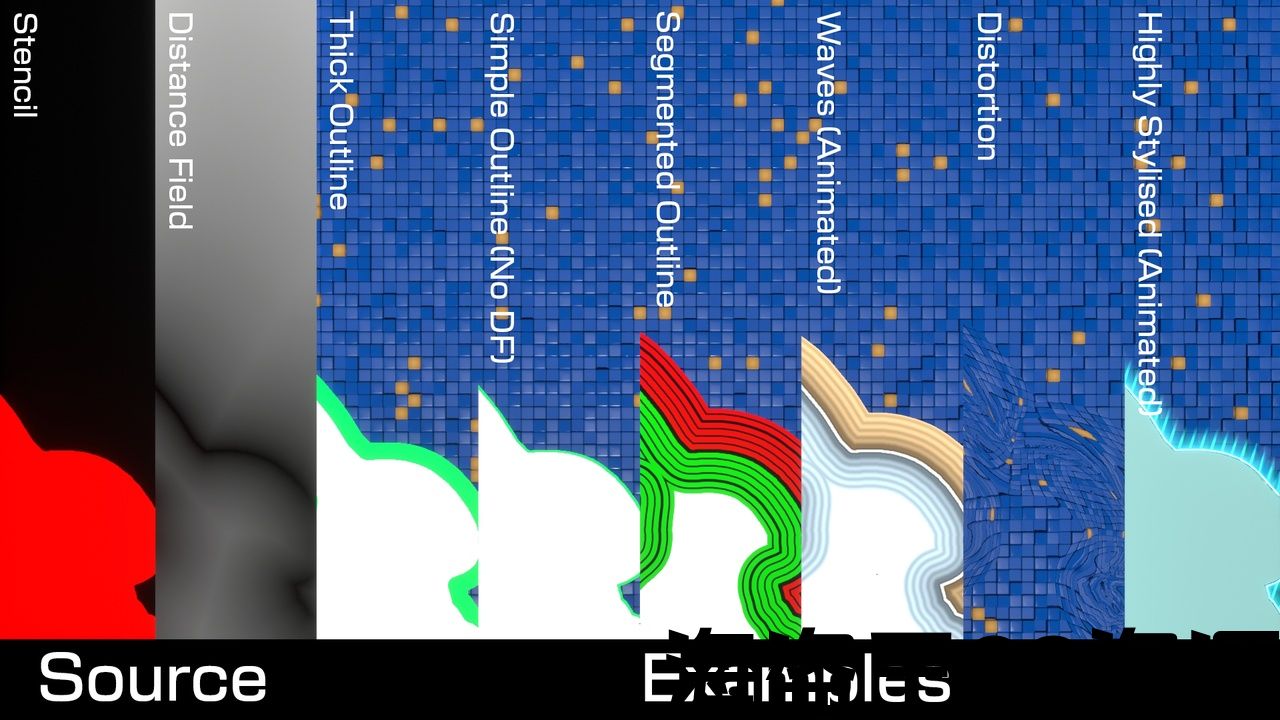
Create outlines of any size, with various effects like a shrinking or growing outline, or use the distance field as a way to create a distortion effect.
-
If faster outlines are needed, choose between Single Pixel Inside/Outside and Double Pixel sized outlines.
-
Logging support for both Unreal Insights and RenderDoc.
-
Several optimisations for better performance.
-
Deferred renderer ONLY
-
Dedicated anti-alias pass
Code Modules:
-
DistanceFieldOutline – Runtime
-
DistanceFIeldOutlineEditor – Editor
-
DistanceFieldOutlineSettings – Runtime
-
DistanceFieldOutlineMaterial – Runtime
Number of C++ Classes: 20+
Network Replicated: No
Supported Development Platforms: Windows x64
Supported Target Build Platforms: Windows x64
Documentation: Home · RyanSweeney987/distance-field-outline-docs Wiki (github.com)
Demo v1.2: Download link
Important/Additional Notes: Be sure to read the documentation before use. If you want to use the example post-process materials, you need to use the config settings found on the Quick Setup page of the documentation.
特征:
-
使用自定义材质表达式和示例材质快速创建轮廓。
-
创建任何大小的轮廓,具有各种效果,如收缩或增长的轮廓,或使用距离场作为创建失真效果的一种方式。
-
如果需要更快的轮廓,请在单像素内部/外部和双像素大小的轮廓之间进行选择。
-
日志记录支持虚幻洞察和RenderDoc。
-
为了更好的性能进行了一些优化。
-
仅延迟渲染器
-
专用防别名通行证
代码模块:
-
DistanceFieldOutline-运行时
-
DistanceFIeldOutlineEditor-编辑
-
DistanceFieldOutlineSettings-运行时
-
DistanceFieldOutlineMaterial-运行时
C++类数:20+
网络复制:没有
支持的开发平台:Windows x64
支持的目标构建平台:Windows x64
文件: Home*RyanSweeney987/distance-field-outline-docs Wiki(github.com)
演示v1.2: 下载链接
重要/附加说明:使用前请务必阅读文档。 如果要使用示例后处理材料,则需要使用 快速设置页面 的文件。
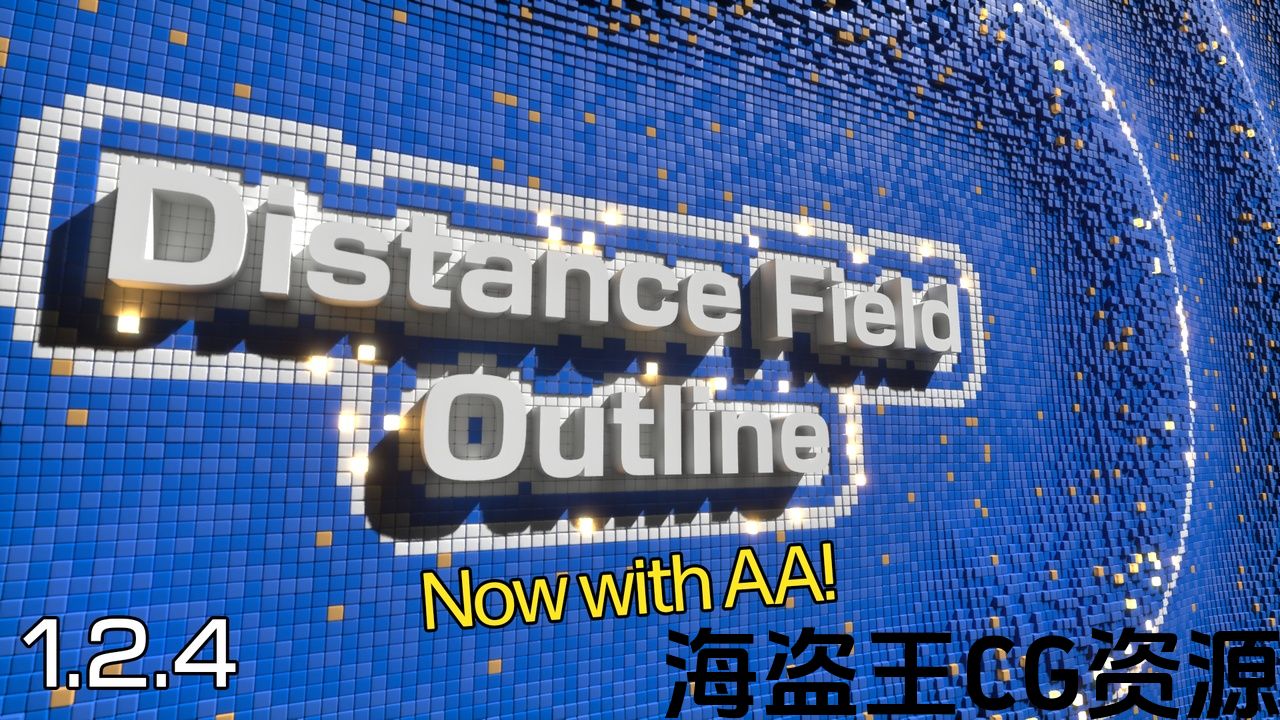
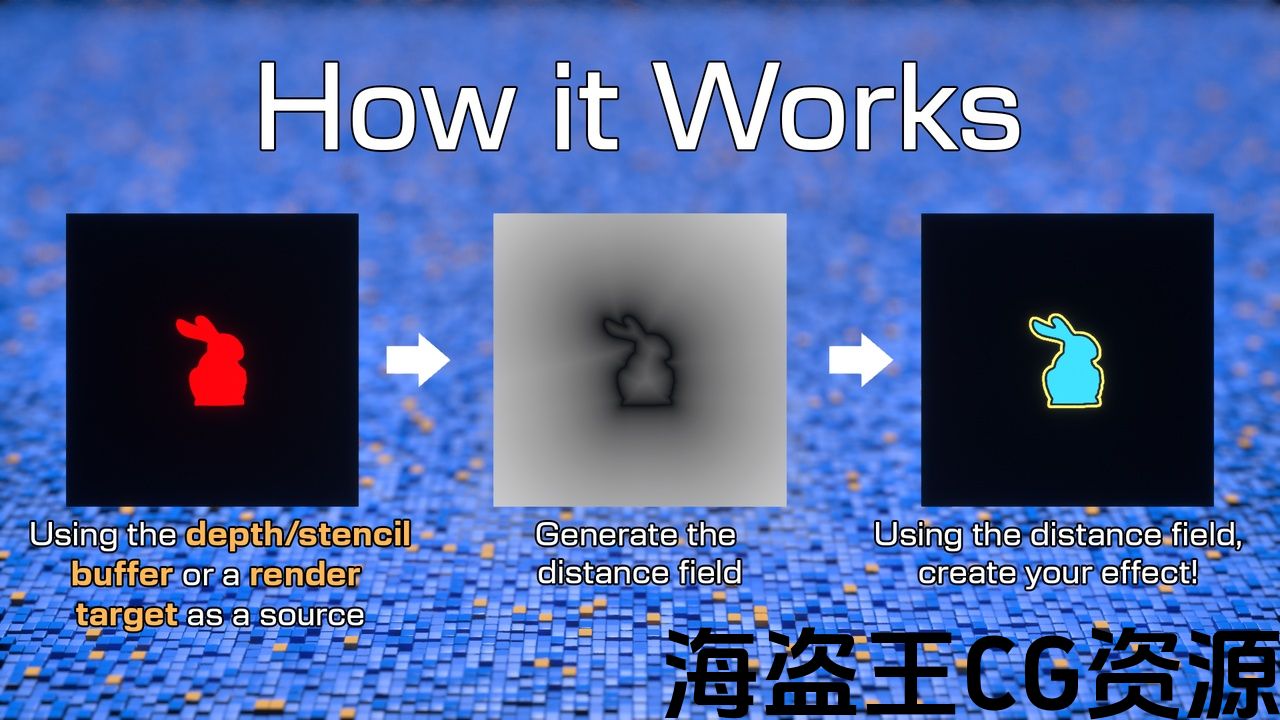
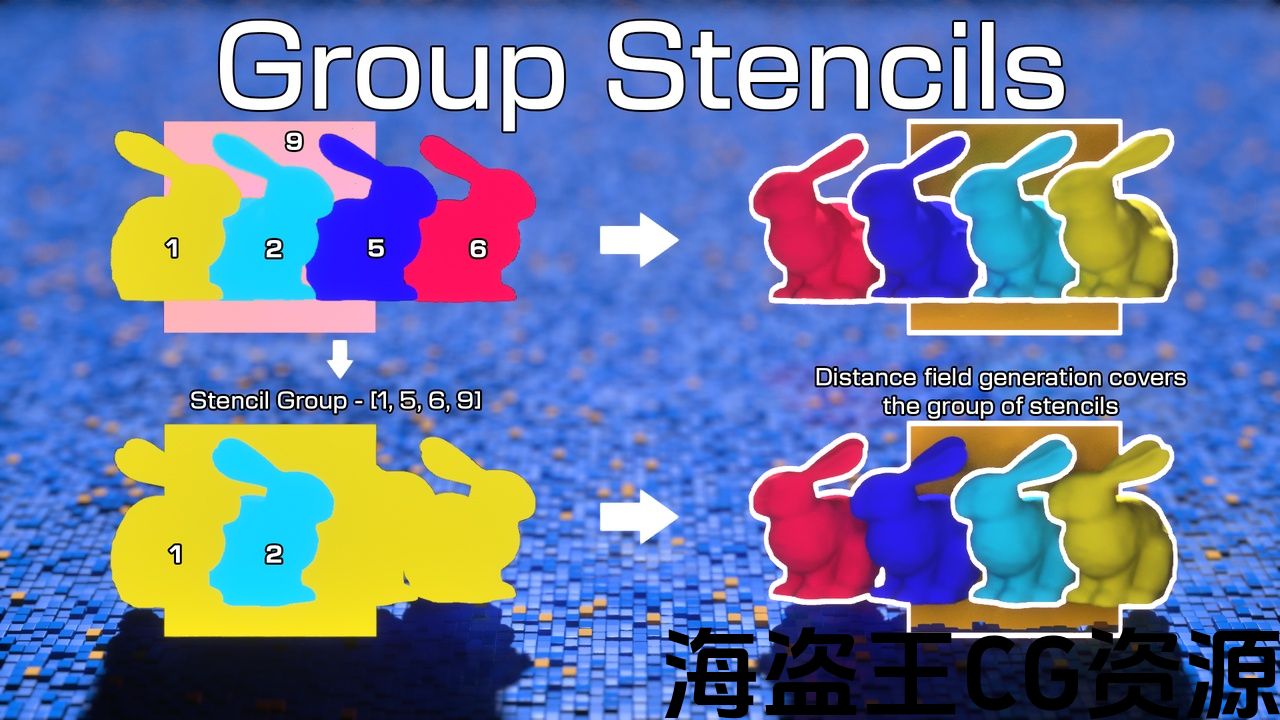
Create post-process outlines using Distance Fields instead of blurs or basic edge detection. Distance Fields are THE ONLY WAY to efficiently create outlines beyond a few pixels in size. And because you have the distance to the edge, a gradient from 0 to 1, you’re not limited to basic thick outlines. You can create all sorts of effects, even dynamic ones.
But what if you only want a simple edge detection-based outline? Don’t worry, this plugin also allows you to do that too and with better performance than the same effect created in a post-process material thanks to the optimisations made.
And with version 1.2.4, you can now run an optimised anti-alias pass. This option means you can get a smooth outline edge whilst avoiding artifacts from using TAA or TSR.
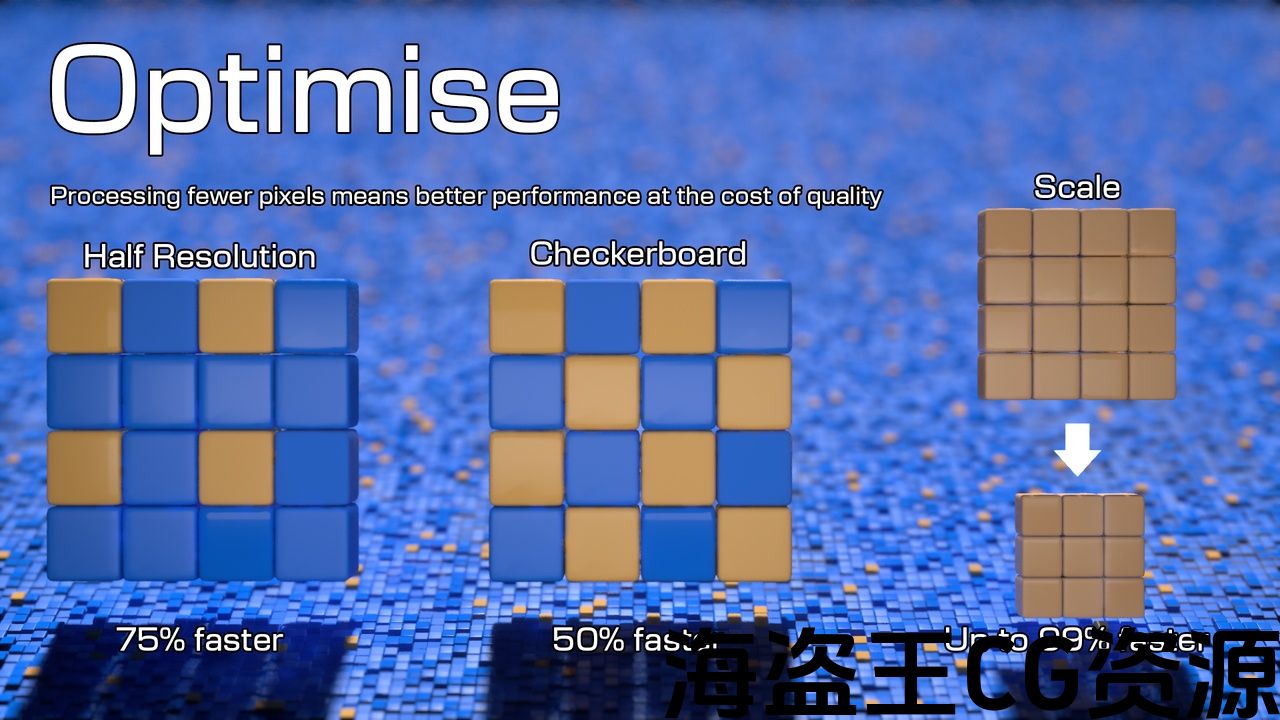
Distance Fields do have the drawback of being computationally expensive though. To address this, the plugin provides several options to improve performance by reducing how much processing needs to be done at the cost of quality. The best way to see how these options improve performance is through profiling which can be done using RenderDoc and Unreal Insights.
You can see the results of some performance profiling I’ve done on my GTX 1070 laptop here.
* The faster method improves performance at the cost of accuracy but can still hit that “good enough” level of quality
Update 1.3 is in development (currently targeted for June release)
It will contain the following and more. You can see the full list and progress here: Changelog · RyanSweeney987/distance-field-outline-docs Wiki
-
A dedicated editor with a wizard to make creating/modifying settings easier with visual feedback
-
Optional faster distance field generation algorithm
-
Easier material creation (like how you go to create a Niagara system)
-
Ability to modify the distance field/simple outline result based on the depth buffer
Update 1.2.4
-
Fixed issue with material expression causing a crash
-
Fixed issue with stencil being blocked by process mask on non-check or non-half JFA modes
-
No longer runs the DF passes for viewports like editor previews
-
Improved memory usage of the Active Stencil Check with bit-packing (very minor speed improvement)
-
Implemented anti-aliasing pass for a material – you use the material to render your outlines – then use the result in your post-process materials – the AA used is CMAA2
-
Updated PixelDistanceMaterialExpression to allow the choice between constant pixel distance or a relative screen percentage distance
-
Added material node for easier access to anti-aliased outline material
-
Added support for UE5.5
Full changelog and future development considerations
使用以下方法创建后处理大纲 距离场 而不是模糊或基本边缘检测。 距离场是有效创建超出几个像素大小的轮廓的唯一方法。 因为你有到边缘的距离,从0到1的梯度,你不限于基本的粗轮廓。 您可以创建各种效果,甚至是动态效果。
但是,如果你只想要一个简单的基于边缘检测的轮廓呢? 别担心,这个插件也可以让你做到这一点,并且比在后处理材料中创建的效果更好,这要归功于所做的优化。
在版本1.2.4中,您现在可以运行优化的反别名传递。 此选项意味着您可以获得平滑的轮廓边缘,同时避免使用TAA或TSR产生伪影。
距离场确实有计算昂贵的缺点。 为了解决这个问题,插件提供了几个选项,通过减少需要以质量为代价完成的处理量来提高性能。 了解这些选项如何提高性能的最佳方法是通过分析,这可以使用RenderDoc和Unreal Insights来完成。
你可以看到我在GTX1070笔记本电脑上做的一些性能分析的结果 这里.
*更快的方法以精度为代价提高性能,但仍然可以达到”足够好”的质量水平
更新1.3正在开发中(目前针对6月发布)
它将包含以下内容和更多内容。 你可以在这里看到完整的列表和进展: 更新日志*RyanSweeney987/distance-field-outline-docs Wiki
-
一个带有向导的专用编辑器,通过视觉反馈使创建/修改设置更容易
-
可选的更快距离场生成算法
-
更轻松的材质创建(例如如何创建Niagara系统)
-
能够根据深度缓冲区修改距离场/简单轮廓结果
更新1.2.4
-
修复材质表达式导致崩溃的问题
-
修复了模板在非检查或非半JFA模式下被过程掩码阻塞的问题
-
不再像编辑器预览那样为视口运行DF通道
-
使用位包装改进了活动模板检查的内存使用(非常小的速度改进)
-
实现了一个材质的抗锯齿传递-你使用材质来渲染你的轮廓-然后在你的后处理材质中使用结果-使用的AA是 CMAA2
-
更新PixelDistanceMaterialExpression以允许在恒定像素距离或相对屏幕百分比距离之间进行选择
-
添加材质节点,以便更轻松地访问抗锯齿轮廓材质
-
增加了对UE5.5的支持
评论(0)