
Requirements:You must enable the Genmetry Script Plugin before importing this asset, otherwise it will not work.
Features:
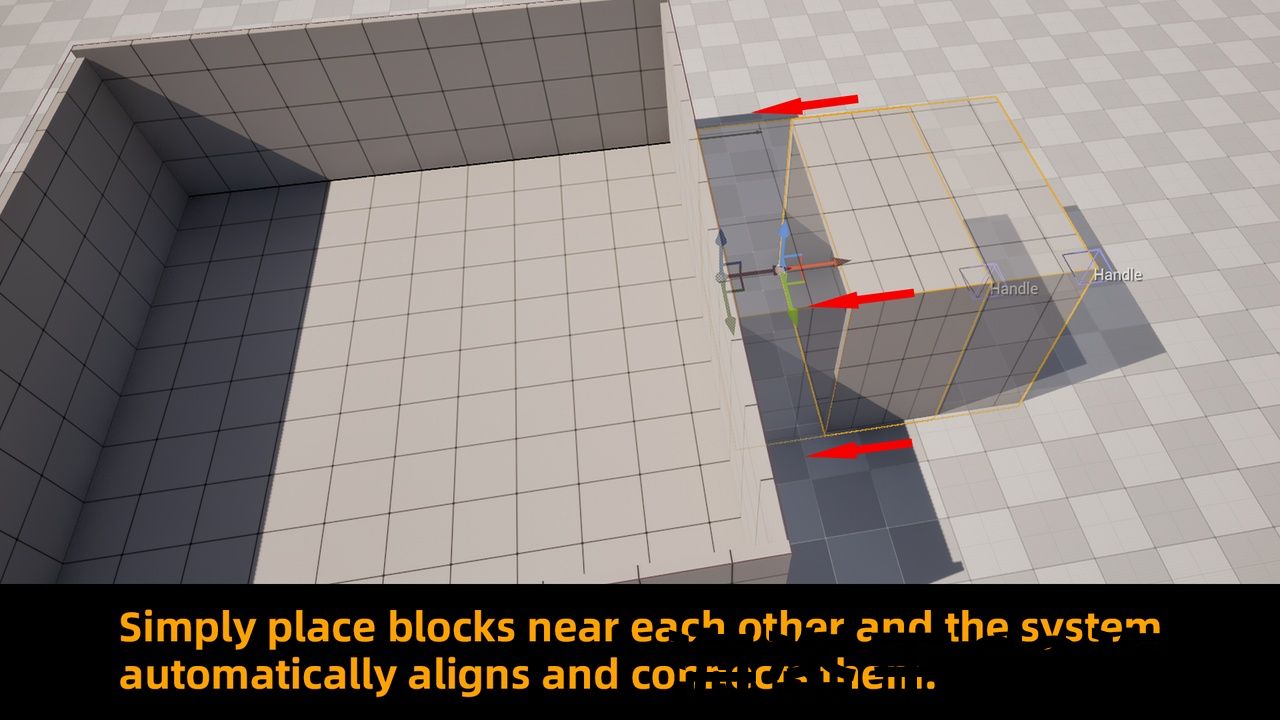
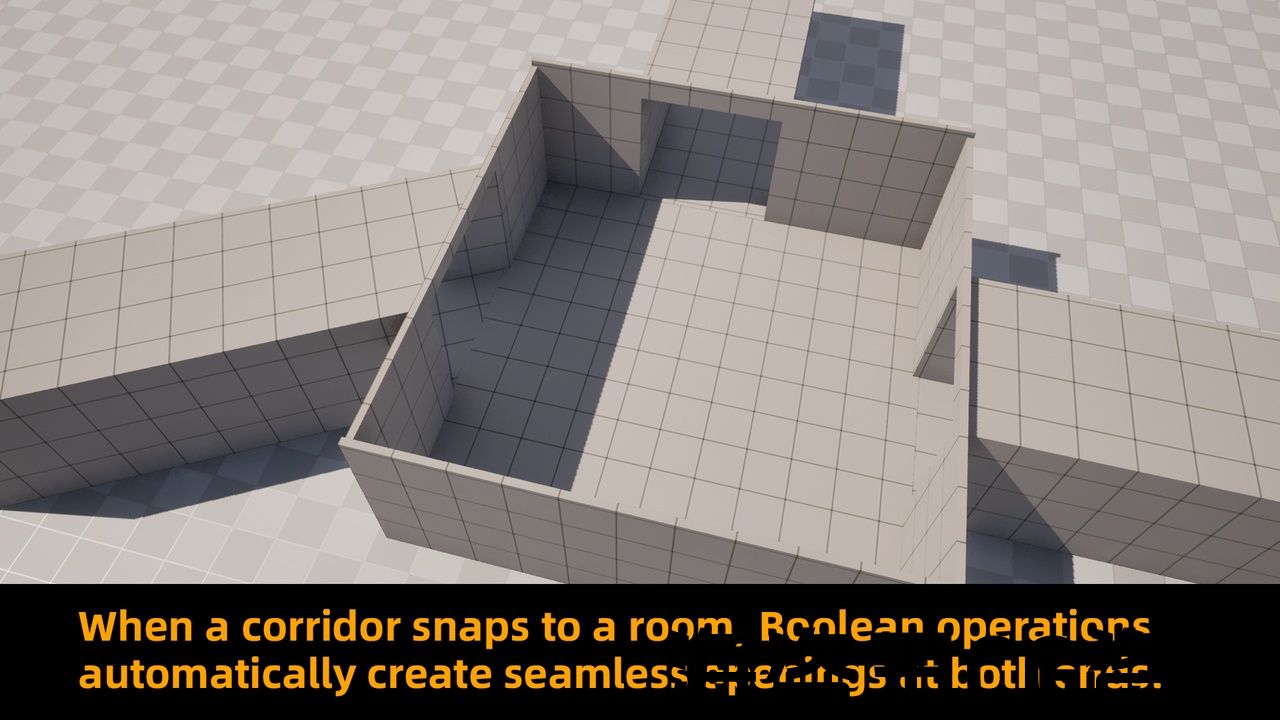
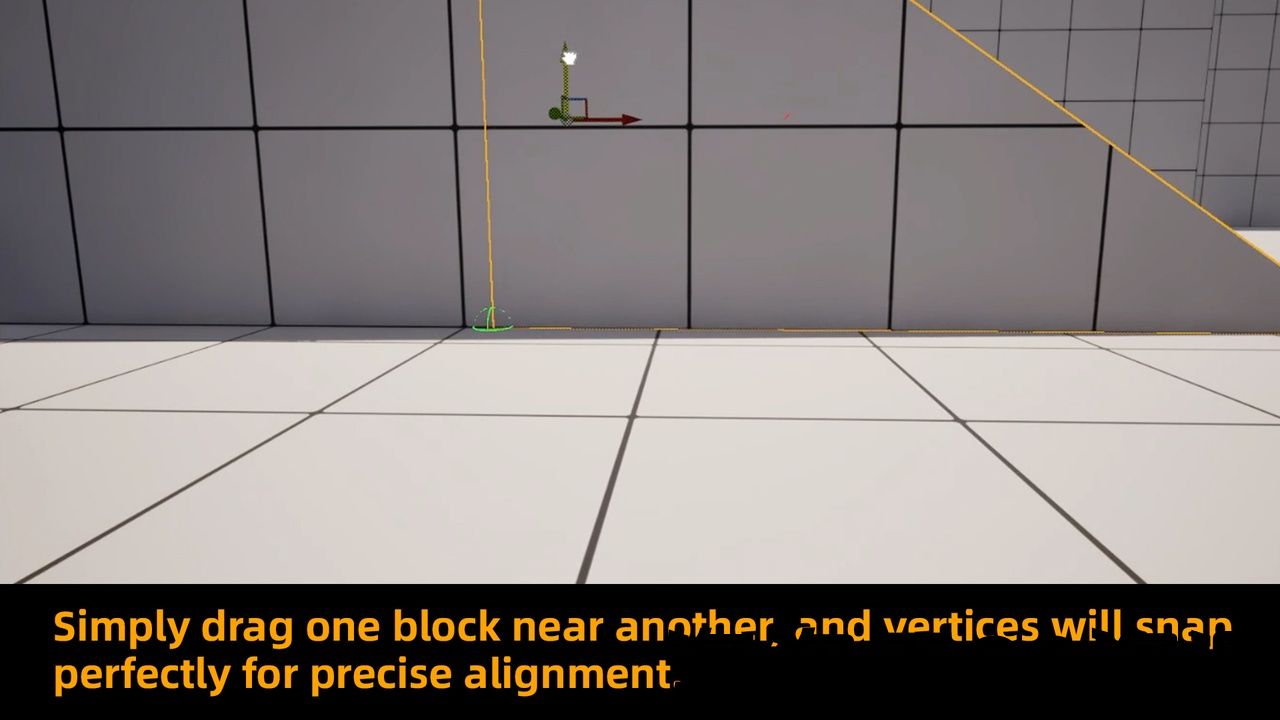
- Auto-Align Boolean System: corridors and rooms automatically connect with openings when placed nearby
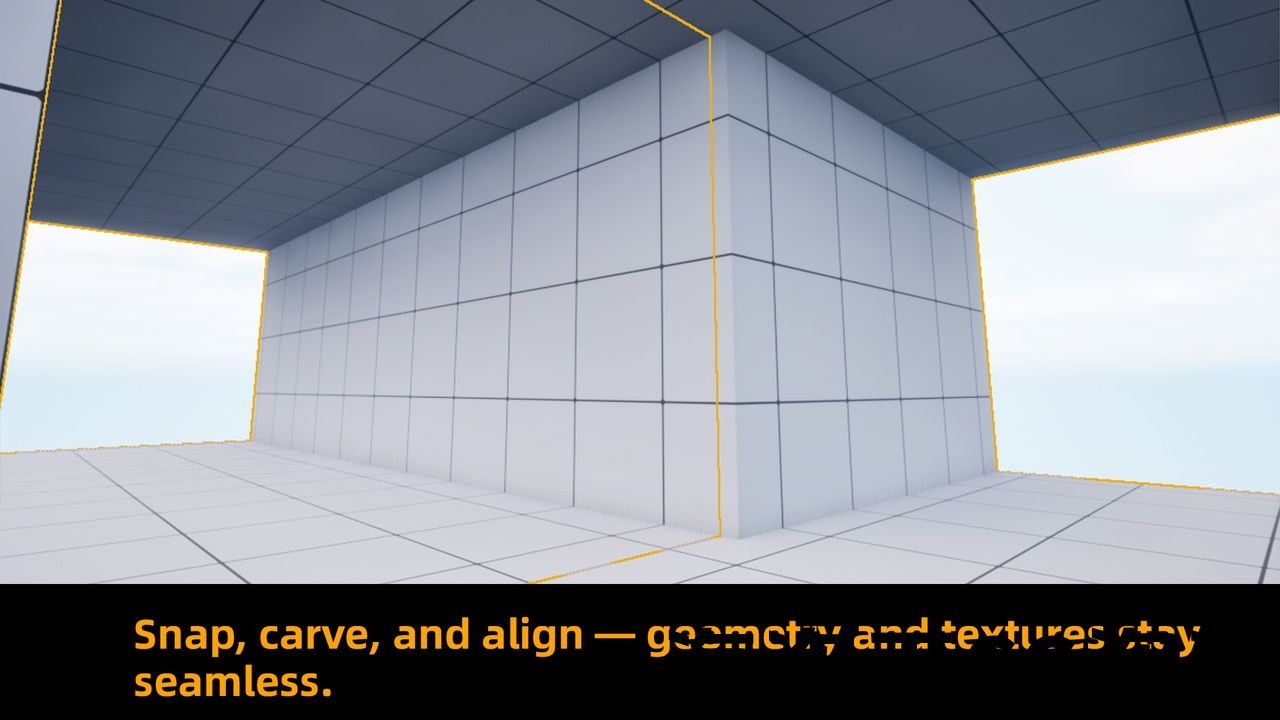
- Drag-and-drop Doors & Windows: auto-align and carve openings when dropped onto walls
- Procedurally generated Dynamic Mesh Actors for fast and scalable blockout building
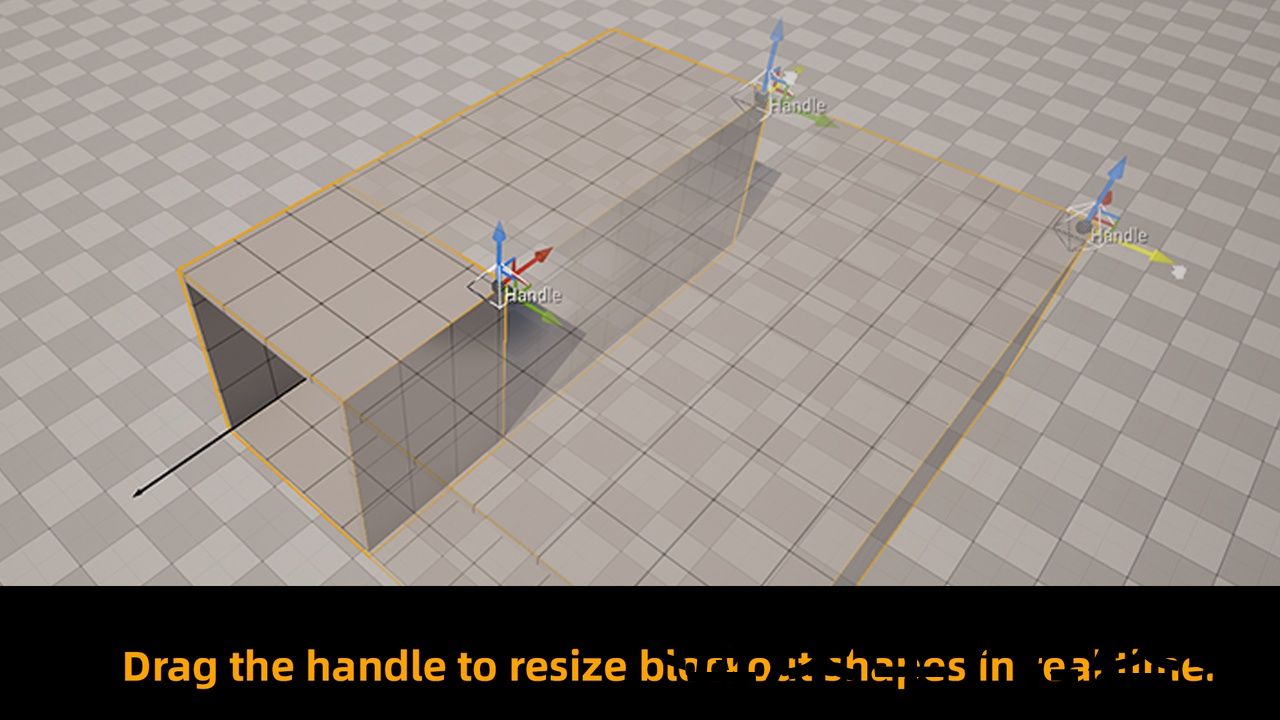
- Intuitive Handle Controls: adjust blockout dimensions and proportions directly in the viewport
- Highly modular and flexible: only a few blueprints required to create large, complex layouts
Number of Blueprints:
Approx. 8–12 (Core Blockout Shapes, Corridor, Room, Door, Window, Utility Blueprints)
Input:
- Mouse & Keyboard (drag, place, scale with handles)
Network Replicated:
No
Supported Development Platforms:
- Windows: Yes
- Mac: Yes
Documentation Link:
Demonstration and beginner’s tutorial
Important/Additional Notes:
- Optimized for rapid level prototyping (blockout/greybox) in UE5
- Fully procedural workflow: minimal assets required, maximum flexibility
- Also included in the PMB – Spline Platform Building System and PMB City Builder (choose this pack if you only need blockout features)
Requirements:You must enable the Genmetry Script Plugin before importing this asset, otherwise it will not work.
Features:
- Auto-Align Boolean System: corridors and rooms automatically connect with openings when placed nearby
- Drag-and-drop Doors & Windows: auto-align and carve openings when dropped onto walls
- Procedurally generated Dynamic Mesh Actors for fast and scalable blockout building
- Intuitive Handle Controls: adjust blockout dimensions and proportions directly in the viewport
- Highly modular and flexible: only a few blueprints required to create large, complex layouts
Number of Blueprints:
Approx. 8–12 (Core Blockout Shapes, Corridor, Room, Door, Window, Utility Blueprints)
Input:
- Mouse & Keyboard (drag, place, scale with handles)
Network Replicated:
No
Supported Development Platforms:
- Windows: Yes
- Mac: Yes
Documentation Link:
Demonstration and beginner’s tutorial
Important/Additional Notes:
- Optimized for rapid level prototyping (blockout/greybox) in UE5
- Fully procedural workflow: minimal assets required, maximum flexibility
- Also included in the PMB – Spline Platform Building System and PMB City Builder (choose this pack if you only need blockout features)
Document Tutorial
Video:Demonstration and beginner’s tutorial
questions/suggestions/bug reports +Discord
QQ group : 921204210
bilibili video
Requirements:You must enable the Genmetry Script Plugin before importing this asset, otherwise it will not work.
Product Overview
Blockout Rapid Level Prototyping Blueprint Pack
This package is an extension of the PMB City Generator, specifically designed for fast and efficient blockout creation.
Every feature is built to maximize workflow speed and usability, making it an essential tool for game developers and level designers.
Key Features
- Auto-Align Boolean System
- When a corridor blockout BP is placed near another corridor or room BP, it automatically carves an opening and connects them.
- Drag and drop a door or window BP onto a wall, and it will auto-align and create the opening.
- Saves significant time and ensures flexible, iterative blockout editing.
- Dynamic Mesh Actor
- All assets are procedurally generated, requiring only a few variable blueprint assets to build large-scale blockouts.
- Supports fast adjustments and highly flexible level layouts.
- Intuitive Handle Controls
- Each shape blueprint comes with editable handles (gizmos).
- Simply drag the handles to adjust dimensions, proportions, and layouts in real-time.
Product Positioning
- If you only need level blockout creation, this pack is the most streamlined solution.
- For broader building capabilities, consider:
- PMB – Spline Platform Building System – includes this feature plus extended building and platform construction tools.
- PMB City Builder – includes this blockout pack along with full city generation features. Works as an All-in-One solution (can also be combined with the Cave Generator).
Why Choose This Tool?
- Faster Prototyping – reduce repetitive modeling and boolean tasks.
- Flexible Iteration – easily adjust and test level layouts.
- Intuitive Workflow – drag-and-drop interaction for quick editing.
- Essential Blockout Tool – ideal for FPS, RPG, TPS, or any project requiring rapid level prototyping.
Document Tutorial
Video:Demonstration and beginner’s tutorial
questions/suggestions/bug reports +Discord
QQ group : 921204210
bilibili video
Requirements:You must enable the Genmetry Script Plugin before importing this asset, otherwise it will not work.
Product Overview
Blockout Rapid Level Prototyping Blueprint Pack
This package is an extension of the PMB City Generator, specifically designed for fast and efficient blockout creation.
Every feature is built to maximize workflow speed and usability, making it an essential tool for game developers and level designers.
Key Features
- Auto-Align Boolean System
- When a corridor blockout BP is placed near another corridor or room BP, it automatically carves an opening and connects them.
- Drag and drop a door or window BP onto a wall, and it will auto-align and create the opening.
- Saves significant time and ensures flexible, iterative blockout editing.
- Dynamic Mesh Actor
- All assets are procedurally generated, requiring only a few variable blueprint assets to build large-scale blockouts.
- Supports fast adjustments and highly flexible level layouts.
- Intuitive Handle Controls
- Each shape blueprint comes with editable handles (gizmos).
- Simply drag the handles to adjust dimensions, proportions, and layouts in real-time.
Product Positioning
- If you only need level blockout creation, this pack is the most streamlined solution.
- For broader building capabilities, consider:
- PMB – Spline Platform Building System – includes this feature plus extended building and platform construction tools.
- PMB City Builder – includes this blockout pack along with full city generation features. Works as an All-in-One solution (can also be combined with the Cave Generator).
Why Choose This Tool?
- Faster Prototyping – reduce repetitive modeling and boolean tasks.
- Flexible Iteration – easily adjust and test level layouts.
- Intuitive Workflow – drag-and-drop interaction for quick editing.
- Essential Blockout Tool – ideal for FPS, RPG, TPS, or any project requiring rapid level prototyping.
评论(0)