




Code Modules:
-
RealBloom (Runtime)
-
RealBloomEditor(Editor)
Number of Blueprints: 0
Number of C++ Classes: 6
Network Replicated: No
Supported Development Platforms:
-
Windows: Yes
-
Mac: Yes
-
Linux: Yes
Supported Target Build Platforms:
-
Windows
-
Mac
-
Linux
Documentation Link: [Here]
Important / Additional Notes:
-
Compatible with all rendering paths (Deferred / Lumen).
-
Average performance cost ~0.6ms @1080p (scalable for better/low quality).
-
No third-party dependencies.
代码模块:
-
RealBloom (运行时)
-
RealBloomEditor(编辑器)
蓝图数量: 0
C++ 类数量: 6
网络复制:否
支持的开发平台:
-
Windows:是
-
Mac:是
-
Linux:是
支持的目标构建平台:
-
Windows
-
Mac
-
Linux
文档链接: [此处]
重要/其他注意:
-
与所有渲染路径兼容(延迟/流明)。
-
平均性能成本 ~0.6ms @1080p(可扩展以获得更好/低质量)。
-
无第三方依赖项。
🎬 OVERVIEW VIDEO – Watch the showcase to see the real-time bloom quality, light diffusion and anamorphic streak behavior in action
📄 DOCUMENTATION – Read the docs for installation, parameter tuning, and performance optimization.
🖼️ SCREENSHOT GALLERY – Watch the showcase to see the real-time bloom quality, light diffusion and anamorphic streak behavior in action
🎮 PLAYABLE DEMO – Download a small demo scene to test bloom configurations and streak effects interactively.
💬 DISCORD – Join for support, questions, feature requests and feedback.
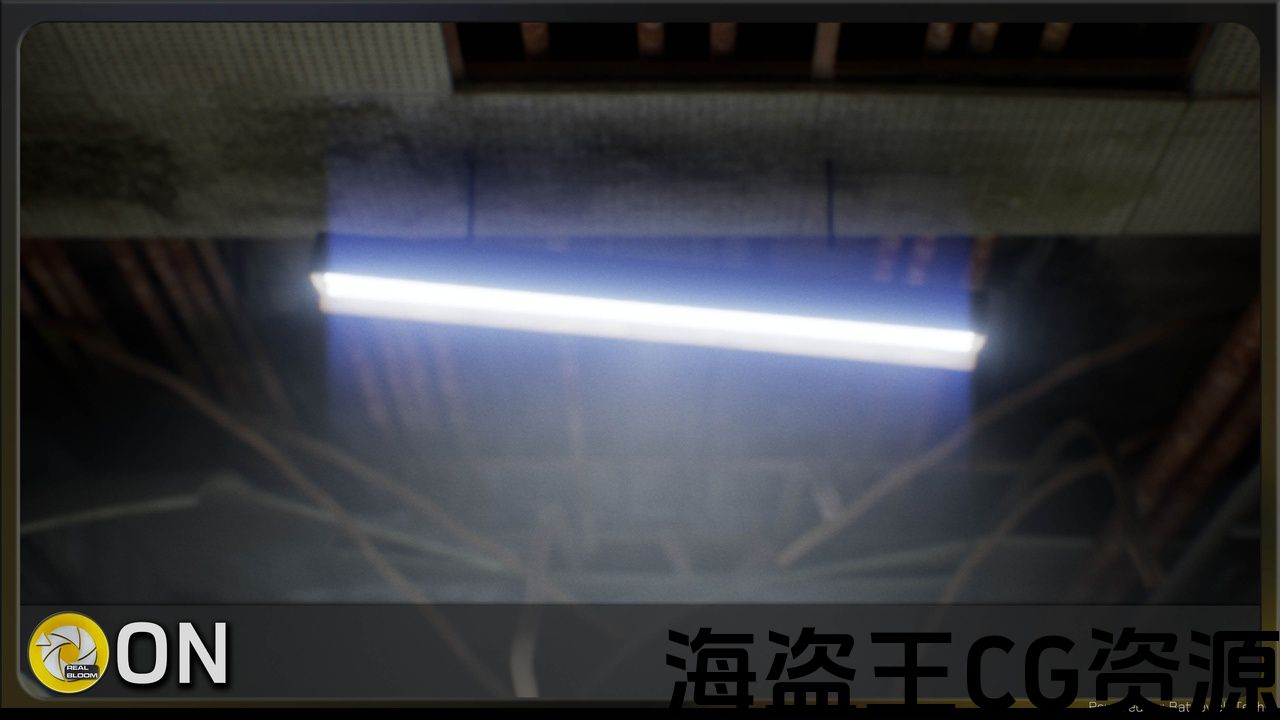
REAL BLOOM is a high-performance, physically-inspired bloom and lens effects plugin for Unreal Engine, designed to recreate authentic optical light diffusion, glare, and anamorphic lens artifacts found in cinematic cameras and high-end optics.
It focuses on progressive pyramid filtering with multi-level downsampling and tent upsampling — delivering smooth, artifact-free bloom with film-quality anamorphic streaks: horizontal/vertical light leaks, controllable attenuation, color tinting, and thickness control.
Perfect for cinematic productions, sci-fi environments, cyberpunk aesthetics, racing games, or any project requiring professional-grade bloom—where light should feel luminous, organic, and photographic.
Core REAL BLOOM features:
BLOOM:
-
Multi-level downsampling/upsampling pipeline (1-6 pyramid levels) — inspired by oldschool and modern AAA bloom techniques
-
box filter downsample + tent filter upsample for smooth, natural light diffusion
-
Per-level Gaussian blur with adjustable radius, kernel scale, and directional scaling (X/Y)
-
Luminance threshold extraction with bright-pass multiplier and HDR support
-
Fast bloom mode for performance-critical scenarios (low-end PC friendly)
ANAMORPHIC STREAKS:
-
Horizontal & vertical streak generation with independent enable/disable
-
Threshold-based bright area extraction for realistic lens flare behavior
-
Attenuation control — streaks fade naturally with distance
-
Thickness & length control — from subtle to dramatic cinematic streaks
-
RGB color tinting — warm, cool, or custom streak colors
-
Multi-pass blur (1-8 passes) for silky-smooth streak quality
Flexible Control System:
-
UI Window (Window → Real Bloom) — visual editor with live preview
-
Console Variables (CVars) — runtime control via console commands
-
Blueprint-ready parameters — drive bloom dynamically (cutscenes, gameplay states, time-of-day)
-
Per-project configuration — settings saved in Config/DefaultEngine.ini
Perfomance & Optimization:
-
Compute shader-based (SM5+) — fully GPU-accelerated, minimal CPU overhead
-
Configurable pyramid depth — balance quality vs performance
-
Fast bloom mode — skip blur passes for maximum FPS
-
RDG (Render Dependency Graph) integration — modern Unreal rendering pipeline
-
GPU stats tracking — profile each pass individually
In‑Editor Workflow
-
Install Plugin — Enable Real Bloom in Edit → Plugins
-
Open Settings Window — Window → Real Bloom
-
Configure Bloom:
-
Enable Bloom — toggle on/off
-
Intensity (0-10) — overall bloom strength
-
Threshold — minimum luminance to bloom
-
Pyramid Levels (1-6) — quality vs performance
-
Kernel G (0-20) — Gaussian blur radius
-
-
Add Anamorphic Streaks (optional):
-
Enable Anamorphic Streaks — toggle lens streaks
-
Streak Length (0-200) — how far streaks extend
-
Attenuation (0.1-10) — streak fadeoff rate
-
Tint Color — RGB streak colorization
-
Horizontal/Vertical — direction toggles
-
For detailed information about the REAL BLOOM please read the Documentation
Don’t hesitate to write a comment under the product’s forum thread or to contact us via email for any questions.
= Sample scenes from the screenshots are not included =
🎬 概览视频 – 观看展示,了解实时光晕质量、光漫射和变形条纹行为
📄 文档 – 阅读有关安装、参数调整和性能的文档优化。
🖼️ 屏幕截图库 – 观看演示,了解实时光晕质量、光漫射和变形条纹行为的实际效果
🎮 可播放演示 – 下载一个小型演示场景,以交互方式测试绽放配置和条纹效果。
💬 DISCORD – 加入以获得支持、问题、功能请求和反馈。
REAL BLOOM 是一款高性能、适用于虚幻引擎的受物理启发的光晕和镜头效果插件,旨在重现电影摄像机和高端光学器件中发现的真实光学光漫射、眩光和变形镜头伪影。
它专注于具有多级下采样和帐篷上采样的渐进式金字塔过滤 – 提供平滑、无伪影的光晕以及电影质量变形条纹:水平/垂直漏光、可控衰减、色彩着色和厚度控制。
非常适合电影制作、科幻环境、赛博朋克美学、赛车游戏或任何需要专业级光晕的项目——光线应该感觉明亮、有机和摄影。
核心真实绽放功能:
BLOOM:
-
多级下采样/上采样管道(1-6 金字塔级别)- 灵感来自老式和现代 AAA 绽放技术
-
盒式过滤器下采样 + 帐篷过滤器上采样平滑、自然光漫射
-
每级高斯模糊,具有可调节半径、内核比例和方向缩放 (X/Y)
-
亮度阈值提取,具有亮通乘数和 HDR 支持
-
快速绽放模式,适用于性能关键场景(低端 PC友好)
变形条纹:
-
水平和垂直条纹生成,独立启用/禁用
-
基于阈值的亮区提取逼真的镜头眩光行为
-
衰减控制 – 条纹随着距离的推移自然褪色
-
厚度和长度控制 – 从微妙到戏剧性的电影条纹
-
RGB色彩着色 – 暖色、冷色或自定义条纹颜色
-
多通道模糊(1-8通道),实现丝般光滑的条纹质量
灵活的控制系统:
-
UI窗口 (窗口→真实绽放) – 带实时预览的可视化编辑器
-
控制台变量(CVars) – 通过控制台命令进行运行时控制
-
蓝图就绪参数 – 动态驱动绽放(过场动画、游戏状态、一天中的时间)
-
每个项目配置 – 设置保存在Config/DefaultEngine.ini
性能和优化:
-
基于计算着色器 (SM5+) — 完全 GPU 加速,CPU 开销最小
-
可配置的金字塔深度 – 平衡质量与性能
-
快速绽放模式 – 跳过模糊通道以获得最大FPS
-
RDG(渲染依赖图)集成 – 现代虚幻渲染管道
-
GPU统计跟踪 – 分析每个单独传递
编辑器内工作流程
-
安装插件 — 在编辑中启用Real Bloom →插件
-
打开设置窗口 — 窗口 → Real Bloom
-
配置 Bloom:
-
启用 Bloom — 切换开/关
-
强度 (0-10) — 总体光晕强度
-
阈值 — 光晕的最低亮度
-
金字塔级别 (1-6) — 质量与性能
-
内核 G (0-20) — 高斯模糊半径
-
-
添加变形条纹(可选):
-
启用变形条纹 — 切换镜头条纹
-
条纹长度 (0-200) — 条纹多远延伸
-
衰减 (0.1-10) — 条纹淡出率
-
色调颜色 — RGB 条纹着色
-
水平/垂直 — 方向切换
-
有关REAL BLOOM的详细信息,请阅读文档
如有任何疑问,请随时在产品的论坛帖子下发表评论或通过电子邮件与我们联系
= 屏幕截图中的示例场景不包含 =
评论(0)