
Toolkit
-
1 Blueprint
-
2 Textures
-
5 Post Processing Materials
-
1 Material Function
Demo
-
1 Demo Map
-
2 Demo 3D assets
-
1 Demo 2D tiling texture
工具包
-
1蓝图
-
2纹理
-
5后期处理材料
-
1材料功能
示范
-
1演示地图
-
2演示3D资产
-
1演示2D平铺纹理
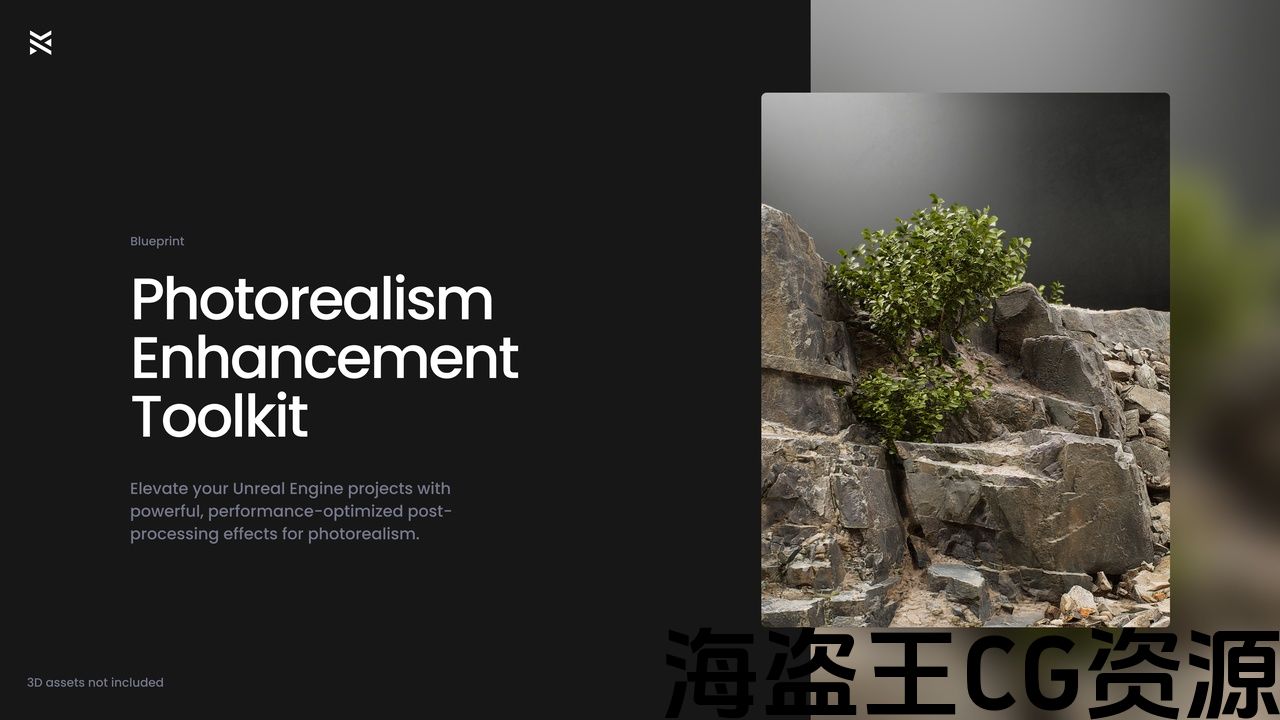
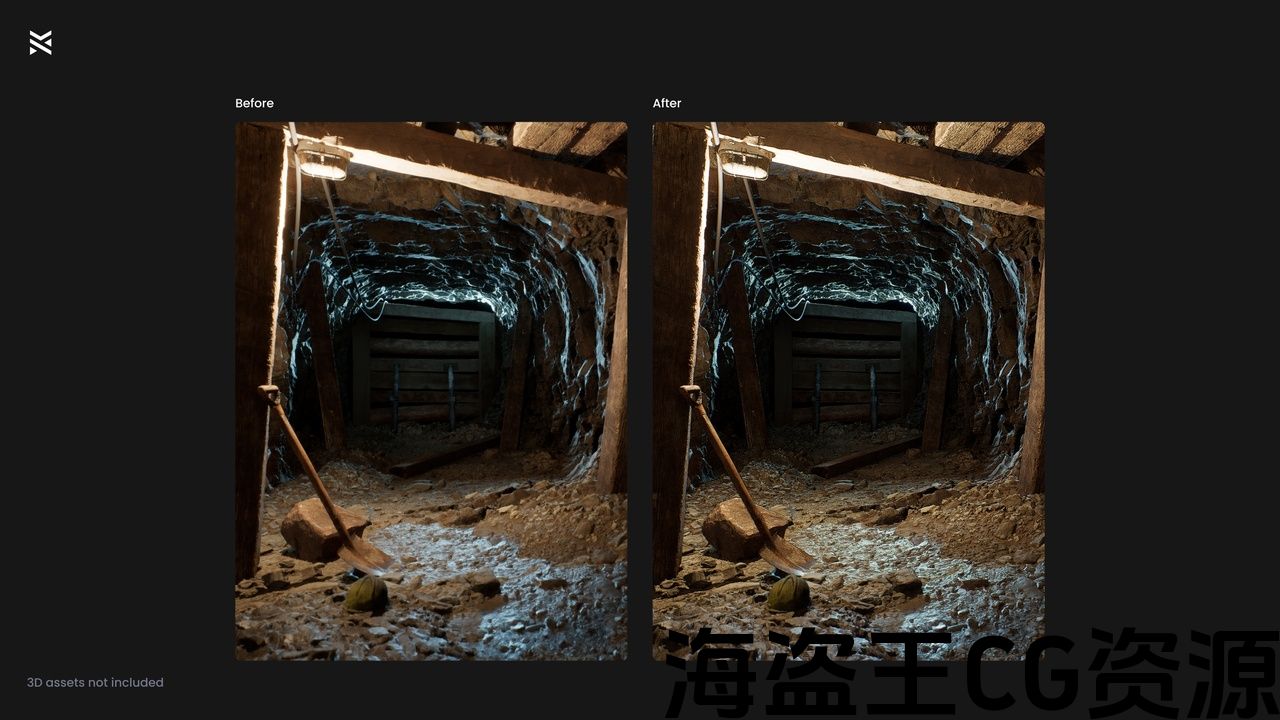
The Photorealism Enhancement Toolkit offers a powerful post-processing solution designed to bring exceptional realism to your Unreal Engine projects. Ideal for refining high-detail photogrammetry assets, this blueprint helps you improve the look of photorealistic environments with minimal impact on performance. Perfect for use in game development, architectural visualization, and cinematic content production, this toolkit ensures your scenes look polished and professional.
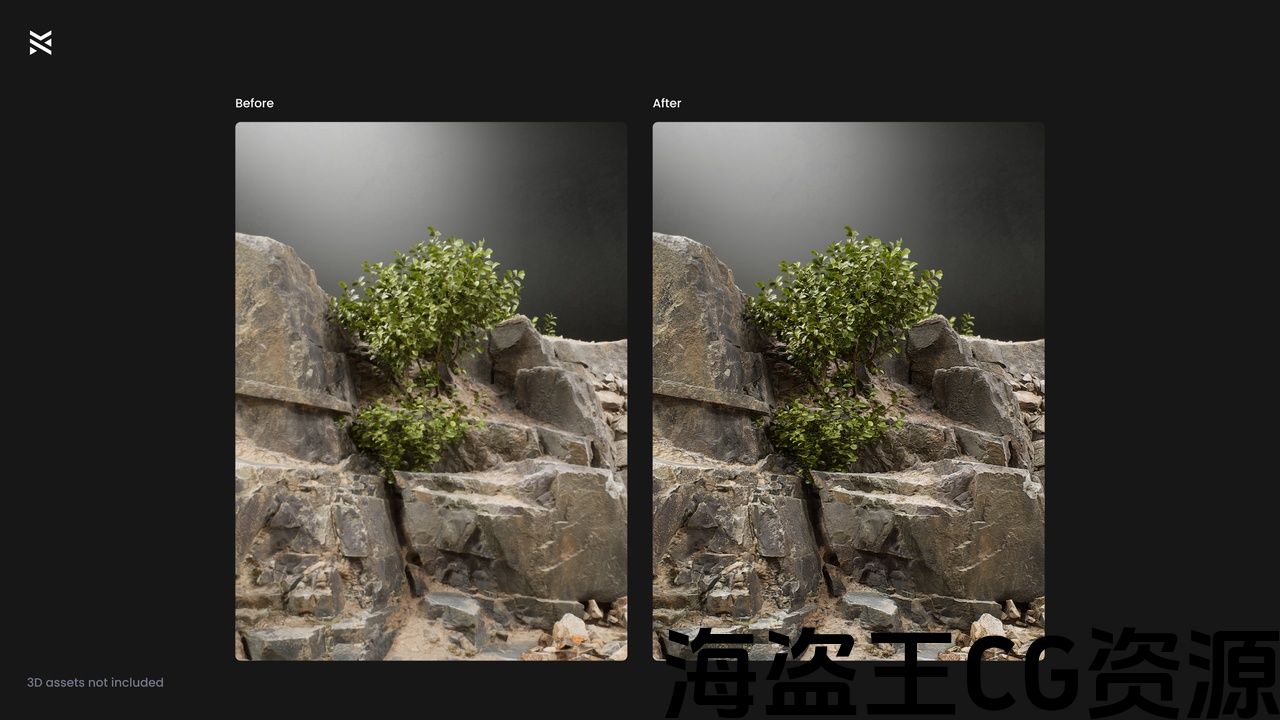
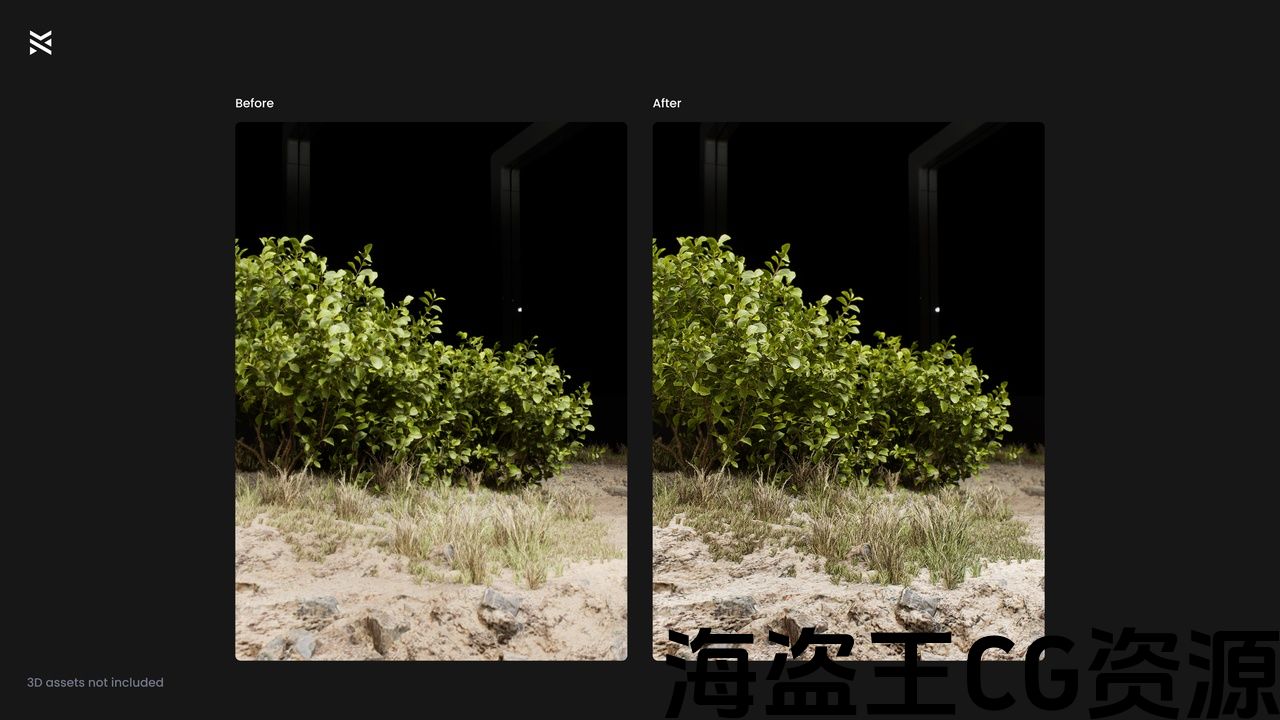
Comparison Images
Key Features
Triplanar Micro Shadows
Add intricate, subtle shadows to textures, increasing realism without overpowering the scene.
Triplanar Micro Highlights
Accentuate surface details with fine, realistic highlights to create more depth in high-detail models.
Distance Field Ambient Occlusion (DFAO) Enhancement
Generate ambient shadows that add depth and realism to objects in your scene based on their generated Mesh Distance Field.
Soft Edge Shadows
Accentuate model contours to simulate natural light interaction, resulting in more lifelike and sharp visuals.
Dynamic Sharpen & Blur
Sharped nearby geometry and blur distant visuals to improve realism.
Advanced Post-Process Settings
Fine-tune the scene’s contrast, bloom, sharpness, and lighting with easy-to-use curated settings that work for many scenes.
Use Cases
Game Development
Enhance environmental textures, lighting, and shading to immerse players in photorealistic worlds.
Architectural Visualization
Achieve photorealistic renders that showcase the details of your architectural designs.
Cinematic Content Creation
Bring professional-level post-processing effects to your cinematic sequences for enhanced visual fidelity.
Photogrammetry Workflows
Tailored for 3D-scanned assets, this tool brings out the best in your existing assets.
Demo Map
See the default effect(s) in action:
Instructions
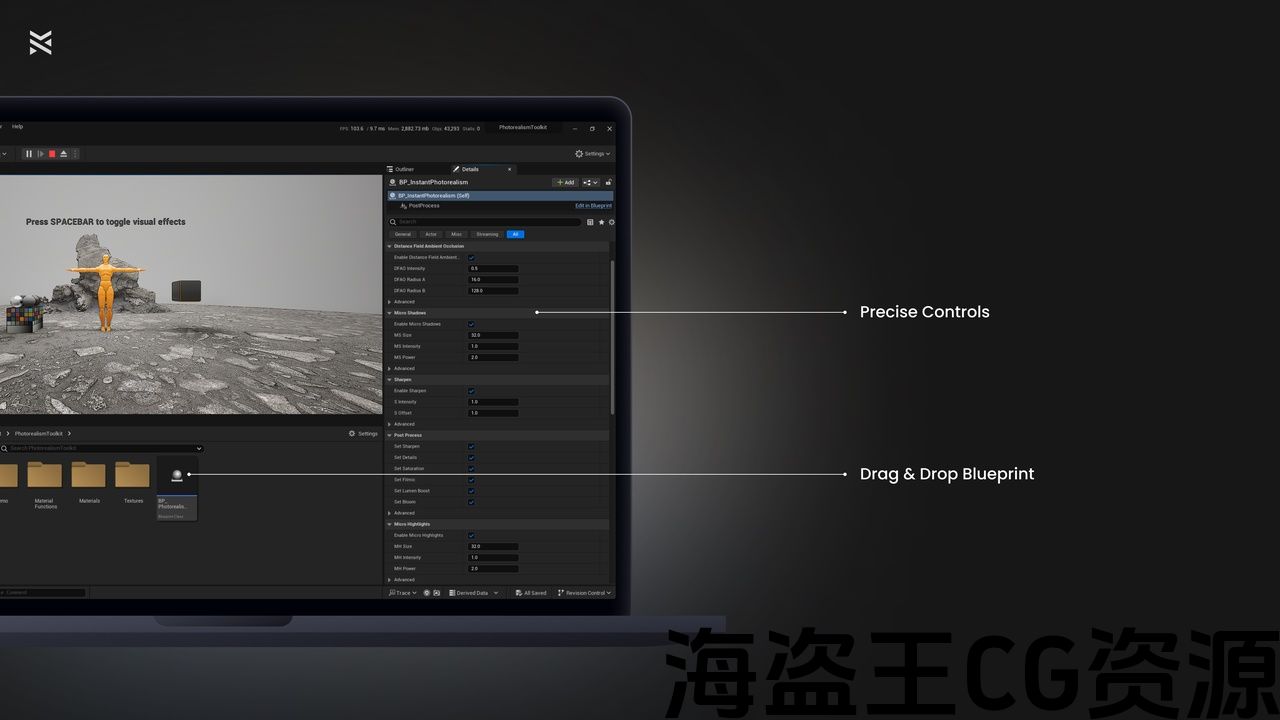
Insert BP_PhotorealismToolkit into your scene. Remove or adjust any conflicting Post Process Volume Actors. Select the blueprint and modify the parameters as needed to suit your scene:
DFAO: Add deep shadows in corners and around objects. Enable or disable, tweak its Intensity, Radius and Range.
Micro Shadows: Enhance objects up close with tiny darkening speckles. Enable or disable, tweak its Size, Intensity, Power and Range.
Micro Highlights: Enhance objects up close with tiny brightening speckles. Enable or disable, tweak its Size, Intensity, Power and Range.
Sharpen: Sharpen the scene up close and blur in the distance. Enable or disable, tweak its Intensity, Offset, Range and toggle the Blur in Distance.
Edge Shadows: Make objects pop by accentuating their edges with a subtle ridge. Enable or disable, tweak its Bias, Brightness, Intensity, Offset and Range.
Post Process: Quick controls to enhance the scene with native engine post process changes. Tweak Sharpen (Scalar), Details (Scalar), Saturation (Scalar), Filmic (Scalar), Lumen Boost (Scalar), Bloom (Toggle)
Support
Have questions or need assistance?
Email me at contact@wouterweynants.com or join the discord server for help
该 照片级增强工具包 提供强大的后处理解决方案,旨在为您的虚幻引擎项目带来非凡的真实感。 此蓝图非常适合细化高细节摄影测量资产,可帮助您改善逼真环境的外观,同时将对性能的影响降至最低。 该工具包非常适合用于游戏开发、建筑可视化和电影内容制作,可确保您的场景看起来精致而专业。
比较图像
主要特点
三重微阴影
为纹理添加复杂微妙的阴影,增加真实感而不会压倒场景。
三重微亮点
用精细、逼真的高光突出表面细节,以在高细节模型中创建更多深度。
距离场环境光遮蔽(DFAO)增强
根据生成的网格体距离场生成环境阴影,为场景中的对象添加深度和真实感。
柔和边缘阴影
突出模型轮廓以模拟自然光交互,从而产生更逼真和锐利的视觉效果。
动态锐化和模糊
锐化附近的几何形状和模糊遥远的视觉效果,以提高现实主义.
高级后处理设置
微调场景的对比度,绽放,锐度和照明与易于使用的策划设置,工作的许多场景。
用例
游戏开发
增强环境纹理、光照和阴影,让玩家沉浸在逼真的世界中。
建筑可视化
实现逼真的渲染,展示您的建筑设计的细节。
电影内容创作
为您的过场动画序列带来专业级别的后期处理效果,以增强视觉保真度。
摄影测量工作流程
该工具专为3d扫描资产而设计,可充分发挥您现有资产的优势。
示范地图
查看实际操作中的默认效果:
指示说明
插入 BP_PhotorealismToolkit 进入你的场景。 移除或调整任何冲突的后期处理卷Actor。 选择蓝图并根据需要修改参数以适合您的场景:
东华三院: 在角落和对象周围添加深阴影。 启用或禁用,调整其强度,半径和范围。
微阴影: 用微小的变暗斑点近距离增强物体。 启用或禁用,调整其大小,强度,功率和范围。
微亮点: 用微小的增亮斑点近距离增强物体。 启用或禁用,调整其大小,强度,功率和范围。
锐化,锐化: 近距离锐化场景,在远处模糊。 启用或禁用,调整其强度,偏移,范围和切换模糊的距离.
边缘阴影: 通过用一个微妙的脊突出物体的边缘来使物体弹出. 启用或禁用,调整其偏置,亮度,强度,偏移量和范围。
后期处理: 快速控制,以增强与本机引擎后处理更改的场景. Tweak Sharpen(标量),Details(标量),Saturation(标量),Filmic(标量),Lumen Boost(标量),Bloom(Toggle)
支援服务
有问题或需要帮助吗?
电邮至contact@wouterweynants.com 或 加入discord服务器 寻求帮助
评论(0)