
Features
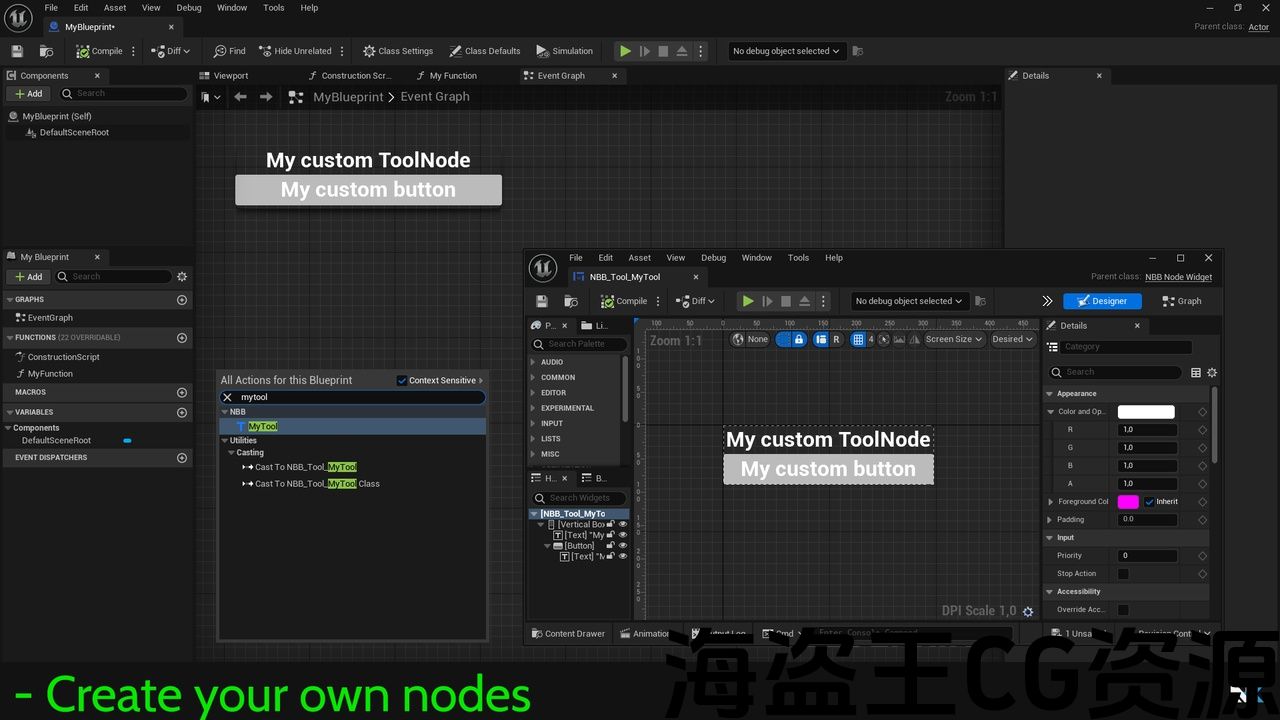
- Create custom blueprint nodes from editor
- Image : Add images from assets
- Link : Create links using URLs or asset references
- Note : Create notes using richtext
- Summary : A summary node that list all comment nodes for fast access
- Tasklist : A task node to create and complete tasks with a progress bar
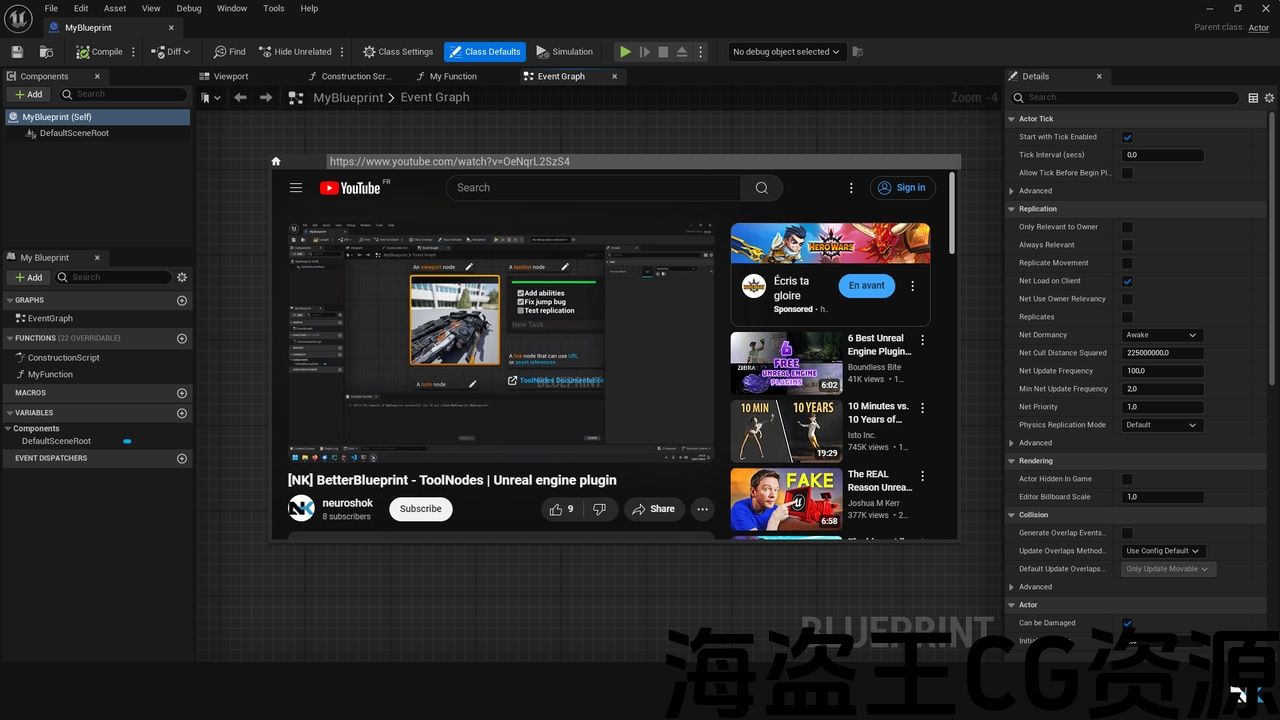
- WebPage: Add a web page to display online docs, tutorials …
Code Modules
- NKBetterBlueprint (editor)
Number of Blueprints: 5
Number of C++ Classes: 10
Supported Development Platforms: Win64, Linux, Android
Supported Target Build Platforms: Win64, Linux, Android
特征
- 创建 自定义蓝图节点 来自编辑
- 图像 :从资产中添加图像
- 连结 :使用Url或资源引用创建链接
- 注 :使用richtext创建笔记
- 摘要 :列出所有注释节点以便快速访问的摘要节点
- 塔斯克利斯特 :一个任务节点,用于创建和完成带有进度条的任务
- 网页:添加一个网页显示在线文档,教程。..
代码模块
- NKBetterBlueprint(编辑)
蓝图数目:5
C++类数:10
支持的开发平台:Win64、Linux、Android
支持的目标构建平台:Win64、Linux、Android
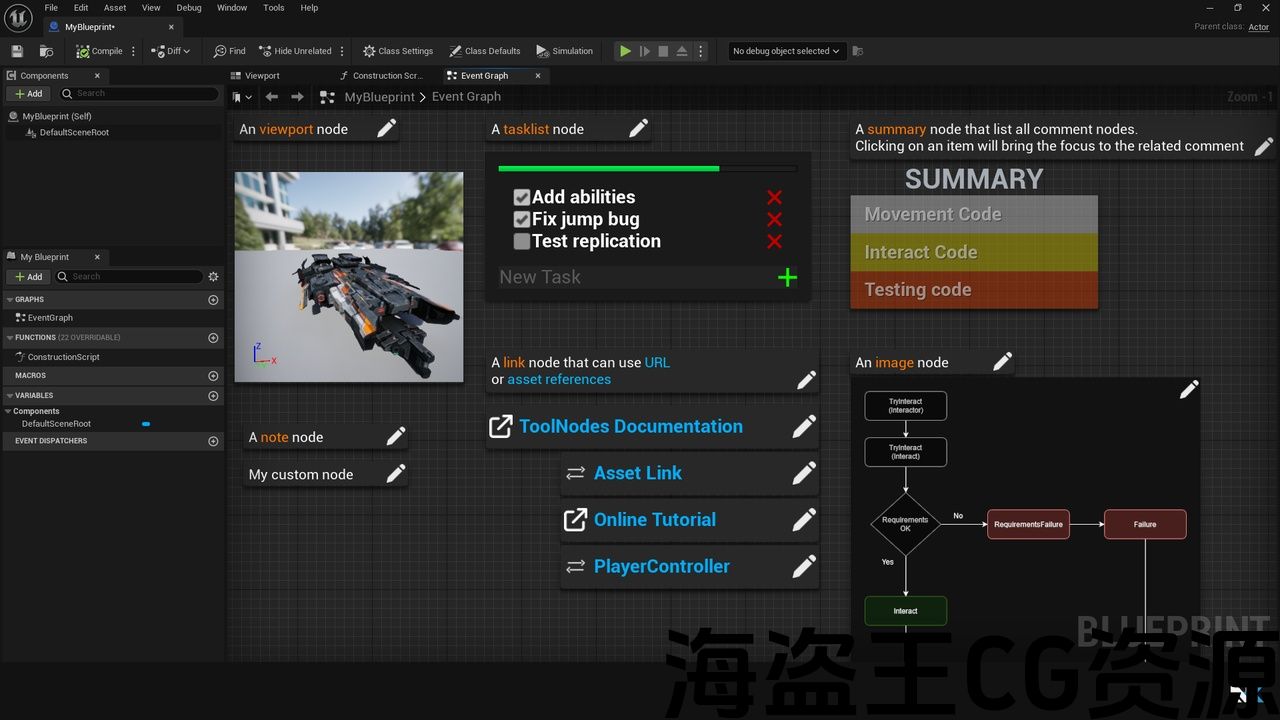
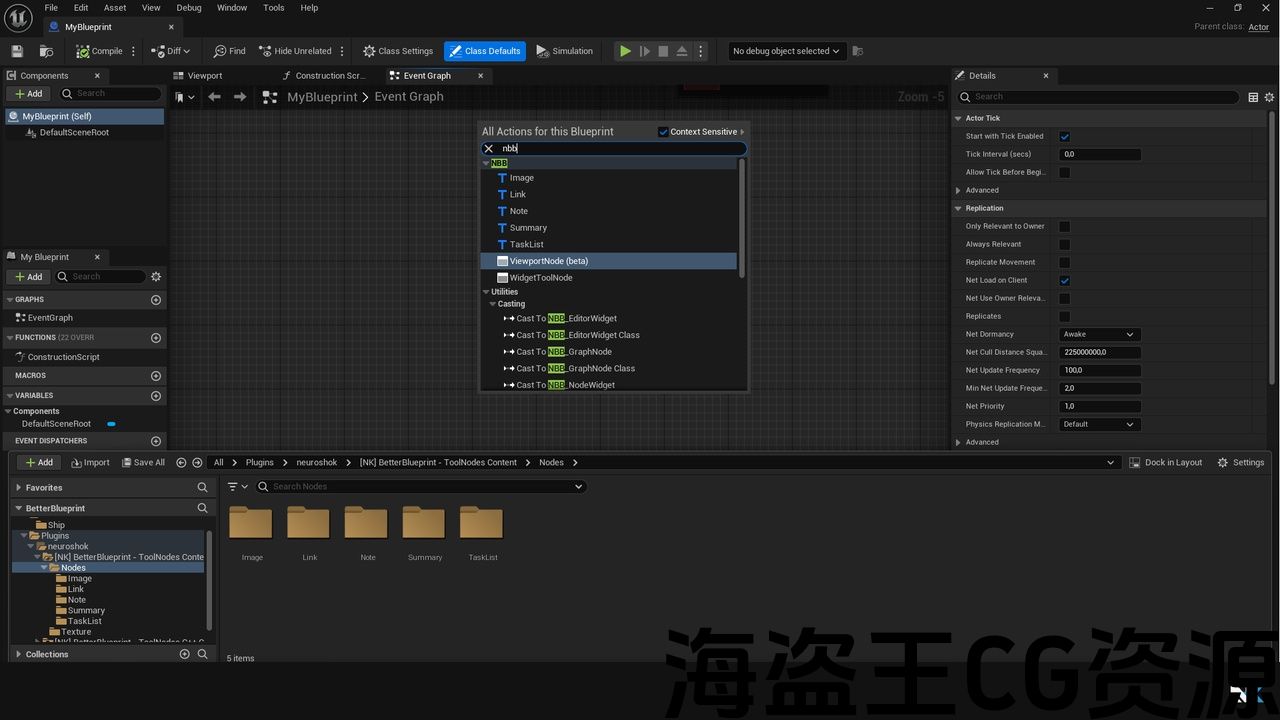
BetterBlueprint – ToolNodes is an editor plugin that add five new nodes and let you create new ones directly from the editor using UMG widgets
You can use the link node to create links between assets directly in the graph or add a link to external documentation.
The summary node is a tool that list all the comments in the graph to create buttons that access the related comment when clicked.
The image node can be used to explain your algorithms using schemes
The note node use a richtext to display a clean documentation
The tasklist let you track your TODOs and see your progression of your implementation
You can modify existing nodes to customize the logic or the visuals just by editing the UMG widget of the node in editor, or create your own nodes.
– 概览(短片)
– 文件
– 不和谐支持
更好的打印-工具 是一个 编辑器插件 该添加 五个新节点 让你创造新的 直接来自编辑 使用 UMG小部件
您可以使用链接节点直接在图表中创建资源之间的链接,或添加指向外部文档的链接。
摘要节点是一个工具,列出图表中的所有注释,以创建在单击时访问相关注释的按钮。
图像节点可用于使用方案解释您的算法
注释节点使用richtext显示干净的文档
任务列表让您跟踪您的任务,并查看您的实现进展
您可以修改现有节点以自定义逻辑或视觉效果,只需在编辑器中编辑节点的UMG小组件,或创建自己的节点。
评论(0)