
A back button for unreal! Time Machine keeps track of your tab and blueprint history so that it’s easy to navigate the asset jungle of Unreal!
不真实的后退按钮! Time Machine会跟踪您的选项卡和蓝图历史记录,以便轻松浏览虚幻的资源丛林!
——————————————–Features
By installing the plugin, there will be 4 new buttons in the upper left tab well. Going from left-to-right:
- Allows you to navigate back to one asset tab in your history (Hotkeys: Ctrl + Comma)
- Opens a searchable and selectable list of your backward asset history (Hotkeys: Ctrl + Alt + Comma)
- If you have navigated backward through your history, this button opens a searchable and selectable list of your forward asset history. (Hotkeys: Ctrl + Alt + Period)
- If you have navigated backward through your history, this button navigates forward one asset tab in your history. (Hotkeys: Ctrl + Period)
Code Modules
This plugin includes a single Editor Module, Time Machine.
- No Blueprints
- 10 C++ Classes
- This module is not network replicated
Supported Development Platforms
- Windows 32
- Windows 64
- Mac
- Linux
Supported Target Build Platforms
As this is an Editor only plugin, it is not intended to be part of a packaged build.
Documentation
Located at: https://www.uetimemachine.com/
Support
https://www.uetimemachine.com/
or by email: support@uetimemachine.com
——————————————–特点
通过安装插件,左上选项卡中会有4个新按钮。 从左到右:
- 允许您导航回历史记录中的一个资源选项卡(热键:Ctrl+逗号)
- 打开向后资产历史记录的可搜索和可选列表(热键:Ctrl+Alt+逗号)
- 如果您已向后浏览历史记录,此按钮将打开一个可搜索且可选择的前向资产历史记录列表。 (热键:Ctrl+Alt+句点)
- 如果您已向后浏览历史记录,则此按钮将向前浏览历史记录中的一个资源选项卡。 (热键:Ctrl+句点)
代码模块
这个插件包括一个单一的编辑器模块,时间机器。
- 没有蓝图
- 10个C++类
- 此模块不是网络复制的
支持的开发平台
- 视窗32
- 视窗64
- Mac电脑
- Linux操作系统
支持的目标构建平台
由于这是一个仅限编辑器的插件,因此它不打算成为打包构建的一部分。
文件
位于: https://www.uetimemachine.com/
支援服务
https://www.uetimemachine.com/
或电邮:support@uetimemachine.com
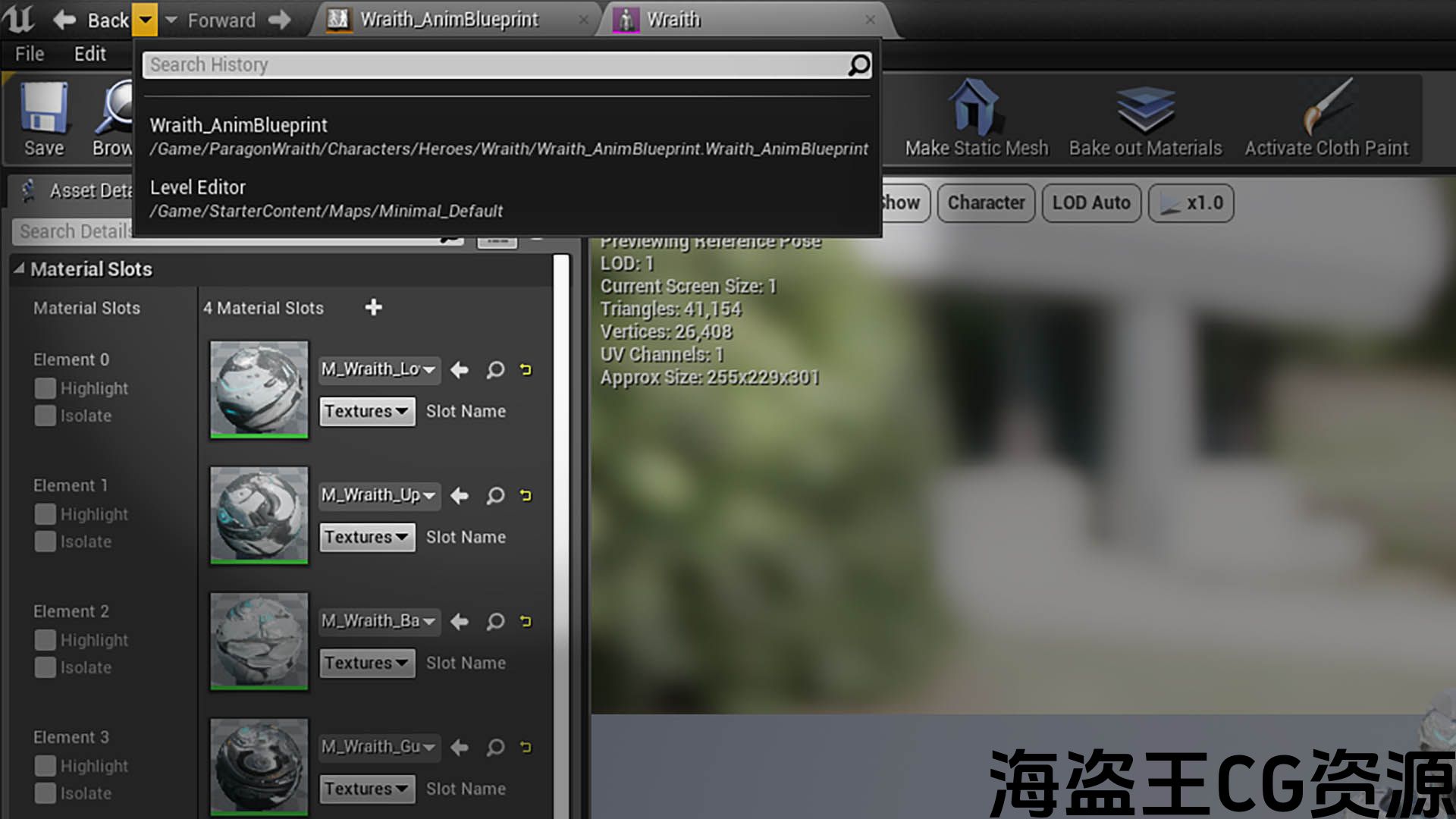

Simply put, “a back button for the Unreal Editor!”
As you navigate through the assets and blueprint graphs of your Unreal project, Time Machine makes it easy to navigate backward and forward through your workflow’s history as it tracks your opened asset tab history, your blueprint graph history, and provides an easy to use navigation interface with related hotkeys.
Video Walkthrough: https://youtu.be/iR1sGJADUds
Documentation: https://www.uetimemachine.com/
Support: https://www.uetimemachine.com/
or by email: support@uetimemachine.com
Version 1.6.1 Updates:
- A change in Time Machine’s project settings no longer require closing and reopening the editor for the change to be reflected
- There is now a project setting to be able to enable Time Machine logging
简单地说,”虚幻编辑器的后退按钮!”
在您浏览虚幻项目的资源和蓝图图表时,Time Machine可跟踪您打开的资源选项卡历史记录、蓝图图表历史记录,并提供带有相关热键的易于使用的导航界面,
视频演练: https://youtu.be/iR1sGJADUds
文件: https://www.uetimemachine.com/
支援服务: https://www.uetimemachine.com/
或电邮:support@uetimemachine.com
版本1.6.1更新:
- Time Machine项目设置中的更改不再需要关闭并重新打开编辑器才能反映更改
- 现在有一个项目设置,以便能够启用Time Machine日志记录
评论(0)