
Supports importing as
1. rasterized rendering (color texture)
2. multi-channel signed distance field
3. conventional signed distance field
4. pseudo-signed distance field
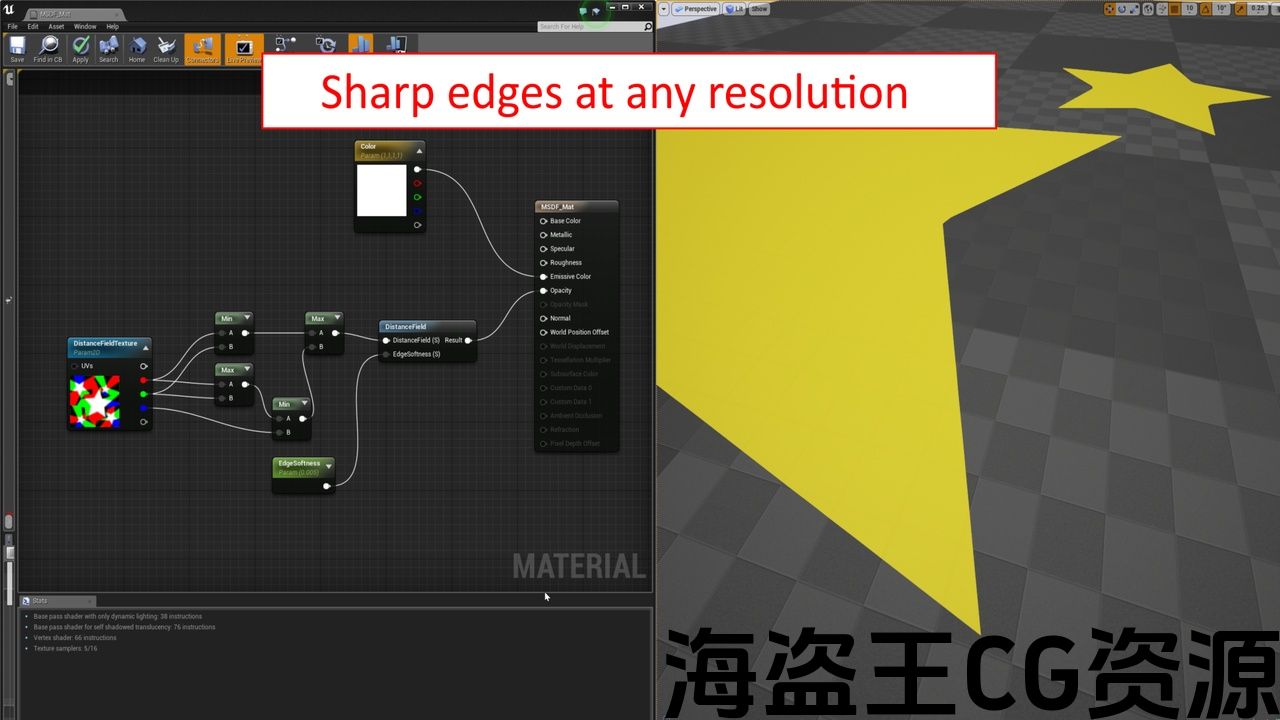
Note: For the distance fields, you need a special material, check out the example project (you can open it even without buying the plugin)!
List of Features:
• Supports automatic re-import on source file changes
• Extremely fast rasterized rendering, even large SVGs of several MB are no problem
• Imported textures have powers of two dimension (e.g. 64×64, 128×128, …) or the SVG’s native resolution
• Automatically scales and auto-frames the SVG to the target texture size
Note: due to the complexity of the SVG format, some advanced features like filters are not supported.
Network Replicated: N/A
Supported Development Platforms: Windows
Supported Target Build Platforms: All platforms
Documentation Included: see youtube.com/watch?v=MvokfyihNXs
Example Project: Google Drive
支持导入为
1. 栅格化渲染(颜色纹理)
2. 多通道有符号距离场
3. 常规有符号距离场
4. 伪有符号距离场
注意:对于距离场,你需要一个特殊的材料, 查看示例项目 (即使不购买插件也可以打开它)!
功能一览表:
*支持源文件更改时自动重新导入
*极快的光栅化渲染,即使是几MB的大型SVGs也没问题
*导入的纹理具有二维的权力(例如64×64,128×128,。..)或SVG的原生分辨率
*自动缩放和自动帧SVG到目标纹理大小
注意:由于SVG格式的复杂性,一些高级功能如 过滤器 不支持。
网络复制:N/A
支持的开发平台:Windows
支持的目标构建平台:所有平台
文件包括:见 youtube.com/watch?v=MvokfyihNXs
示例项目: 谷歌驱动器



Preview: youtube.com/watch?v=MvokfyihNXs
Allows the editor to import SVG (scalable vector graphics) files as rasterized rendering or as (multi-channel) signed distance field.
The resulting texture asset can then be used normally in materials and displayed in the game.
SDFs (signed distance fields) can be used to import the vector file as texture with minimal size (e.g. 64×64 pixels), but can display sharp corners at any zoom level at runtime. This is perfect for crisp UIs and to save texture size (e.g. for mobile games).
Distance field can also be used to easily draw outlines or drop shadows.
预览: youtube.com/watch?v=MvokfyihNXs
允许编辑器导入SVG(可缩放矢量图形)文件作为光栅化渲染或作为(多通道)有符号距离场。
然后,生成的纹理资源可以在材质中正常使用并在游戏中显示。
SDFs(有符号距离场)可用于将矢量文件导入为最小尺寸(例如64×64像素)的纹理,但可以在运行时在任何缩放级别显示尖角。 这是完美的脆UIs和保存纹理大小(例如手机游戏)。
评论(0)