
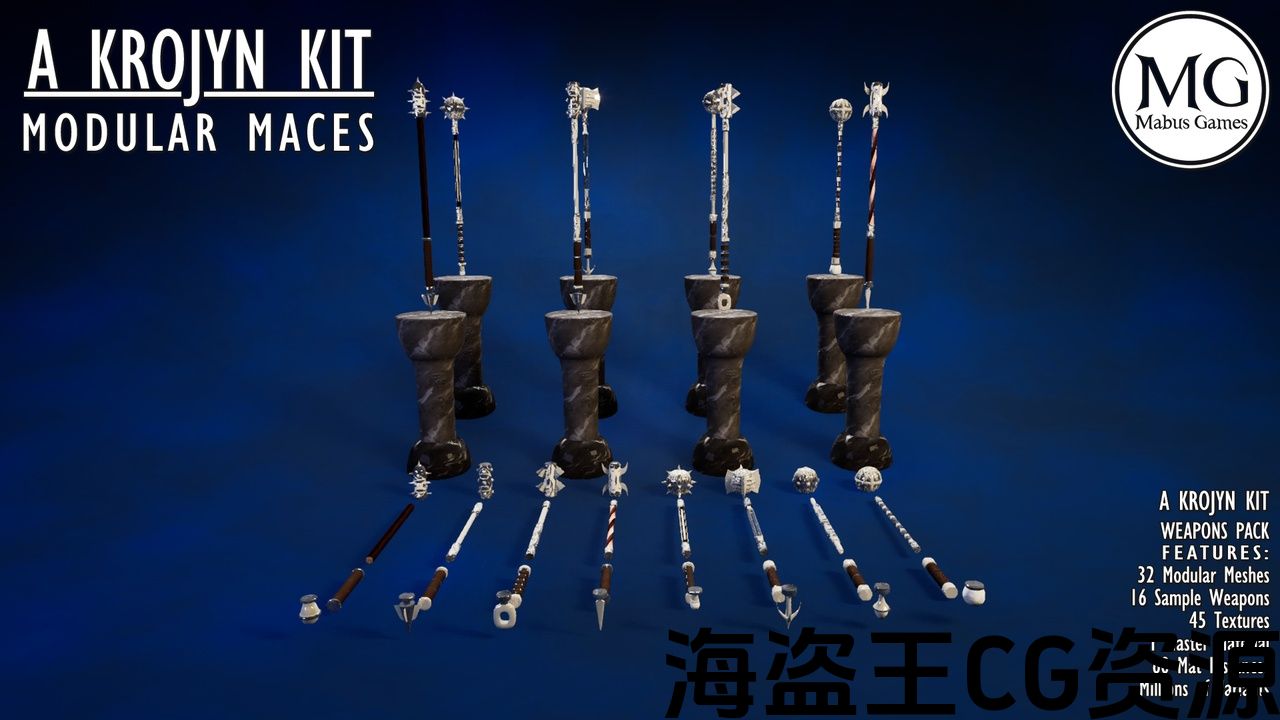

Number of Unique Meshes: 48 Modular Meshes-8 Grips
-8 Heads
-8 Pommels
-8 Shafts
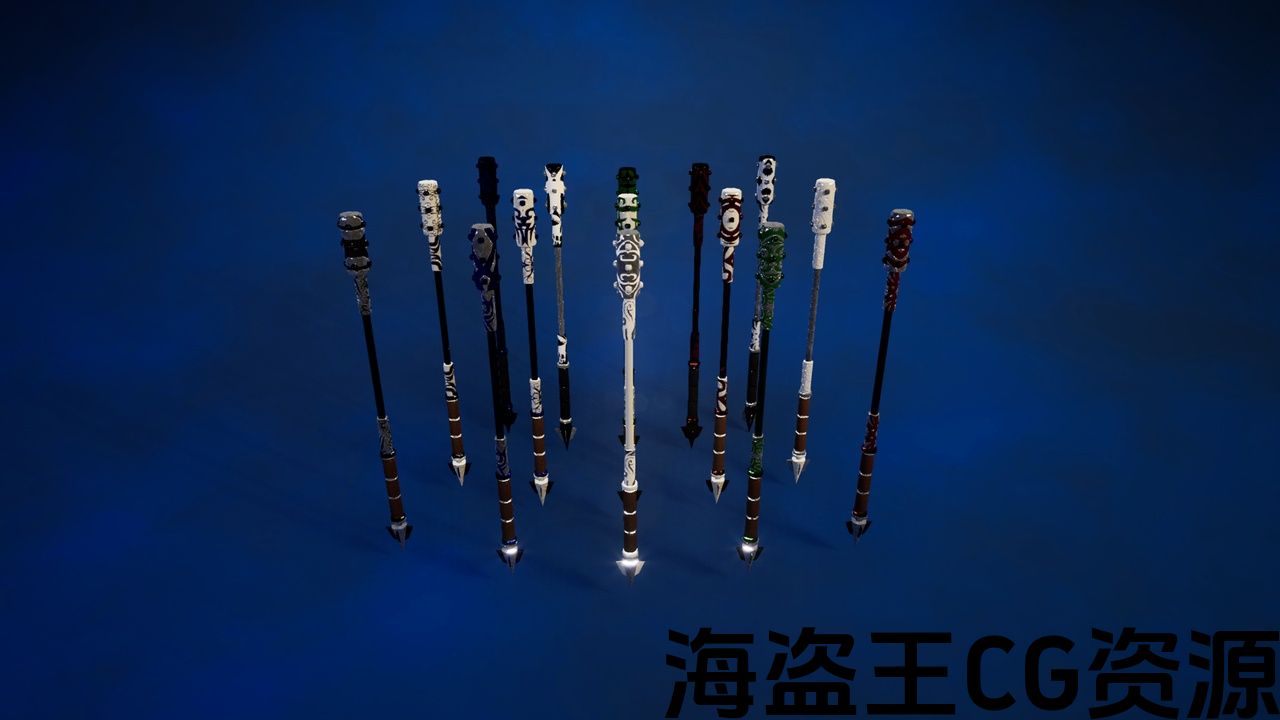
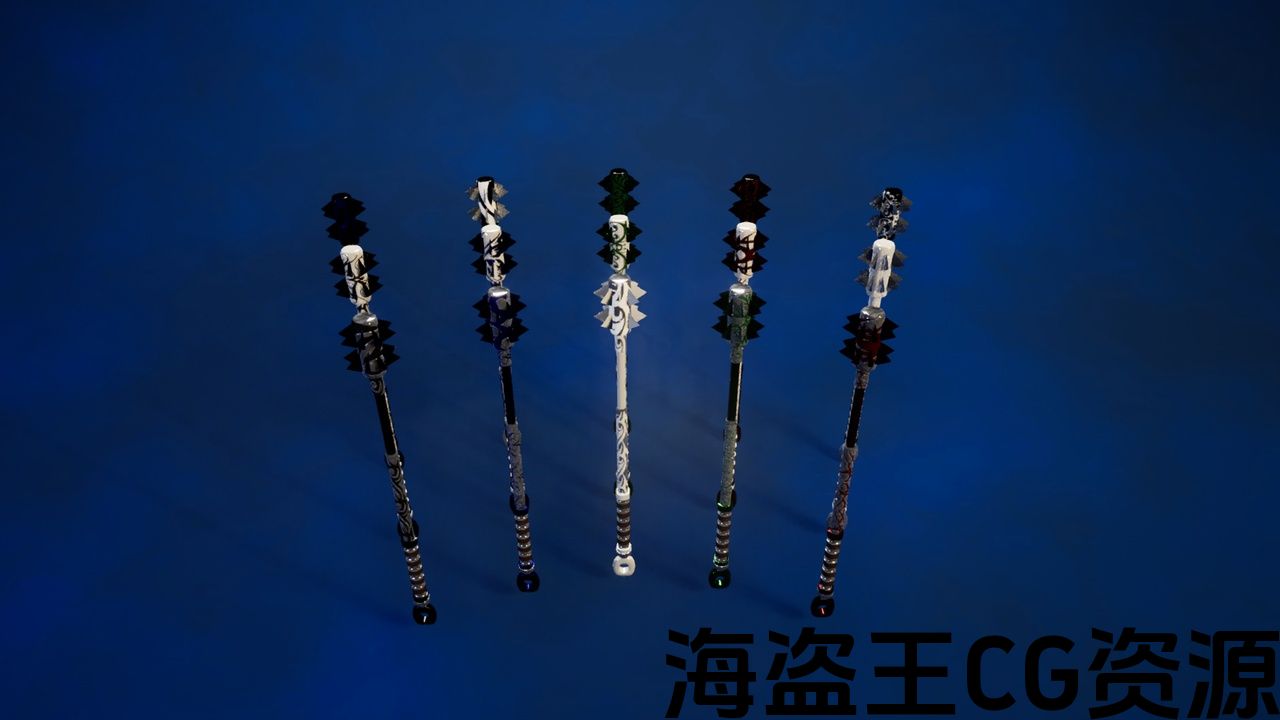
-16 sample Maces
Vertex Count:37,842
Collision: Yes Complex as Simple
LODs: No
Number of LODs: Not Included
Rigged: No
Rigged to Epic or MetaHumans Skeleton: None
If rigged to the Epic or MetaHumans skeleton, IK bones are included: No
Number of Characters: 0
Vertex Counts of Characters: None
Animated: No
Number of Animations: None
Animation Types (Root Motion/In-place): None
Number of Materials: 1 Master Material
Number of Material Instances: 60
Number of Textures: 45
Texture Resolutions: 4096×4096
Supported Development Platforms:
-
Windows: Yes
-
Mac: Not on Purpose
Documentation Link: https://www.youtube.com/watch?v=TfySWdoEKdA
Important/Additional Notes:
唯一网格数:48个模块化网格-8握把
-8头
-8鞍
-8轴
-16样本Maces
顶点数:37,842
碰撞:是复杂的简单
Lod:不
Lod数量:不包括在内
操纵:不
被操纵到史诗或元人类的骨架上:没有
如果被装配到史诗或元人类的骨架上,IK骨骼包括在内:不
字符数:0
字符的顶点计数:无
动画:没有
动画数量:无
动画类型(根运动/就地):无
材料数量:1主材料
材质实例数:60
纹理数量:45
纹理分辨率:4096×4096
支持的开发平台:
-
Windows:是的
-
Mac:不是故意的
文档链接: https://www.youtube.com/watch?v=TfySWdoEKdA
重要/附加注意事项:
How to Use: https://www.youtube.com/watch?v=TfySWdoEKdA
48 Modular Meshes
-8 Grips
-8 Heads
-8 Pommels
-8 Shafts
-16 sample Maces
45 Textures
1 Master Material
60 Material Instances Applied to
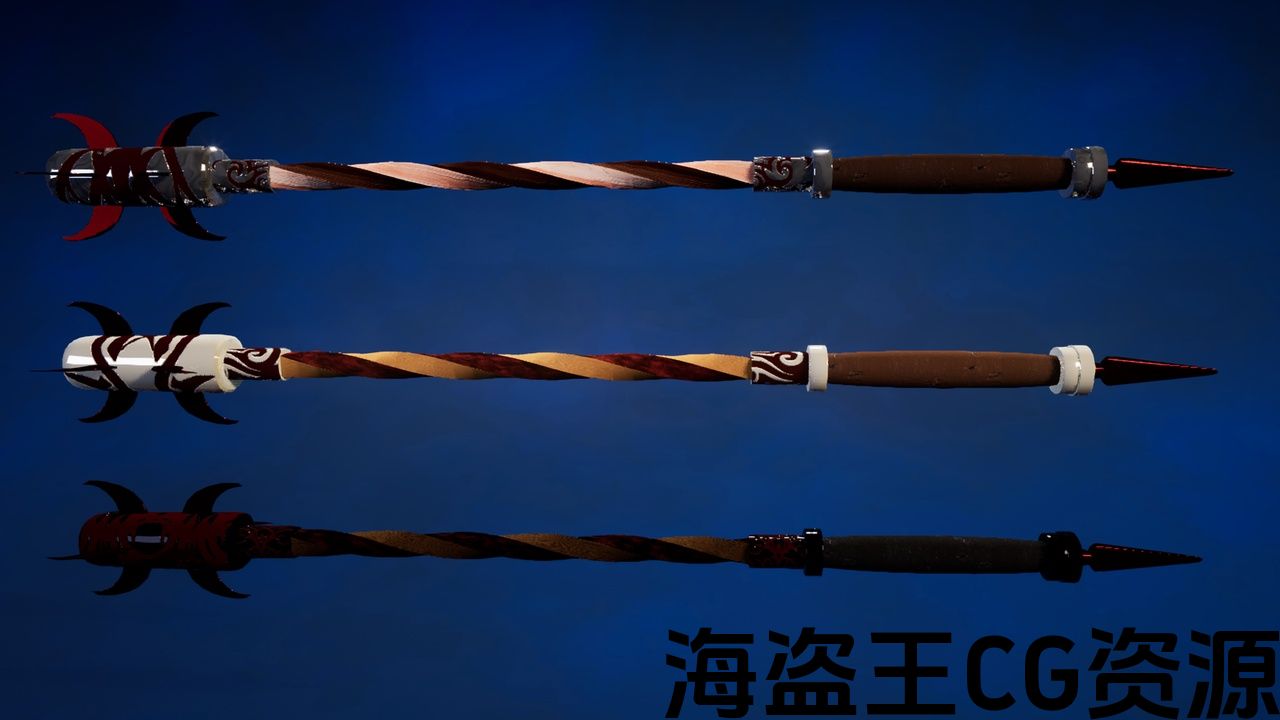
Grips (15 Material Options)
Heads (15 Material Options)
Pommels (15 Material Options
Shafts (15 Material Options)
Material Global Parameters Open for:
Ambient
Specular
Metallic
Roughness
Normal
Base Color
To get what you like from the kit.
48,544 Total Tris for the kit (variant construction will alter the number of tris per mace created).
Highest tri-count for a single mace: 12,856
Lowest tri-count for a single mace: 2144
Every Grip, Head, Pommel, and Shaft is interchangeable. Pivot point for each piece is in the grip for easy socket implementation. All material options can be used per piece with the merged maces. Global material parameters are enabled for tweaking to your needs for lighting and general use.
For any assistance on using the kit, feel free to contact me directly in my discord: https://discord.gg/RQQY6sbkj2 or email mabusgames@gmail.com (discord is the better option as I check it far more frequently).
Select 1 Grip, 1 Head, 1 Pommel, and 1 Shaft from the content browser and drag them all into the scene at the same time. Once in the scene, re-select the grip, head, pommel, and shaft (in alphabetical order for easier material changes) and merge the objects into a single mesh. (Either choose to replace the source objects or uncheck the box and delete the source objects.) Save the merged object to a folder of your choice preferably a new folder of your naming (i.e. Merged_Maces). Open the merged object from the content browser Enable Nanite (if wanted) and apply, or apply LODs. Choose any material instance option you like from the materials folder for each of the pieces. If these steps were followed exactly there will be 4 material slots on the merged mace. Material Options are named for the pieces they go with and have 15 total options Black and Blue, Black and Gold, Black and Green, Black and Red, Black and Silver, Gold and Black, Gold and Blue, Gold and Green, Gold and Red, Gold and Silver, Silver and Black, Silver and Blue, Silver and Gold (Default), Silver and Green, Silver and Red. These options can either be used uniformly, or mix and match. (i.e. Silver and Gold grip, Silver and Gold head, Silver and Gold pommel, Silver and Gold Shaft… or… Black and Blue grip, Silver and Gold head, Gold and Red pommel, Black and Green Shaft or any other combination desired.)Features:
Completely Interchangeable
Nanite Available (when applicable)
Creates Millions of Variants (yes… Millions)
16 Sample Mace Variants
Pivot Point for all Pieces are in the grip of a complete variant
Materials can be changed after merging
Can request custom materials
Number of Unique Meshes: 48 (Including Sample Maces)
Collision: Yes/Block All
Vertex Count: 37,842
LODs: No
Number of Materials and Material Instances: 1 Master Material/60 Material Instances
Number of Textures: 45
Texture Resolutions: 4096NOTE: 4.27 and 5.0 require the use of Substance Plugin
如何使用: https://www.youtube.com/watch?v=TfySWdoEKdA
48模块化网格
-8握把
-8头
-8鞍
-8轴
-16样本Maces
45纹理
1主材料
60个材料实例应用于
握把(15种材料选择)
头(15种材料选择)
鞍(15种材料选择
轴(15种材料选择)
材料全局参数开放:
环境环境
镜面,镜面
金属的
粗糙度
正常
基色
从工具包里拿到你喜欢的东西。
该套件共有48,544个Tris(变体结构将改变每个mace创建的tris数量)。
单根狼牙棒的最高三个计数:12,856
单根狼牙棒的最低三计数:2144
每个握把、头、鞍和轴都是可互换的. 每个部件的枢轴点都在手柄中,便于插座实现。 所有的材料选项可以使用每件与合并的maces。 全局材质参数可根据您的照明和一般用途需求进行调整。
如需使用该工具包的任何帮助,请随时直接与我联系: https://discord.gg/RQQY6sbkj2 或电邮 mabusgames@gmail.com (不和谐是更好的选择,因为我更频繁地检查它)。
从内容浏览器中选择1个握把、1个头、1个鞍和1个轴,并在同一时间将它们全部拖到场景中。 进入场景后,重新选择抓地力、头部、鞍和轴(按字母顺序排列,以便更轻松地更改材质),并将对象合并到一个网格中。 (要么选择替换源对象,要么取消选中该框并删除源对象。)将合并的对象保存到您选择的文件夹中,最好是您命名的新文件夹(即Merged_Maces)。 从内容浏览器打开合并对象启用Nanite(如果需要)并应用或应用Lod。 从每个部分的”材质”文件夹中选择您喜欢的任何材质实例选项。 如果完全遵循这些步骤,合并的狼牙棒上会有4个材料槽。 材料选项被命名为他们去与件,并有15个总选项黑色和蓝色,黑色和金色,黑色和绿色,黑色和红色,黑色和银色,金色和黑色,金色和蓝色,金色和绿色,金色和红,金色和银色,银色和黑色,银色和蓝色,银色和金色(默认),银色和绿色,银色和红色。 这些选项既可以统一使用,也可以混合搭配使用。 (即银和金握,银和金头,银和金鞍,银和金轴。.. 或者。.. 黑色和蓝色手柄,银色和金色头,金色和红色鞍,黑色和绿色轴或任何其他所需的组合。)特征:
完全可互换
纳米石可用(如适用)
创建数百万个变体(是的。.. 百万)
16个Mace变种样本
所有部件的枢轴点都在一个完整的变体的抓地力中
材料可以在合并后更改
可以要求定制材料
唯一网格数:48(包括样本Maces)
碰撞:是/阻止所有
顶点数:37,842
Lod:不
材质和材质实例数:1个主材质/60个材质实例
纹理数量:45
纹理分辨率:4096注意:4.27和5.0需要使用Substance插件
评论(0)