


Code Modules:
- SignificanceBucketSystem, Runtime
Number of Blueprints: 5 (Examples)
Number of C++ Classes: 10+
Network Replicated: Yes
Supported Development Platforms: Windows, Mac, Linux, IOS, Android. (Only Windows tested, should work on other platforms)
Supported Target Build Platforms: Windows, Mac, Linux, IOS, Android. (Only Windows tested, should work on other platforms)
Documentation: https://docs.google.com/document/d/1C2iRdZfCH1qhFZGPID3JoUAs2NkOW9G9duV6xM9pbp0/edit?usp=sharing
Example Project: Engine->Plugins->SignificanceBucketSystem->SignificanceTestLevel
Important/Additional Notes: This plugin is using unreal engine´s plugin SignificanceManager.
For support refer to our discord page: https://discord.gg/azWURcymGY
代码模块:
- SignificanceBucketSystem,运行时
蓝图数目:5(例子)
C++类数:10+
网络复制:是
支持的开发平台:Windows,Mac,Linux,IOS,Android。 (只有Windows测试,应该在其他平台上工作)
支持的目标构建平台:Windows,Mac,Linux,IOS,Android。 (只有Windows测试,应该在其他平台上工作)
文件编制: https://docs.google.com/document/d/1C2iRdZfCH1qhFZGPID3JoUAs2NkOW9G9duV6xM9pbp0/edit?usp=sharing
示例项目: 引擎->插件->显着的存储系统->意义;意义
重要/附加注意事项:此插件正在使用虚幻引擎插件SignificanceManager。
有关支持,请参阅我们的不和谐页面: https://discord.gg/azWURcymGY
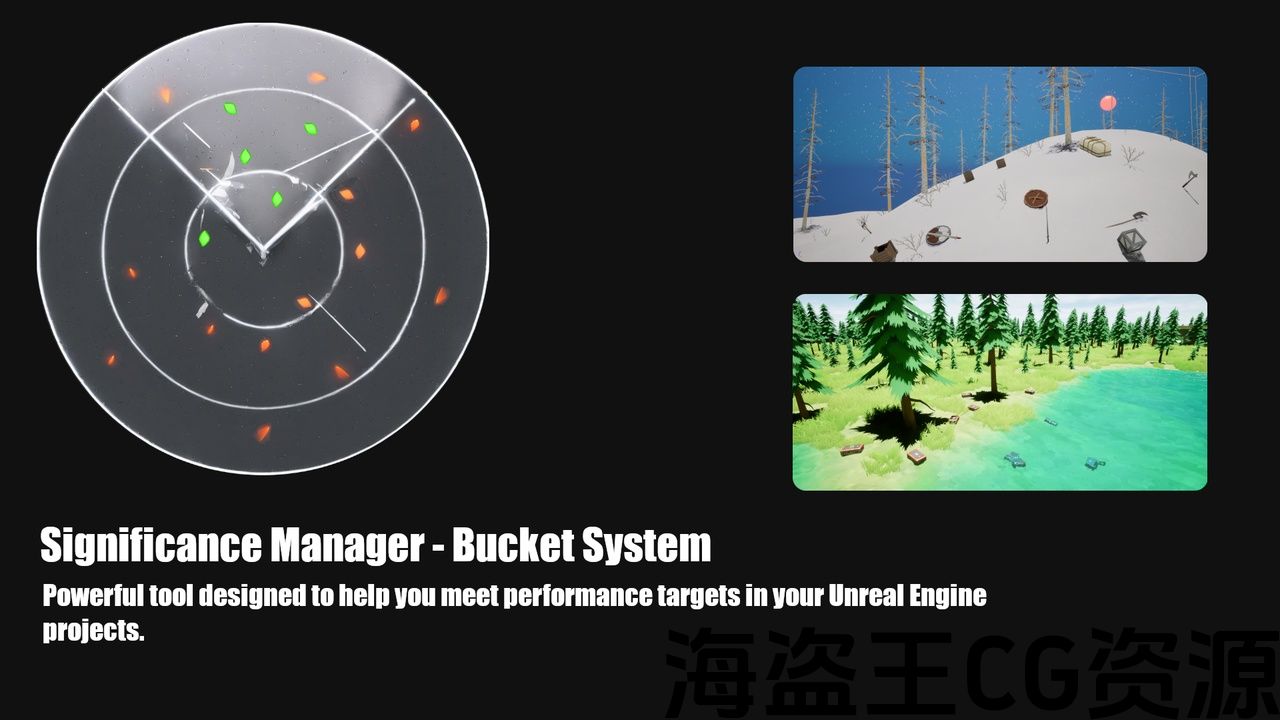
In any game, especially multiplayer ones with many players or AI characters, maintaining high performance is crucial. This often involves reducing scene complexity to achieve your target frame rates. With this bucket system integrated with significance manager you will be able to meet your performance targets with ease.
This system can also be used to activate/deactivate gameplay elements when players are nearby. Very flexible!
Verified users can get help with setting up custom Optimization Defaults in c++ on discord.
Interested in our product? Be sure to check out the videos to see if it meets your needs. Got questions? Join our Discord community—our team is happy to help!
What is a bucket system?
You can imagine it as having multiple buckets you fill with water. When one bucket becomes full, you fill up the next one until you have no more buckets to fill. Instead of water we use actors or objects and we can set different sizes for the buckets. More info
Practical Examples:
-
AI Management: In a scenario with many AI characters, the system can ensure only the nearest or most critical ones are fully active, improving performance.
-
Multiplayer Optimization: In multiplayer games where many players might gather in one area, the system can for example limit so only the 10 nearest player characters remain fully active, preventing performance drops.
-
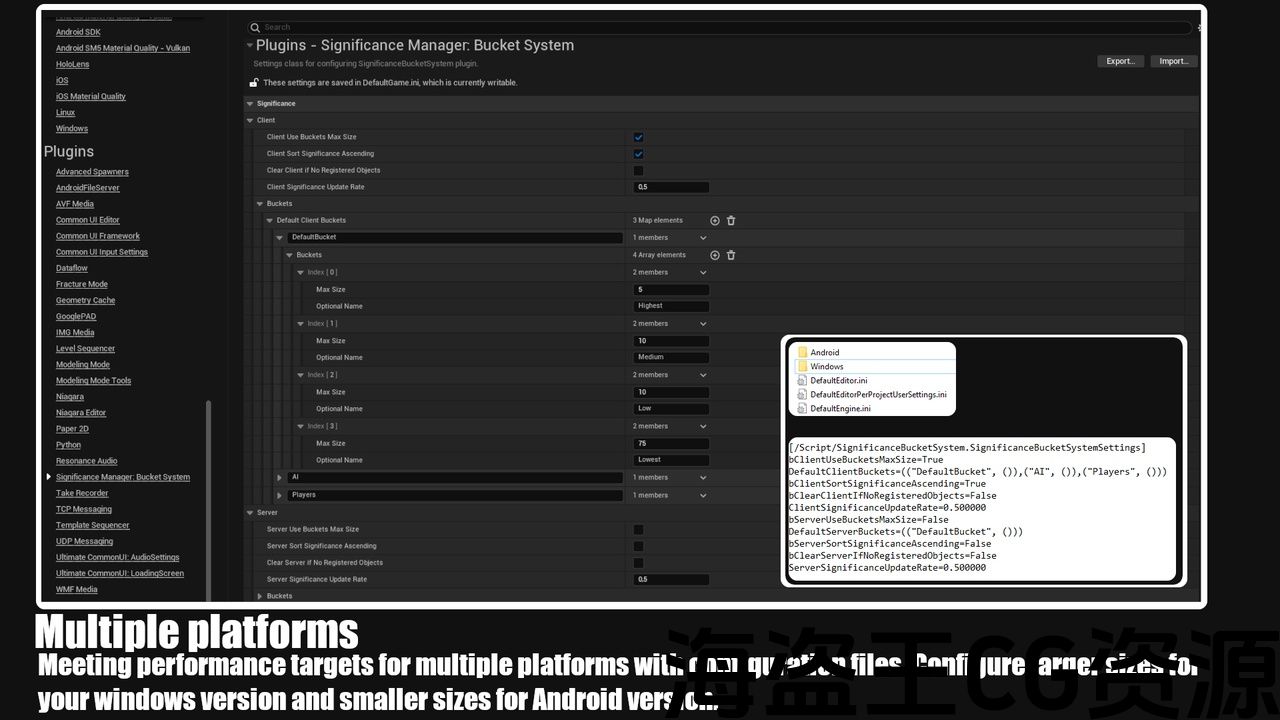
Different platforms: Only allowing the 5 nearest players to have effects played and disable the rest for windows app and only allowing 1 actor to have effects on android app.
What does this plugin offer?
-
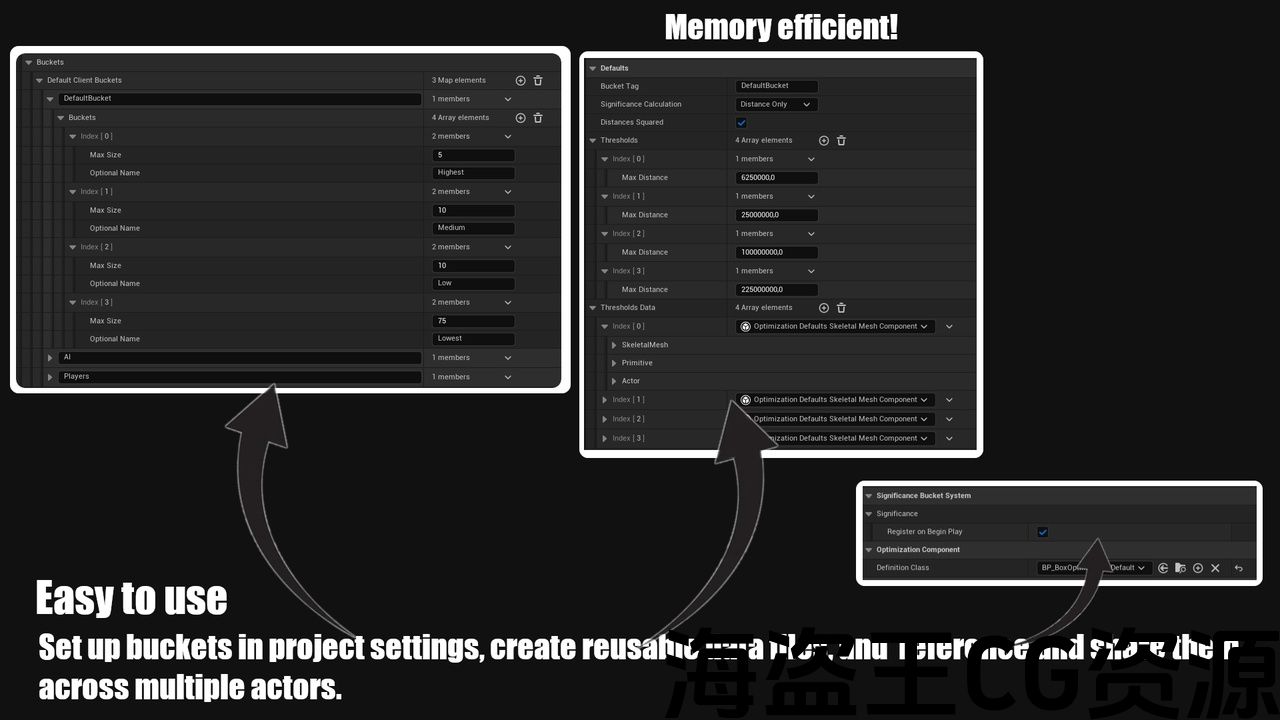
Bucket System: You can set up multiple buckets arrays with different sized buckets. Actors will be assigned into buckets where the nearest actors go into the first bucket. When a bucket’s max size is reached the rest of the actors will go to the next bucket and so on until there are no buckets left.
-
Component Based: Includes components that let´s you optimize your actors skeletal, static ,primitive and niagara component based on distance and buckets. Custom code can be setup in blueprint.
-
Easy to use: Setup your buckets once in project settings then define your data in separate blueprints called Optimization Defaults Definition and share them on the components. Each file created is stored only once for memory efficiency.
-
Multiple Platforms: Buckets are stored in configuration files. Can easy be overwritten for different platforms.
-
Server Significance Manager: This manager runs only on the server. Increase frame rate for your multiplayer games. Or you can use it to activate/deactivate gameplay elements. Very flexible!
-
Unreal Insights & Stats support: Helps you identify bottlenecks!
-
C++ & Blueprint: Events when a bucket is relevant for an actor. A Subsystem to control the system during runtime.
-
Example Level: An example level on how to use the system.
Using our product in your game? Let us know! We’d love to help promote your game to our community.
在任何游戏中,特别是多玩家或AI角色的多人游戏中,保持高性能至关重要。 这通常涉及降低场景复杂性以实现目标帧速率。 通过将此铲斗系统与significance manager集成,您将能够轻松实现绩效目标。
当玩家在附近时,该系统还可用于激活/停用游戏元素。 非常灵活!
经过验证的用户可以在以下位置获得有关设置自定义优化默认值的帮助 关于不和谐的c++。
对我们的产品感兴趣? 请务必查看视频,看看它是否符合您的需求。 有问题吗? 加入我们的Discord社区—我们的团队很乐意提供帮助!
什么是铲斗系统?
你可以把它想象成有多个装满水的水桶。 当一个桶已满时,您将填充下一个桶,直到您没有更多的桶可填充。 我们使用actor或对象来代替水,我们可以为桶设置不同的大小。 更多资料
实际例子:
-
人工智能管理:在具有许多AI角色的场景中,系统可以确保只有最近或最关键的角色完全活跃,从而提高性能。
-
多人游戏优化:在多人游戏中,许多玩家可能聚集在一个区域,例如,系统可以限制只有10个最近的玩家角色保持完全活动,防止性能下降。
-
不同的平台:只允许5个最近的玩家播放效果,并禁用其余的windows应用程序,只允许1个演员对android应用程序产生效果。
这个插件提供了什么?
-
铲斗系统:您可以使用不同大小的桶设置多个桶阵列。 Actor将被分配到桶中,最近的actor将进入第一个桶。 当一个桶的最大尺寸达到时,其余的actor将转到下一个桶,依此类推,直到没有桶了。
-
基于组件:包含可让您根据距离和桶优化actor骨架、静态、基元和niagara组件的组件。 可在蓝图中设置自定义代码。
-
易于使用:在项目设置中设置存储桶一次,然后在称为优化默认定义的单独蓝图中定义数据,并在组件上共享它们。 为了提高内存效率,创建的每个文件只存储一次。
-
多个平台:存储桶存储在配置文件中。 可以很容易地复盖不同的平台。
-
服务器显着性管理器:此管理器仅在服务器上运行。 增加帧速率为您的多人游戏. 或者您可以使用它来激活/停用游戏元素。 非常灵活!
-
虚幻洞察和统计支持:帮助您识别瓶颈!
-
C++&蓝图: 桶与actor相关的事件。 在运行时控制系统的子系统。
-
示例级别:关于如何使用系统的示例级别。
在您的游戏中使用我们的产品? 让我们知道! 我们很乐意帮助推广您的游戏到我们的社区。
评论(0)