
Features:
- Runtime World Outliner
- Runtime Actor Details
- Runtime Content Browser
- Runtime Material Editor
- Runtime Spline Editor
- Actions History
- Camera History
- Scene save and load system
- Runtime Transformation Gizmo
- Runtime Datasmith Import
- Warning Dialogs
- Runtime Color Wheel
- Asset Preview Maker
- Actor Transform Tools
- Scatter
Number of Blueprints: 128
Number of Blueprint Interfaces: 4
Number of Enums: 14
Number of Structures: 2
Number of Widget Blueprints: 99
Example Content (User Content Folder):
- Static Meshes: 67
- LODs: No
- Materials: 37
- Textures: 48
Used Plugins:
- JsonBlueprintUtilities
- BlueprintFileUtils
- EnhancedInput
- DatasmithRuntime
Input: Mouse, Keyboard
Network Replicated: No
Supported Development Platforms:
- Windows: Yes
- Mac: Yes
Documentation: Link
Important/Additional Notes:
- Runtime Editor is built exclusively on blueprints, with some limitations and non-obvious solutions.
- The Content Browser is built based on Asset Registry functions and does not work in Standalone Mode, where these functions are unavailable. However, in the packaged build, everything works well.
- Path Tracer does not work in the shipping build.
- Blueprints cannot auto-access class properties, so you have to serialize your classes with the provided serialization pipeline manually.
特征:
- 运行时世界大纲视图
- 运行时Actor详细信息
- 运行时内容浏览器
- 运行时材质编辑器
- 运行时样条编辑器
- 行动历史
- 相机历史
- 场景保存和加载系统
- 运行时转换小工具
- 运行时Datasmith导入
- 警告对话框
- 运行时色轮
- 资产预览制造商
- Actor变换工具
- 散点,散点
蓝图数目:128
蓝图接口数量:4
枚举数:14
结构数目:2
小部件蓝图数量:99
示例内容(用户内容文件夹):
- 静态网格:67
- Lod:不
- 材料:37
- 纹理:48
使用过的插件:
- [医]造影造影
- [医]蓝图
- 增强型输出管
- DatasmithRuntime
输入:鼠标,键盘
网络复制:没有
支持的开发平台:
- Windows:是的
- Mac:是的
文件: 连结
重要/附加注意事项:
- 运行时编辑器完全基于蓝图构建,有一些限制和不明显的解决方案。
- 内容浏览器基于资产注册表功能构建,无法在独立模式下工作,因为这些功能不可用。 但是,在打包的构建中,一切都运行良好。
- Path Tracer在装运构建中不起作用。
- 蓝图无法自动访问类属性,因此您必须使用提供的序列化管道手动序列化类。
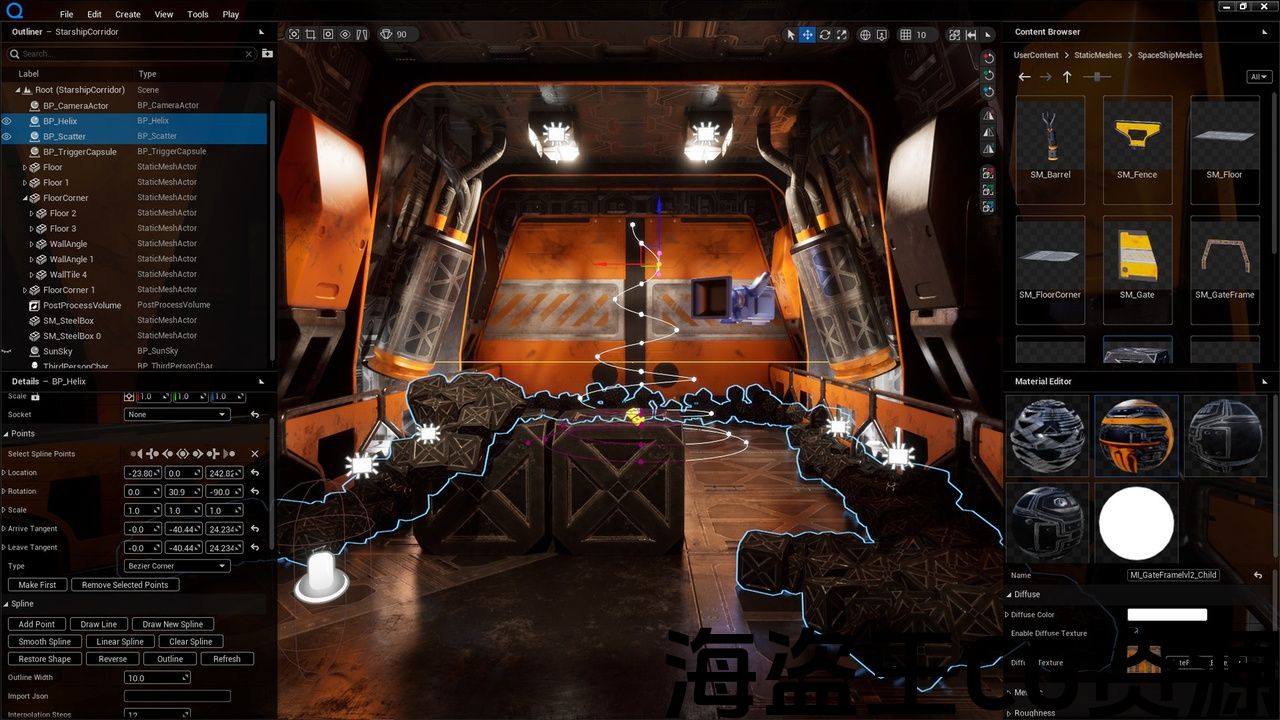
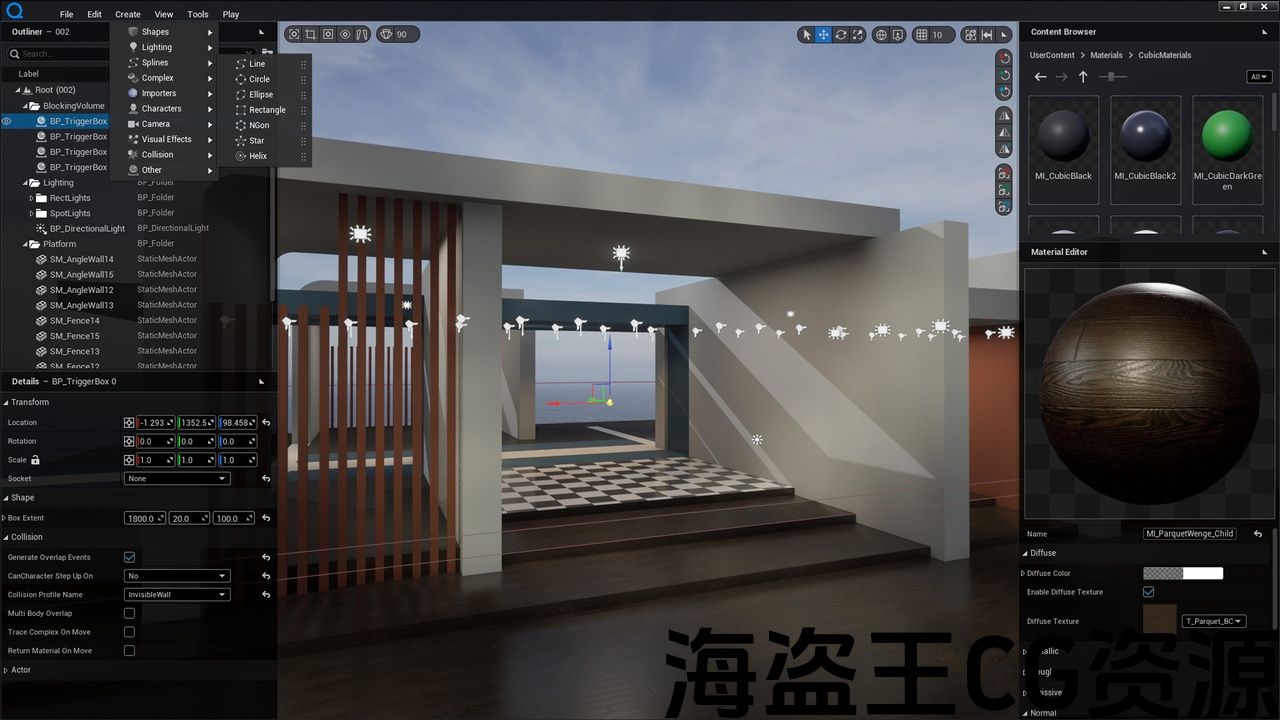
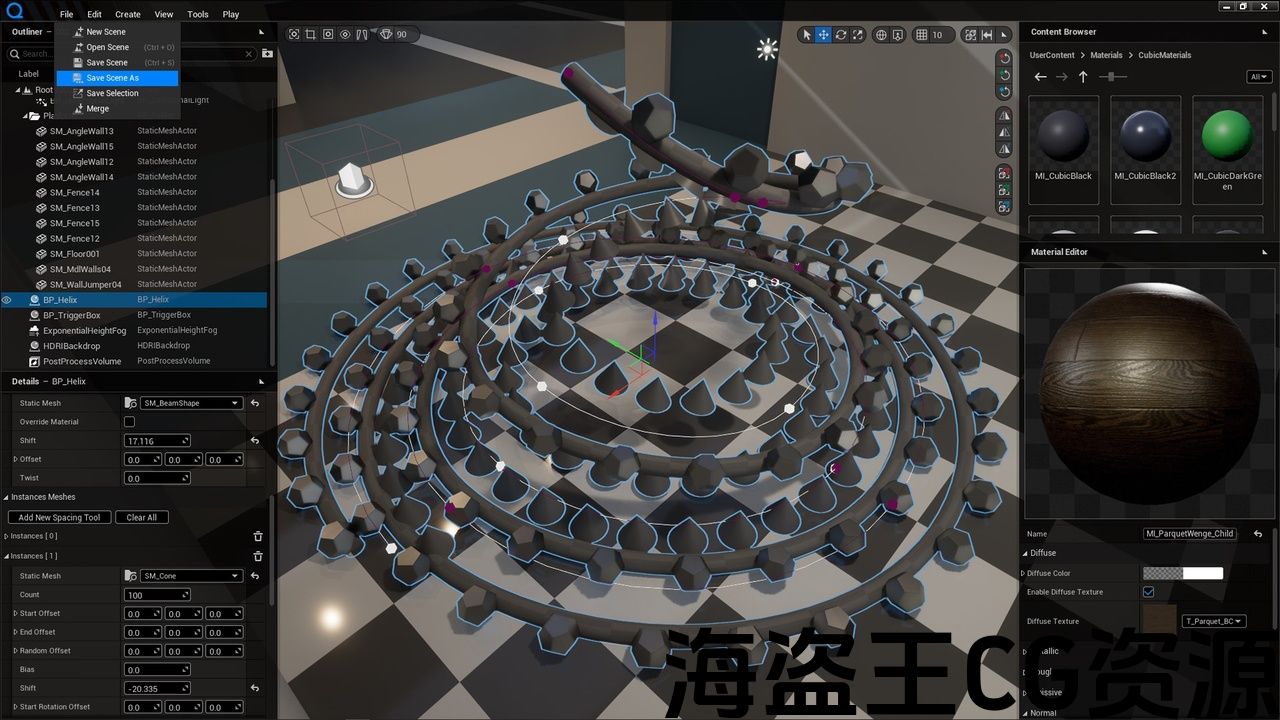
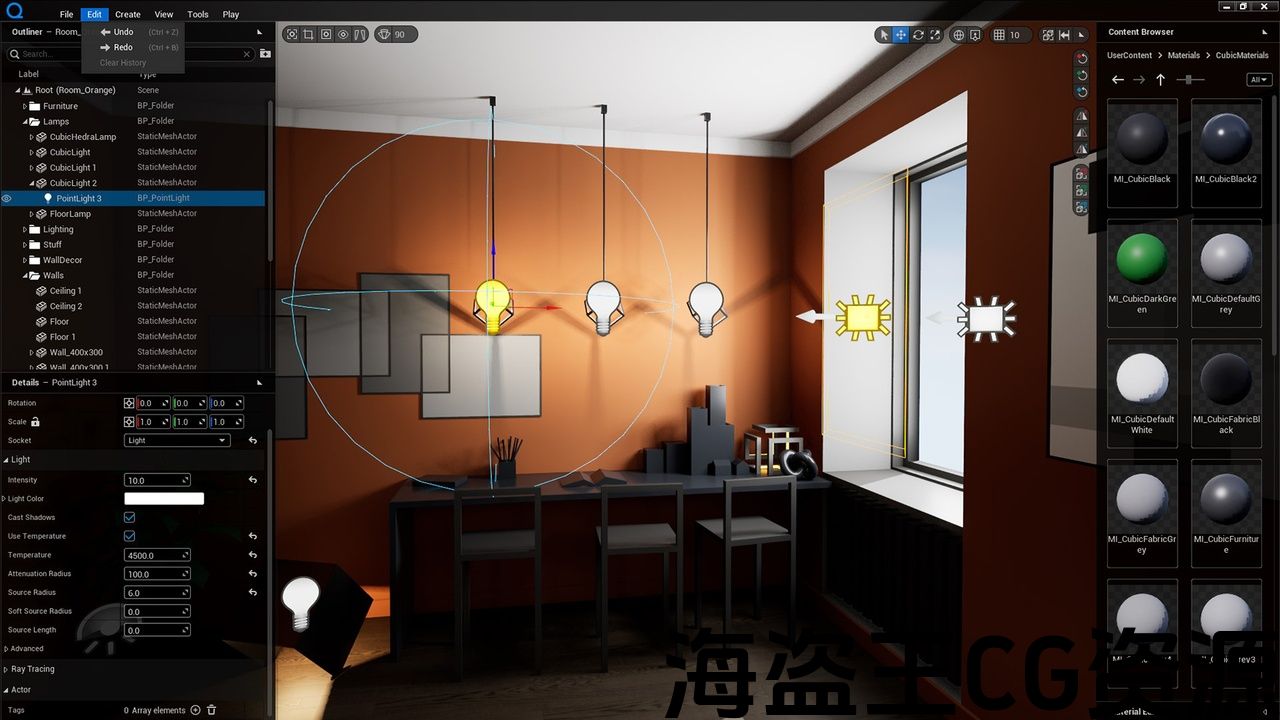

Quiet Runtime Editor is a framework project with related runtime features designed to create, save, load, and edit levels.
The editor works in two modes:
- Edit Mode – to design scenes.
- Play Mode – to play in designed scenes with your player character.
Main Feature
The core of the project is the Runtime World Outliner. In the project’s current version, the World Outliner’s foundation is BP_QuietTreeManager. This actor needs to be placed in the level and initializes the entire system at startup.
BP_QuietTreeManager(Manager) stores the world tree, manages the history of actions, generates the user interface, and connects all the editor’s features into a single working environment. It contains SerializerComponent and HistoryCompoent. Also, the Manager keeps the Router.
Serialization
The project is based on the ability to serialize objects to JSON. This allows you to edit properties, copy, save to disk, and keep a history of actions for undo-redo.
You can serialize desired classes manually using the provided serialization pipeline.
Communications
Different editor parts are independent and communicated through an intermediary object-router. The router registers objects by request and keeps them with the Gameplay Tag key. Thus, you can pass a command or request between any two system parts without accessing them directly. Also, you can wrap any data or objects with JSON and send them through the router.
Other Features
Scene Save and Load System.
The manager saves and loads scenes into the Documents/QuietRuntimeEditor/SaveGames folder in Json-file with the WBP_SceneManager widget. Also, you can rename and delete scenes with it.
Runtime Datasmith Import – You can import udatasmith, gltf, and glb files runtime.
Runtime Actor Details (WBP_DetailsWidget) – This feature allows you to edit the serialized properties of actors.
Runtime Content Browser (WBP_QuietContentBrowser) – an important feature that allows you to add content to scenes. It grabs assets from the UserContent folder.
Runtime Material Editor (WBP_QuietMaterialEditor) – a widget for creating and editing Dynamic Materials. Users can create a dynamic material by dragging MaterialInstanceConstant from the ContentBrowser. Also, you can serialize your materials to represent their parameters as you want.
Actions History – this feature registers user actions and stores needed data for Undo-Redo to Json-file.
Runtime Transformation Gizmo allows you to edit actor transforms at runtime.
Actor Transform Tools – multiple tools to transform, align and populate actors.
Runtime Color Wheel (WBP_ColorPickerWindow) – this widget allows a user to select the desired color.
Examples:
You can download example scenes here. Place the SaveGames folder into the Documents/QuietRuntimeEditor folder.
Quiet Runtime Editor是一个框架项目,具有相关的运行时功能,旨在创建,保存,加载和编辑关卡。
编辑器工作在两种模式:
- 编辑模式 -设计场景。
- 游戏模式 -与你的玩家角色在设计的场景中玩。
主要特点
该项目的核心是运行时世界大纲视图。 在项目的当前版本中,世界大纲视图的基础是BP_QuietTreeManager。 此actor需要放置在关卡中,并在启动时初始化整个系统。
Bp_quietreemanager(英语:bp_quietreemanager(Manager)存储世界树,管理操作的历史记录,生成用户界面,并将编辑器的所有功能连接到单个工作环境中。 它包含SerializerComponent和HistoryCompoent。 此外,管理器保留路由器。
序列化
该项目基于将对象序列化为JSON的能力。 这允许您编辑属性,复制,保存到磁盘,并保留撤消-重做操作的历史记录。
您可以使用提供的序列化管道手动序列化所需的类。
通讯
不同的编辑器部分是独立的,并通过中介对象路由器进行通信。 路由器根据请求注册对象,并使用Gameplay标记密钥保留它们。 因此,您可以在任何两个系统部分之间传递命令或请求,而无需直接访问它们。 此外,您可以使用JSON包装任何数据或对象,并通过路由器发送它们。
其他功能
景保存和加载系统。
管理器使用WBP_SceneManager小部件将场景保存并加载到Json文件中的Documents/QuietRuntimeEditor/SaveGames文件夹中。 此外,您可以使用它重命名和删除场景。
运行时Datasmith导入 -您可以导入udatasmith,gltf和glb文件运行时。
运行时Actor详细信息 (WBP_DetailsWidget)-此功能允许您编辑actor的序列化属性。
运行时内容浏览器 (WBP_QuietContentBrowser) -一个重要的功能,允许您添加内容的场景。 它从UserContent文件夹中抓取资产。
运行时材质编辑器 (WBP_QuietMaterialEditor) -用于创建和编辑动态材料的小部件。 用户可以通过从ContentBrowser拖动MaterialInstanceConstant来创建动态材质。 此外,您还可以序列化材料以根据需要表示其参数。
行动历史 -此功能注册用户操作并将撤消重做所需的数据存储到Json文件。
运行时转换小工具 允许您在运行时编辑actor变换。
Actor变换工具 -多种工具来转换,对齐和填充演员。
运行时色轮 (WBP_ColorPickerWindow)-这个小部件允许用户选择所需的颜色。
例子::
您可以下载示例场景 这里. 将SaveGames文件夹放入Documents/QuietRuntimeEditor文件夹中。
评论(0)