
Code Module: A10SoundSystem (Runtime Module)
Number of Blueprints: 7
Number of C++ Classes: 6
Network Replicated: Yes
Supported Development Platforms: Windows
Supported Target Build Platforms: Windows
HOW TO USE IT WITH OUR READY-MADE SCENE AND FLIGHT MODEL: VIDEO
HOW TO USE IT FOR MULTIPLAYER: VIDEO
- Enable “A10SoundSystem” from Installed and “Windows RawInput” from Built-In plugins from “Edit > Plugins“. Restart UE4
- Open Example Project for UE4 and Example Project for UE5
- FLY!!!
HOW TO USE OUR SOUND SYSTEM WITH YOUR FLIGHT MODEL: VIDEO
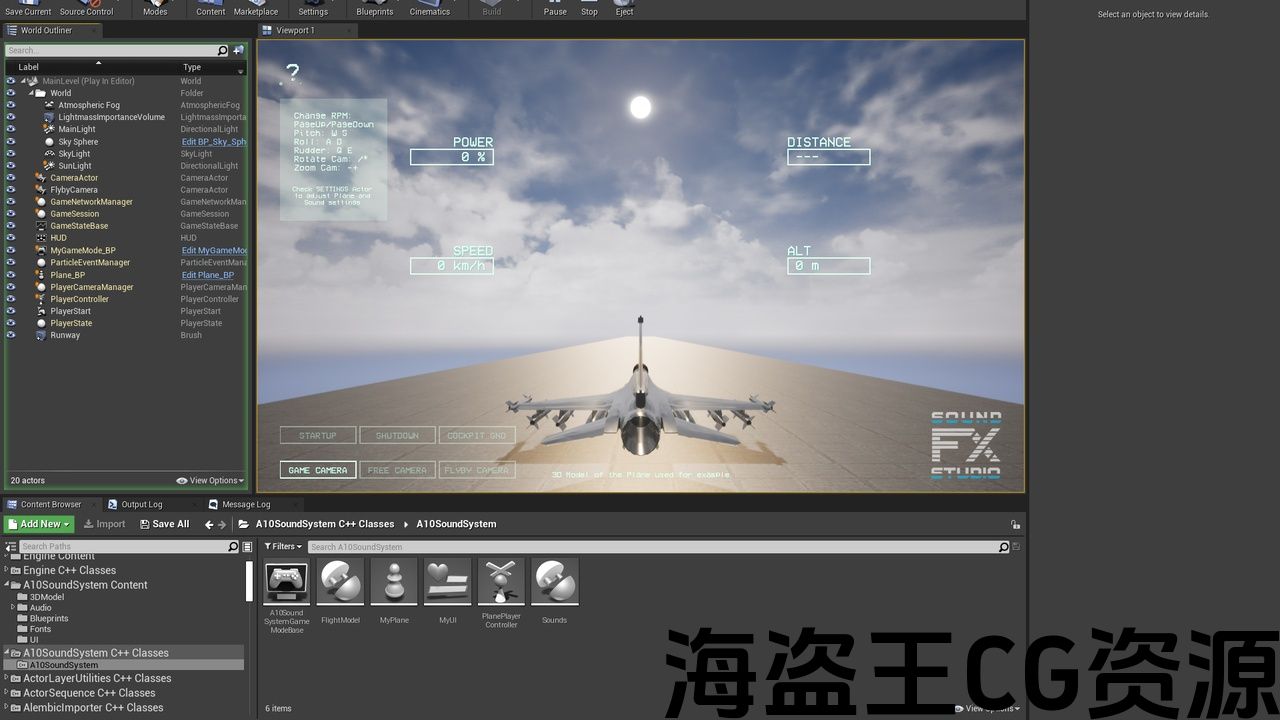
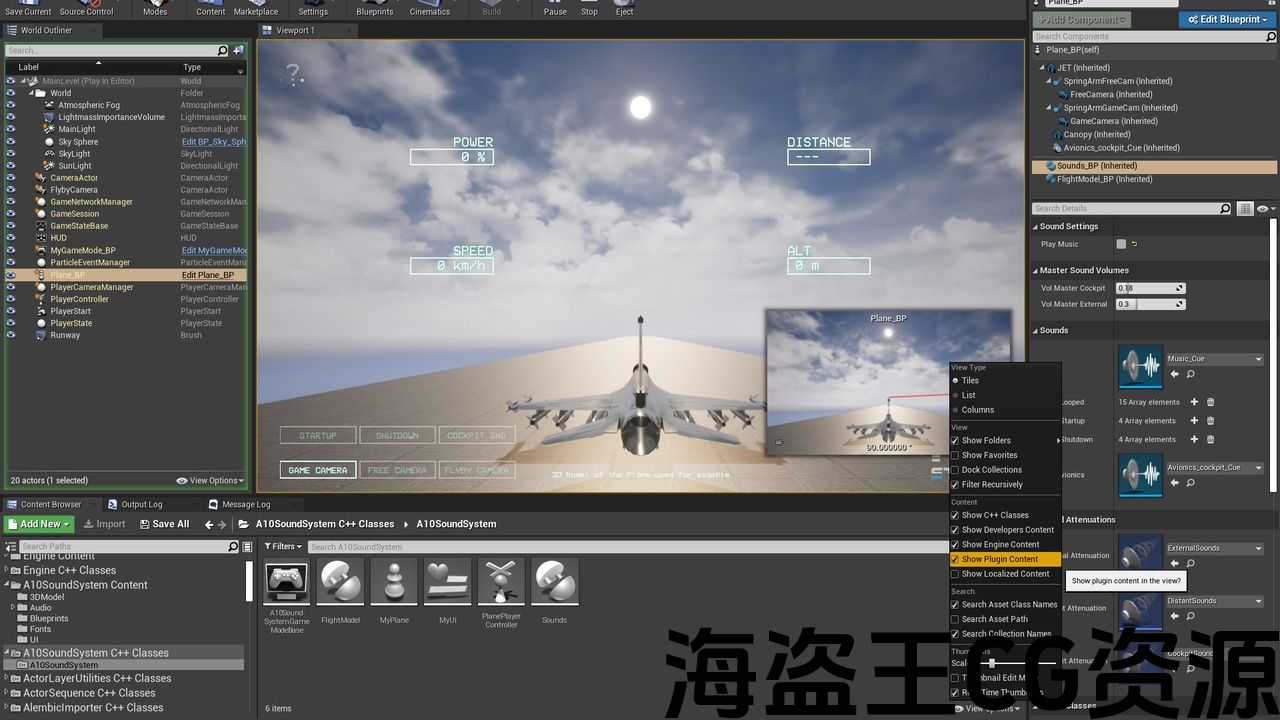
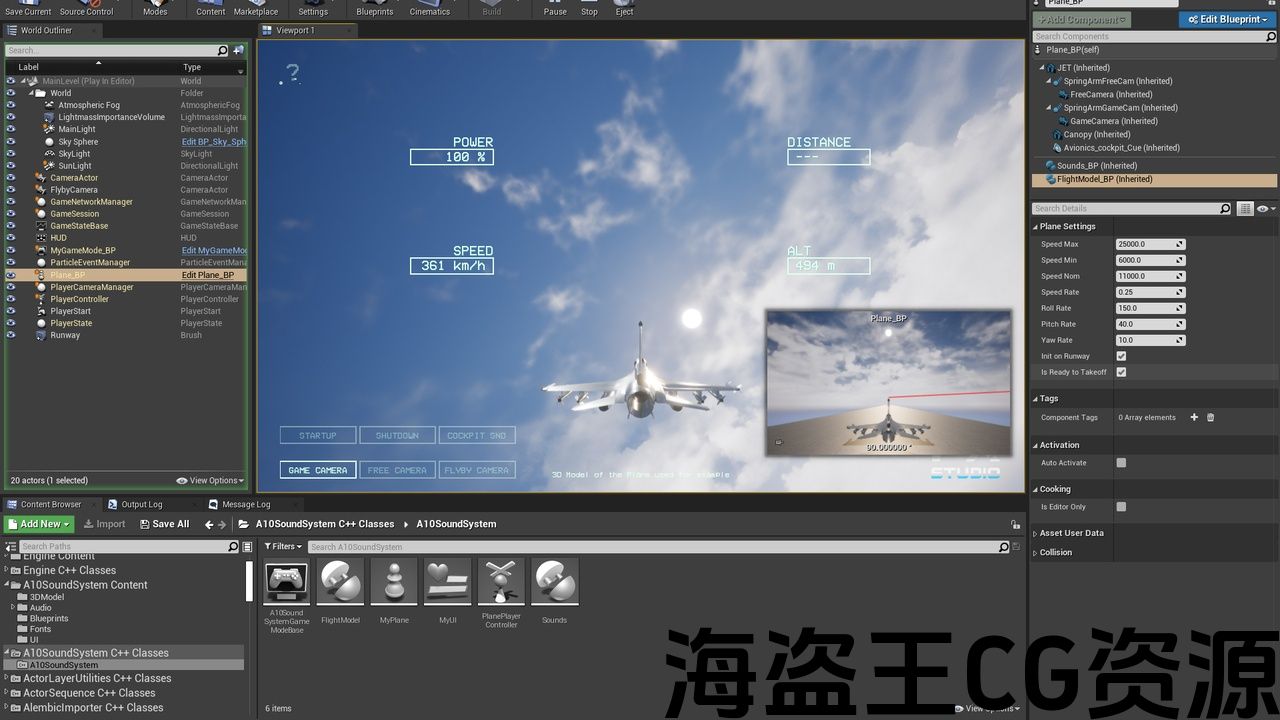
Check FlightModel_BP and Sounds_BP Actor Components in the Plane_BP to adjust Plane and Sound settings.
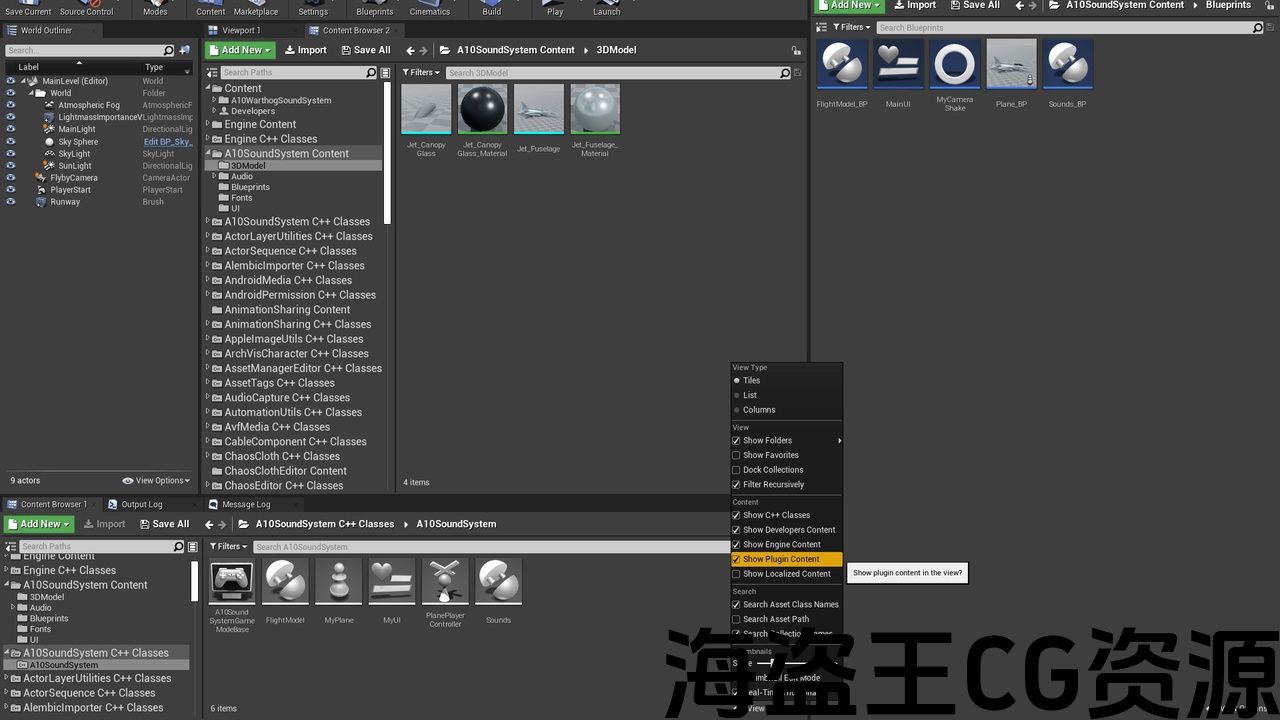
You can find all plugin content in Content Browser. Make sure the checkboxes Bottom right of the “Content Browser > View Options > Show Engine Content” and “Content Browser > View Options > Show Plugin Content” are checked.
Code Module: A10SoundSystem (Runtime Module)
Number of Blueprints: 7
Number of C++ Classes: 6
Network Replicated: Yes
Supported Development Platforms: Windows
Supported Target Build Platforms: Windows
HOW TO USE IT WITH OUR READY-MADE SCENE AND FLIGHT MODEL: VIDEO
HOW TO USE IT FOR MULTIPLAYER: VIDEO
- Enable “A10SoundSystem” from Installed and “Windows RawInput” from Built-In plugins from “Edit > Plugins“. Restart UE4
- Open Example Project for UE4 and Example Project for UE5
- FLY!!!
HOW TO USE OUR SOUND SYSTEM WITH YOUR FLIGHT MODEL: VIDEO
Check FlightModel_BP and Sounds_BP Actor Components in the Plane_BP to adjust Plane and Sound settings.
You can find all plugin content in Content Browser. Make sure the checkboxes Bottom right of the “Content Browser > View Options > Show Engine Content” and “Content Browser > View Options > Show Plugin Content” are checked.
VIDEO PREVIEW | AUDIO PREVIEW | EXAMPLE PROJECT UE4 | EXAMPLE PROJECT UE5 | HOW TO USE IT FOR MULTIPLAYER
Enable “A10SoundSystem” plugin and try our Example Project for UE4 and Example Project for UE5 for UE5.0 – UE5.5 from Video Preview.
For UE 5.6 and above, the demo scene is already included in the plugin.
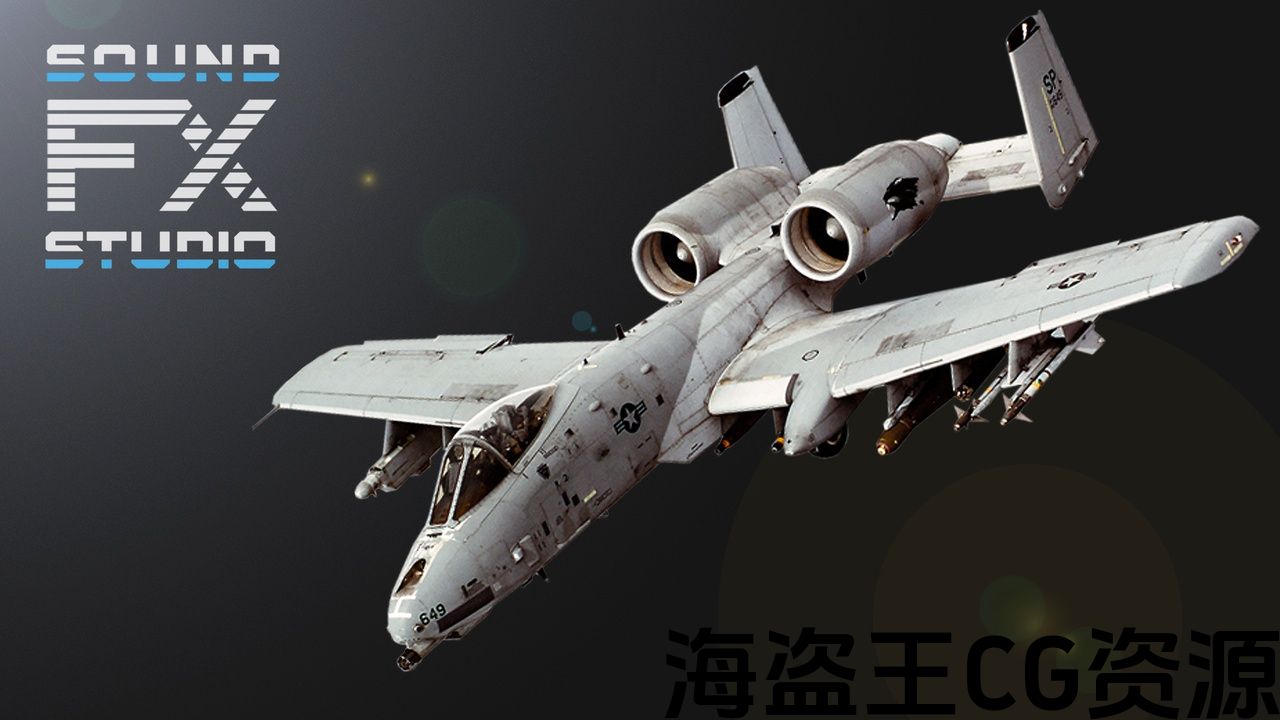
Fully implemented Fighter Jet Sound System and Advanced Flight Model of the A-10 Warthog Turbofan Aircraft for game developers.
-
Fully controllable 3d-model (keyboard, joystick, gamepad control)
-
Different sounds from different angles
-
Different sounds from different RPMs
-
Different sounds from different distance
-
Startup and Shutdown sounds
-
Cockpit sounds
-
Multiplayer Replication
The Unreal Engine Code Plugin based on C++ and Blueprints. It contains all the necessary material to control the advanced flight model and reproducing the sounds of the A-10 Thunderbolt II twin turbofan engine jet aircraft depending on engine RPM, jet speed, angles of view, and the distance from the aircraft to the camera. Not only for single-player, but also for your multiplayer projects. Perfect sound quality, optimal length and format. Revive your A-10 Thunderbolt II ⚡
Previous files: Example project for UE up to ver. 5.3
Support: info@soundfx.studio
Discord: https://discord.gg/HzVuvSuCHr
VIDEO PREVIEW | AUDIO PREVIEW | EXAMPLE PROJECT UE4 | EXAMPLE PROJECT UE5 | HOW TO USE IT FOR MULTIPLAYER
Enable “A10SoundSystem” plugin and try our Example Project for UE4 and Example Project for UE5 for UE5.0 – UE5.5 from Video Preview.
For UE 5.6 and above, the demo scene is already included in the plugin.
Fully implemented Fighter Jet Sound System and Advanced Flight Model of the A-10 Warthog Turbofan Aircraft for game developers.
-
Fully controllable 3d-model (keyboard, joystick, gamepad control)
-
Different sounds from different angles
-
Different sounds from different RPMs
-
Different sounds from different distance
-
Startup and Shutdown sounds
-
Cockpit sounds
-
Multiplayer Replication
The Unreal Engine Code Plugin based on C++ and Blueprints. It contains all the necessary material to control the advanced flight model and reproducing the sounds of the A-10 Thunderbolt II twin turbofan engine jet aircraft depending on engine RPM, jet speed, angles of view, and the distance from the aircraft to the camera. Not only for single-player, but also for your multiplayer projects. Perfect sound quality, optimal length and format. Revive your A-10 Thunderbolt II ⚡
Previous files: Example project for UE up to ver. 5.3
Support: info@soundfx.studio
Discord: https://discord.gg/HzVuvSuCHr
评论(0)