
Vertex Painting
-
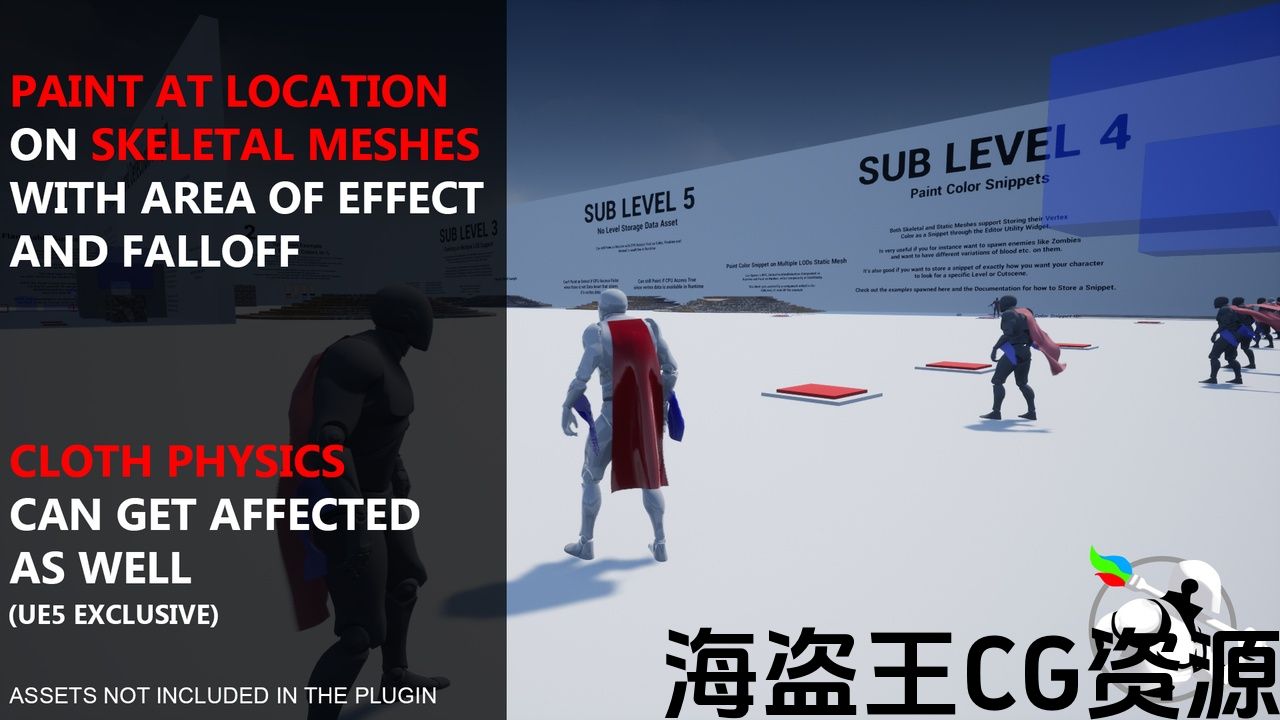
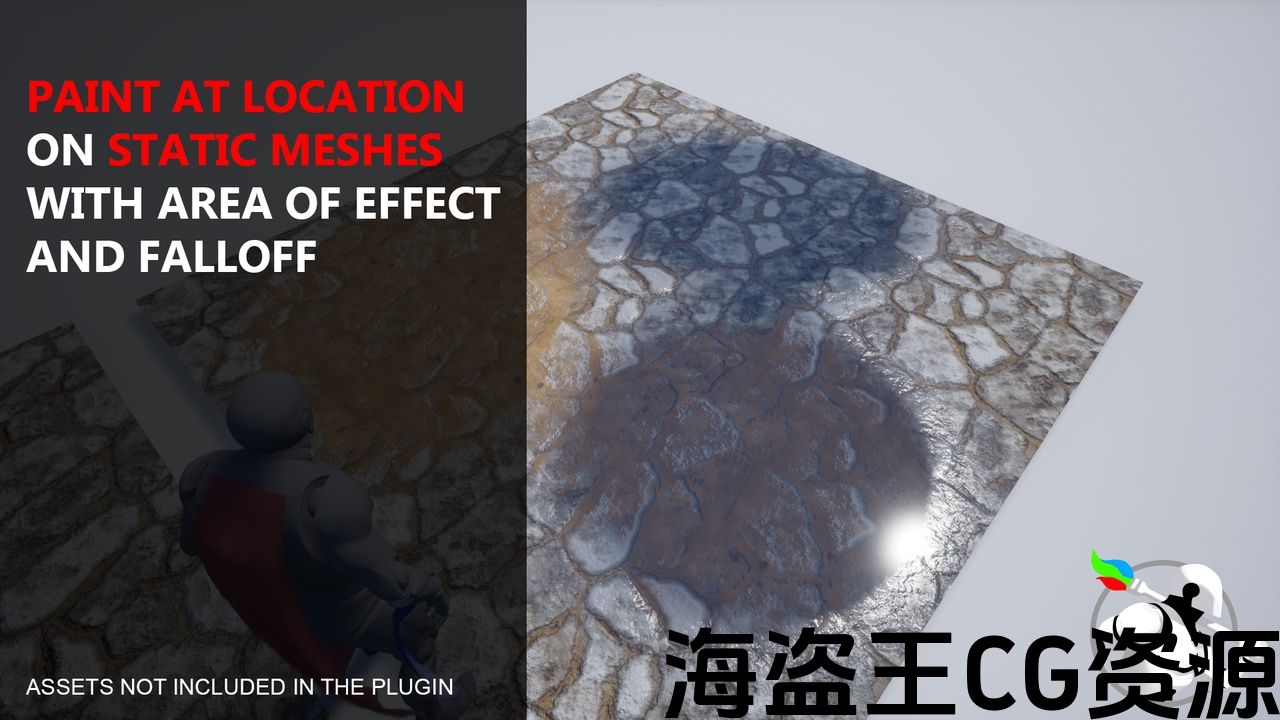
Paint Vertex Colors at Location
-
Paint Vertex Colors Within Area
-
Paint Vertex Color on Entire Mesh or on Random Vertices Over the Entire Mesh.
-
Create and Paint Color Snippets & Group Snippets
-
Set Mesh Component Colors using Color Array or Serialized String.
Vertex Detection
-
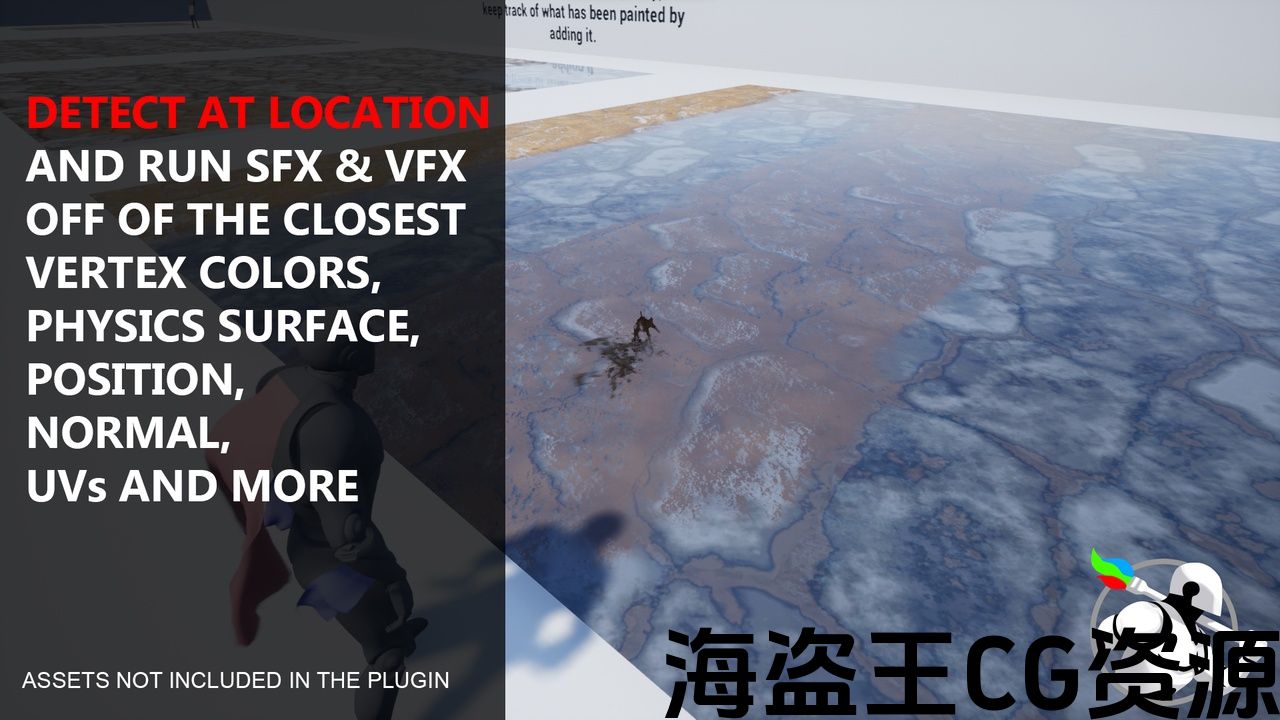
Get Closest Vertex Data
-
Get All Vertex Colors Only
-
Get Colors Within Area
-
Affect Chaos Cloth Physics
-
Multi Threading for greatly improved performance
-
Rapid Json Module which is up to 5x faster than the built in one. Pretty much the same module that is in my other Rapid Json Plugin, so if you own this plugin, then you don’t need to buy that one.
Number of Blueprints: 0
Number of Widget Blueprints: 4
Number of C++ Classes: 81
Network Replicated: The plugin does almost nothing with replication, so the user has more control of How they want things to Replicate, since all projects has different needs depending on optimization, anti cheat structure etc.
The Cloth Overlap Component is the only one that does anything with replication and has a ClothOverlapEnabled Replicated property so Clients will be in sync with the server.
Supported Development Platforms: Windows, Linux, Mac
顶点绘画
-
在位置绘制顶点颜色
-
在区域内绘制顶点颜色
-
在整个网格上或在整个网格上的随机顶点上绘制顶点颜色。
-
创建和绘制颜色片段&组片段
-
使用颜色数组或序列化字符串设置网格组件颜色。
顶点检测
-
获取最接近的顶点数据
-
仅获取所有顶点颜色
-
获取区域内的颜色
-
影响混沌布物理
-
多线程可大大提高性能
-
快速Json模块,比内置模块快5倍。 几乎是在我的另一个相同的模块 快速Json插件,所以如果你拥有这个插件,那么你不需要购买那个。
蓝图数目: 0
控件蓝图的数量: 4
C++类数: 81
网络复制: 该插件对复制几乎没有任何作用,因此用户可以更好地控制他们希望事物复制的方式,因为所有项目都有不同的需求,具体取决于优化,反作弊结构等。
Cloth Overlap组件是唯一一个对复制执行任何操作的组件,它具有ClothOverlapEnabled Replicated属性,因此客户端将与服务器同步。
支持的开发平台: Windows,Linux,Mac


TRAILER — TUTORIAL — 475+ DISCORD COMMUNITY — SHOWCASE BUILD & EXAMPLE PROJECT — DOCUMENTATION — EXAMPLE PROJECT SHOWCASE — OLD WRITTEN REVIEWS
This is a Powerful tool that makes it possible to Paint, Remove and Detect Vertex Colors in Runtime on Static, Skeletal, Spline, Dynamic and Instanced Meshes in several different ways!
Utilize Per Vertex Info such as Vertex Color, Position, Normal, Material, UVs, Physics Surface, Colors of Each Bone, Average Colors within Area, and much more to enable New Mechanics, Game Modes and Incredible Attention to Detail!
The Plugin supports Multi Threading which makes it possible to perform multiple tasks at the same time on heavy meshes without significant performance loss!
Showcases
-PrismaticaDev Plugin Overview Video
-Compare Colors to Color Snippet
-Graffiti, Whiteboard & Paper Painting
UDS: UDS + Western Town – Weather Sample Project – Melting Snow into Water – UDS + SlayAnimation – UDS + Echo – UDS + Line of Sight
-Optimized Particle Painting using Randomization
Performance
-Task Speed on Skel Meshes using Bone Optimization Feature
-Painting on 50k Vertices 5 LODs
User Showcases
-Crazy Mikes Skeletal Mesh Procedural Deforming
Other
-Porting Fire Example to a new Project
Vertex Colors vs. Runtime Virtual Texture & Decals
With Vertex Colors you have the power of the Material Editor to manipulate things per Vertex like Paint/Removing Colors! This may require you to have a higher vertex count for something that may otherwise not need it like a flat floor, which ofc isn’t an issue for RVTs or Decals.
Decals are also faster than painting with colors, but each Decal is also a Draw Call, which may affect performance.
With Vertex Colors we can also Detect, and not just what Physics Surface and Colors on Closest Vertex, but also the % of each channel/physics surface and a lot more.
Planned Features
-Support for Min LOD to be anything other than 0. Useful for Metahumans where you may want Min LOD to be 1 or 2
-Paint up to 12 Surfaces
–Landscape Layer Info Painting in Runtime (Hopefully this is possible)
Post Launch Added Features
-Paint Within Area Capsule & Cone Shape-Lerp Color to a Target Value
-Get Colors Within Area
-Paint Group Snippets
-Compare Colors to Multiple Color Snippets
-Instanced Mesh / Foliage Support
-Dynamic Mesh & Geometry Collection Component Support
-Override Vertex Colors to Apply. So users can create their own Paint Conditions!
-Paint Using Physics Surface. So instead of hard setting the values on RGBA, you can for instance paint Water Surface, and it applies colors to whatever channel Water is registered to. If Physics Surface Families is setup, then even if it doesn’t have Water, but has child, for instance Asphalt-Water, then it can apply to that instead, or vice versa, which makes this extremely useful.
-Compare Colors to Array of Colors.
-Paint With different types of Conditions. For instance Line of Sight, to the Sun for example to Dry Faster on parts of a wet Mesh.
-Paint Wheels Component. A component that enables you to paint the wheels of a vehicle with what it drives over, and/or paint the surface under the wheel with whatever is on it.
-Paint Entire Mesh at Random Vertices. Simulate for instance Rain or Snow by having the colors be applied randomly over the Mesh
+ Much More
NOTE
-Spline Mesh Vertex Painting is doesn’t work in Editor or Runtime in Versions: 5.2, 5.3, 5.4
-Geometry Collection is 5.3+, Experimental & Editor Only
拖车/拖车 — 教程 — 475+不和谐社区 — 展示构建和示例项目 — 文件 — 示例项目展示 — 旧的书面评论
这是一个强大的工具,可以在运行时在静态、骨架、样条、动态和实例化网格上以几种不同的方式绘制、删除和检测顶点颜色!
利用每个顶点信息,如顶点颜色,位置,法线,材料,Uv,物理表面,每个骨骼的颜色,区域内的平均颜色等等,以实现新的机制,游戏模式和令人难以置信的关注细节!
该插件支持多线程,这使得它可以在同一时间执行多个任务的重型网格没有显着的性能损失!
展览橱窗
UDS: UDS+西城 – 天气样本计划 – 融雪成水 – Uds+杀死动物 – Uds+回声 – UDS+视线
工作表现
用户展示
其他
顶点颜色与运行时虚拟纹理和贴花
使用顶点颜色,您可以使用材质编辑器来操作每个顶点的东西,如绘制/删除颜色! 这可能需要你有一个更高的顶点计数的东西,否则可能不需要它像一个平坦的地板,这ofc不是RVTs或贴花的问题。
贴花也比用颜色绘画更快,但每个贴花也是一个绘制调用,这可能会影响性能。
使用顶点颜色,我们还可以检测,不仅可以检测最接近顶点上的物理表面和颜色,还可以检测每个通道/物理表面的百分比等等。
计划功能
-支持Min LOD为0以外的任何内容。 对于Metahumans有用,您可能希望Min LOD为1或2
-油漆多达12个表面
–在运行时进行景观图层信息绘制(希望这是可能的)
推出后新增功能
-区域内的油漆胶囊和锥形-Lerp颜色到目标值
-获取区域内的颜色
-油漆组片段
-将颜色与多个颜色片段进行比较
-实例化网格/植物支持
-动态网格和几何收集组件支持
-复盖顶点颜色应用。 所以用户可以创建自己的油漆条件!
-使用物理表面油漆。 因此,您可以例如绘制水面,而不是在RGBA上硬设置值,它将颜色应用于注册到的任何通道水。 如果物理表面族是设置的,那么即使它没有水,但有孩子,例如沥青-水,那么它可以应用于它,反之亦然,这使得它非常有用。
-将颜色与颜色数组进行比较。
-油漆与不同类型的条件。 例如视线,以太阳为例,在湿网的部分上更快地干燥。
-油漆车轮组件。 一个组件,它使你能够用它所驱动的东西来油漆车辆的车轮,和/或用它上面的任何东西来油漆车轮下面的表面。
-在随机顶点处绘制整个网格。 通过在网格上随机应用颜色来模拟例如雨或雪
+更多
注
-样条网格顶点绘制在编辑器或运行时版本中不起作用:5.2、5.3、5.4
-几何集合是5.3+,实验和编辑
评论(0)