
Features:
- Save Shortcuts to Folders, Assets and World Outliner Actors.
- Supports Toolbar or Window Layouts
- Set Custom Bookmark Icons
- Rename Bookmarks
- Locate Assets via the Bookmark Options Menu
- Create Custom Tabs to Categorize your Bookmarks
- Clean Drag-and-Drop Operations For Easy Organization
Code Modules:
- EasyBookmarks (Editor)
Number of C++ Classes: 9
Network Replicated: (No)
Supported Development Platforms: (Windows)
Supported Target Build Platforms: (Windows)
Documentation: Documentation Link
特征:
- 保存文件夹、资源和世界大纲视图Actor的快捷方式。
- 支持工具栏或窗口布局
- 设置自定义书签图标
- 重命名书签
- 通过书签选项菜单查找资产
- 创建自定义选项卡以对书签进行分类
- 干净的拖放操作,便于组织
代码模块:
- 易订标(编辑)
C++类数:9
网络复制:(否)
支持的开发平台:(Windows)
支持的目标构建平台:(Windows)
文件: 文档链接
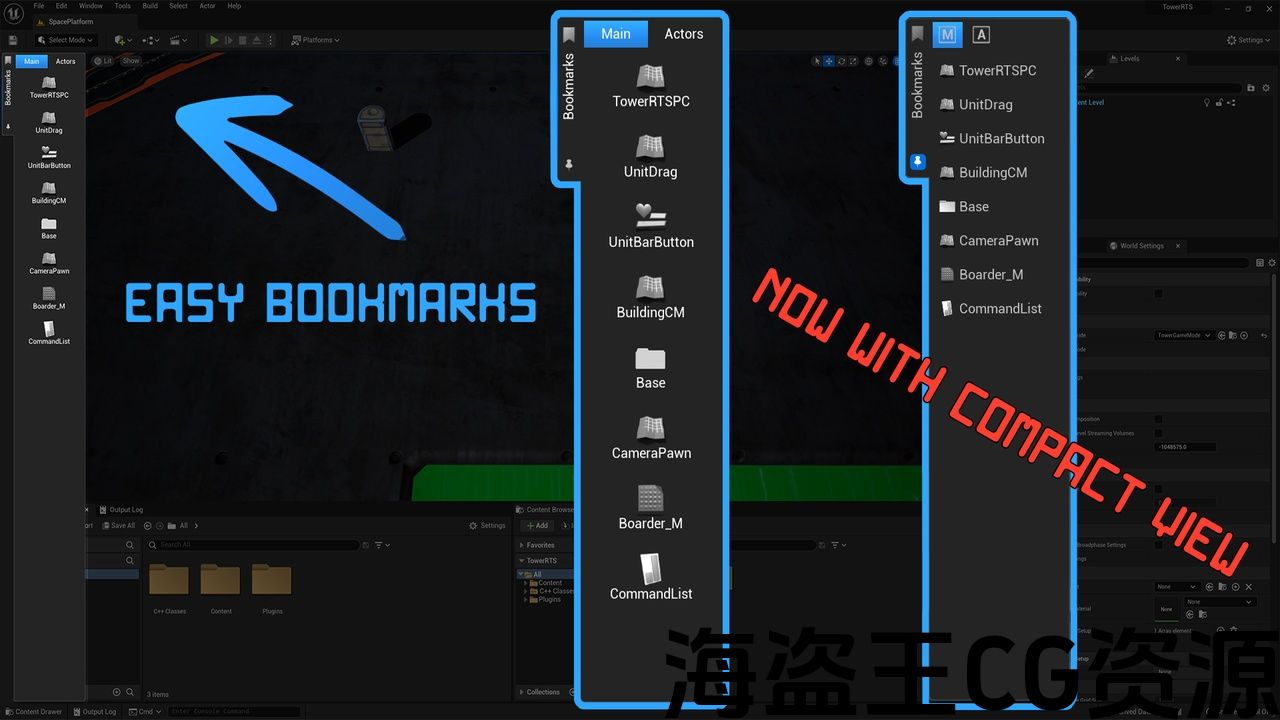
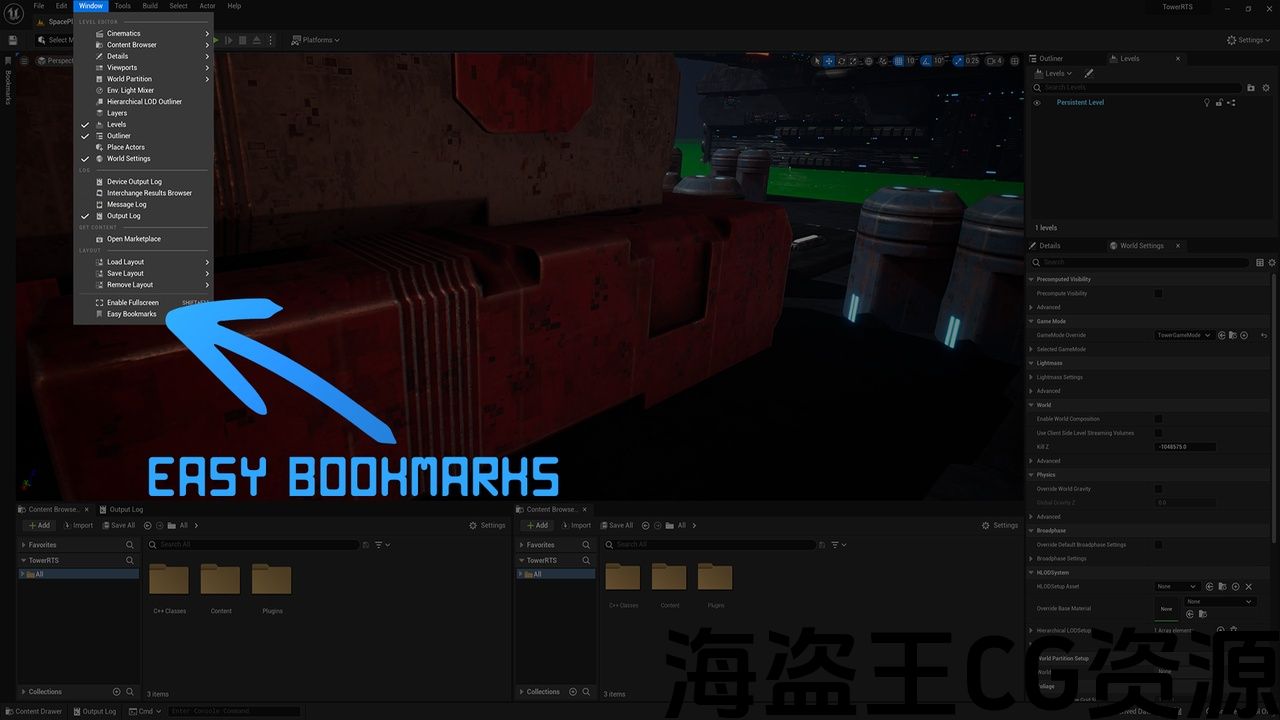

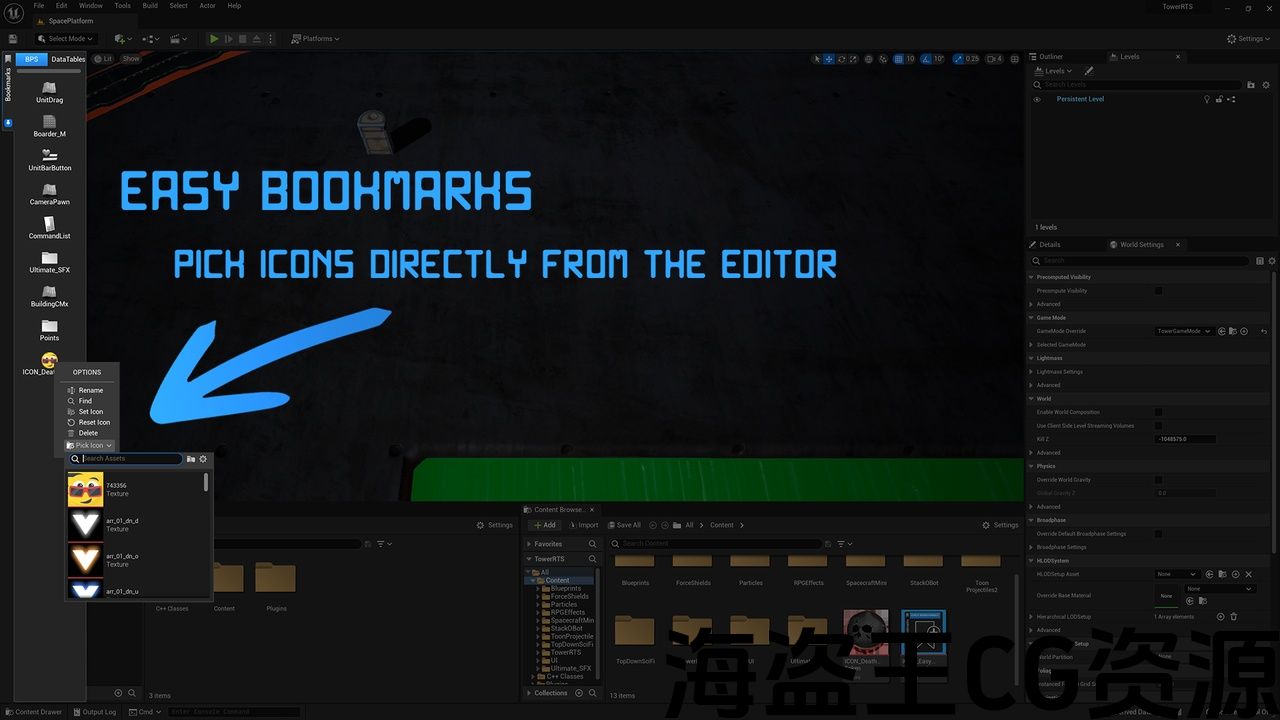
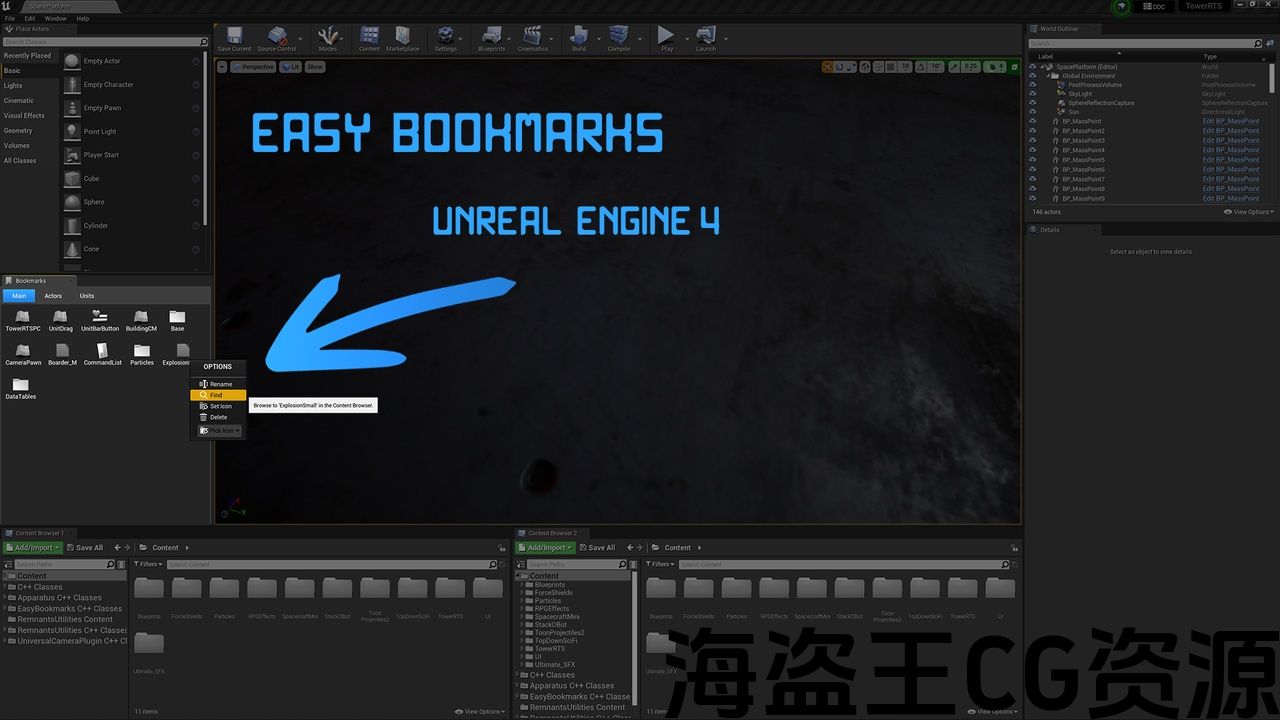
Easy Bookmarks is a tool which allows users to create shortcuts to assets and folders reducing or removing the need to use the content browser to access their regularly used assets or folders lowering wasted browsing time, or simply use Easy Bookmarks to save shortcuts to unfinished work for future references, Easy Bookmarks can also be used in any Orientation that being a toolbar or a window, Easy Bookmarks supports both UE4 and UE5.
Version 1.1.2(06/09/2024) UE5.4+
- Added copy and pasting bookmarks via asset/folder paths.
Version 1.1.1(05/31/2024) UE5.4+
- Added blueprint and material compile and save option to bookmarks and bookmark tabs, right clicking and saving a tab will compile and save all blueprints and materials on that tab.
- Added Vertical Clamp Icons setting this allows the bookmarks to only be placed vertical with a vertical scroll box.
Version 1.1.0(05/02/2024) UE5.4+
- Added support for World Outliner Actors for levels with World Partition.
Version 1.0.9(04/24/2024) UE5.4+
- You can now toggle on and off Sync Current Bookmark Index this will stop it being updated in the config for better use with version control.
Version 1.0.8(05/12/2023) UE5.1+
- You can now hide unused tabs for future use.
- Interface improvements.
- Double click open option added to plugin settings.
Version 1.0.7(12/16/2022)
- Plugin will now prompt to save dirty levels when opening a new level using a level bookmark.
Version 1.0.6(06/11/2022)
- Added Bookmark support for World Outliner Actors when in PIE.
- Added Bookmark/Tab icon Color Picker – Sets the color of your Tabs and Bookmarks icons.
- Added “Show in Explorer” option to Bookmark Menu.
- OnDrop functionality changed from replace to Insert – This allows you to move your bookmarks more freely.
Version 1.0.5 (06/07/2022)
- Added Bookmark support for World Outliner Actors.
- Added “Edit Details” to Bookmark Menu – Opens the details panel for the Actor Instance on the level.
- Added “Jump To” to Bookmark Menu – Jumps to the Actors Instance location on the level.
Version 1.0.4 (06/04/2022)
- UI Improvements + Color scheme updated.
- Brush selection added to Bookmark Tab Menu – Allows you to set the compact icon style of the tab.
- Added Bookmark Orientation Setting – This changes how the icons are place within the Bookmark Tab Window.
Version 1.0.3 (05/30/2022)
- Folder Bookmarks will now open a content drawer if a content browser is unavailable.
- Folder Bookmarks now focus the targeting content browser.
- Added Bookmark List View.
- Added Compact Bookmark Tab View.
- Drag-and-Drop Bookmark swapping between Tabs Added.
Version 1.0.2 (05/25/2022)
- Icon Picker now assigns the texture resource directly to the icon brush.
- Run option added to Editor Utility Blueprint Bookmarks.
- Find option now directly selects the Bookmarks Asset.
- Drag-and-Drop Bookmarks between Tabs added.
Version 1.0.1 (05/21/2022)
- UI Improvements – Menu icons added.
- Code and Slate Brush improvements.
- Tooltips added – Bookmarks now display Asset Paths.
- Icon Picker added – Allows you to pick a Texture directly from the editor to use as a icon.
简易书签是一个工具,它允许用户创建资产和文件夹的快捷方式,减少或消除使用内容浏览器访问他们经常使用的资产或文件夹的需要,减少浪费的浏览时间,或简单地使用简易书签保存未完成工作的快捷方式以供将来参考。
版本1.1.2(06/09/2024)UE5.4+
- 通过资产/文件夹路径添加复制和粘贴书签。
版本1.1.1(05/31/2024)UE5.4+
- 添加蓝图和材质编译和保存选项到书签和书签选项卡,右键单击并保存选项卡将编译和保存该选项卡上的所有蓝图和材质。
- 添加垂直夹图标设置这允许书签只放置垂直与垂直滚动框。
版本1.1.0(05/02/2024)UE5.4+
- 为具有世界分区的关卡添加了对世界大纲视图Actor的支持。
版本1.0.9(04/24/2024)UE5.4+
- 您现在可以打开和关闭同步当前书签索引,这将停止它在配置中更新,以便更好地使用版本控制。
版本1.0.8(05/12/2023)UE5.1+
- 您现在可以隐藏未使用的选项卡以供将来使用。
- 界面改进。
- 双击打开选项添加到插件设置。
版本1.0.7(12/16/2022)
- 插件现在将提示使用级别书签打开新级别时保存脏级别。
版本1.0.6(06/11/2022)
- 在馅饼中为世界大纲视图Actor添加书签支持。
- 添加书签/标签图标颜色选择器-设置标签和书签图标的颜色。
- 在书签菜单中添加了”在资源管理器中显示”选项。
- OnDrop功能从替换更改为插入-这使您可以更自由地移动书签。
版本1.0.5(06/07/2022)
- 为世界大纲视图Actor添加书签支持。
- 添加”编辑详细信息”到书签菜单-打开关卡上Actor实例的详细信息面板。
- 添加”跳转到”书签菜单-跳转到关卡上的Actor实例位置。
版本1.0.4(06/04/2022)
- UI改进+配色方案更新。
- 画笔选择添加到书签选项卡菜单-允许您设置选项卡的紧凑图标样式。
- 添加书签方向设置-这将更改图标在书签选项卡窗口中的位置。
版本1.0.3(05/30/2022)
- 如果内容浏览器不可用,文件夹书签现在将打开内容抽屉。
- 文件夹书签现在聚焦目标内容浏览器。
- 添加书签列表视图。
- 添加了紧凑的书签选项卡视图。
- 添加标签之间的拖放书签交换.
版本1.0.2(05/25/2022)
- 图标选择器现在将纹理资源直接分配给图标画笔。
- 添加到编辑器实用程序蓝图书签的运行选项。
- 查找选项现在直接选择书签资源。
- 在添加的选项卡之间拖放书签。
版本1.0.1(05/21/2022)
- UI改进-菜单图标添加。
- 代码和石板刷改进.
- 工具提示添加-书签现在显示资产路径。
- 图标选择器添加-允许您直接从编辑器中选择一个纹理作为图标使用。
评论(0)