
Features:
- Actor tracking widgets
- Location tracking widgets
- Viewport clamping options so the widget will never go off the screen
- World space offsets, if you want a health bar to always be above an actor for example
- Screen space offsets, if you want a UI window to always be to the right of a character regardless of camera orientation for example
- Distance-based scaling options
- Distance-based fading options
- All of the normal User Widget/UMG Widget functionality
Code Modules:
- WorldSpaceWidgetPlugin (Runtime)
Number of Blueprints: 9 (1 Showcase Map, 6 Example Actors, 2 Example UMG Widgets)
Number of C++ Classes: 5
Network Replicated: No
Supported Development Platforms: Windows (Win64)
Supported Target Build Platforms: Windows (Win64)
Documentation: Here
Example Project: The plugin contains a showcase map as well as a number of example Actors and UMG Widgets to demonstrate the functionality of the plugin.
特征:
- 演员跟踪小部件
- 位置跟踪小部件
- 视口夹紧选项,所以小部件永远不会离开屏幕
- 世界空间偏移,例如,如果您希望健康栏始终位于actor之上
- 屏幕空间偏移,如果您希望UI窗口始终位于角色的右侧,而不考虑相机方向,例如
- 基于距离的缩放选项
- 基于距离的衰落选项
- 所有普通用户小部件/UMG小部件功能
代码模块:
- WorldSpaceWidgetPlugin(运行时)
蓝图数量:9个(1个展示地图,6个示例Actor,2个示例UMG小部件)
C++类数:5
网络复制:没有
支持的开发平台:Windows(Win64)
支持的目标构建平台:Windows(Win64)
文件: 这里
示例项目:插件包含一个showcase map以及一些示例Actor和UMG小部件,用于演示插件的功能。

World Space Widgets enables the easy creation of world-space tracked widgets, such as HP Bars, Character Names, Damage Numbers, Pings & Location Markers, etc. with many configuration options included.
Demonstration Video: Here
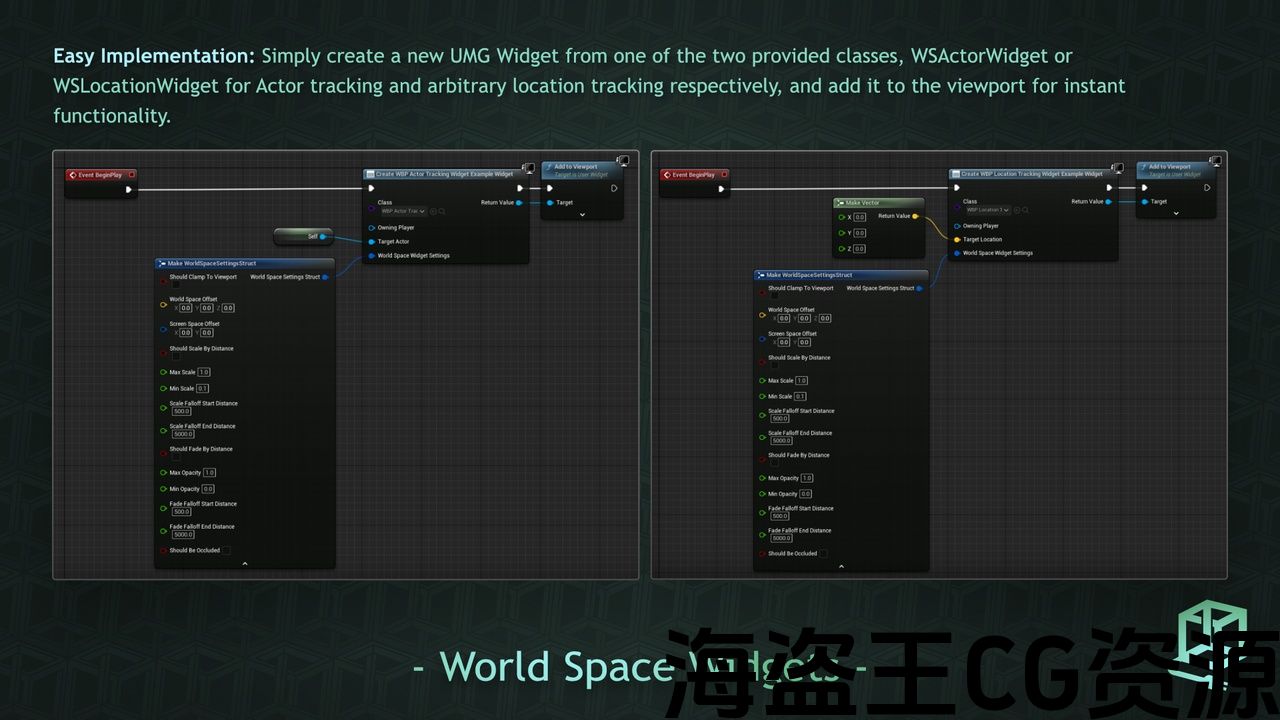
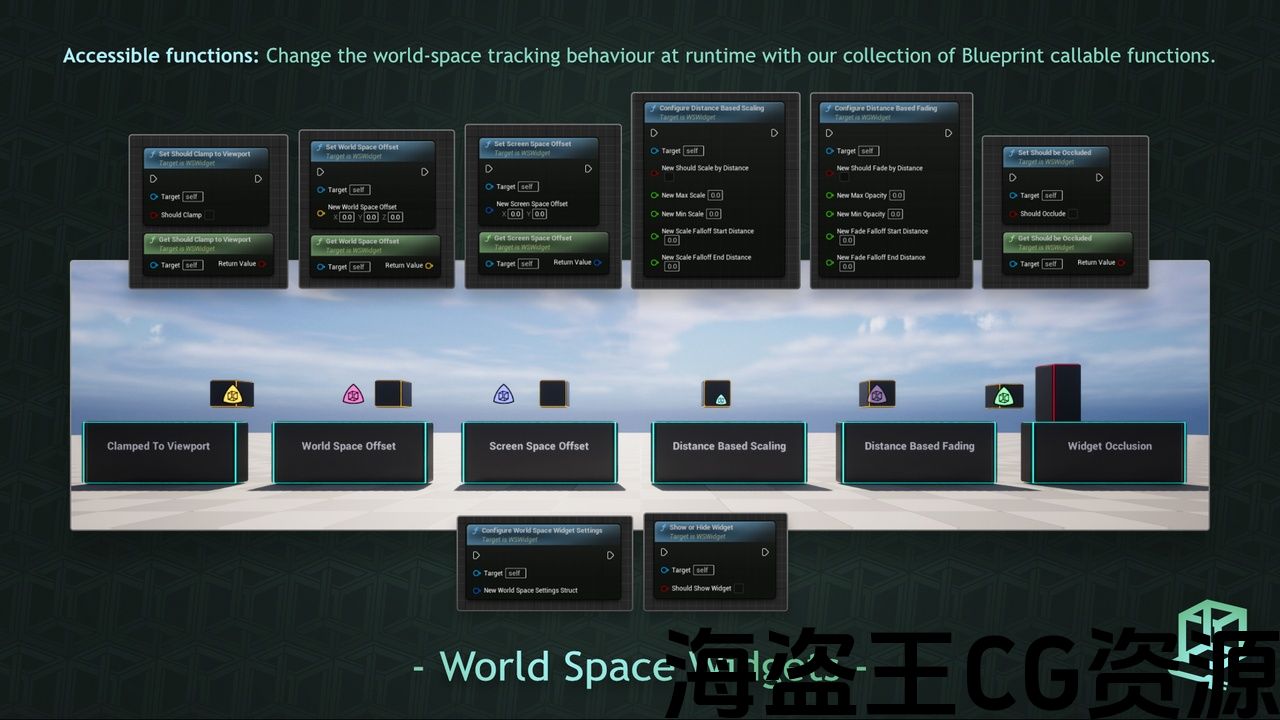
Simply create a new UMG Widget from one of the two provided classes, WSActorWidget or WSLocationWidget for Actor tracking and arbitrary location tracking respectively, and add it to the viewport for instant functionality. You can either configure and tweak the widget's world space tracking behaviour when you create the widget, or at runtime through a collection of Blueprint callable functions.
World Space Widgets can be clamped to the viewport, have world space and screen space offsets applied to them, scale and fade based on their distance to the camera, and be occluded by objects in-game.
Once a new UMG widget is created based on one of the provided widget classes you can create the widget as if it were a normal User Widget, no extra restrictions or limitations exist.
世界空间小部件可以轻松创建世界空间跟踪小部件,如HP条、字符名称、伤害数字、Ping和位置标记等。 包括许多配置选项。
示范短片: 这里
只需从两个提供的类之一(分别用于Actor跟踪和任意位置跟踪的WSActorWidget或WSLocationWidget)创建一个新的UMG小部件,并将其添加到视口以实现即时功能。 您可以在创建控件时配置和调整控件的世界空间跟踪行为,也可以在运行时通过蓝图可调用函数集合进行配置和调整。
世界空间小部件可以夹在视口上,应用世界空间和屏幕空间偏移,根据它们到相机的距离缩放和褪色,并被游戏中的对象遮挡。
基于所提供的窗口小部件类之一创建新的UMG窗口小部件后,您可以像创建普通用户窗口小部件一样创建该窗口小部件,不存在任何额外的限制或限制。
评论(0)