
Automated single-node conversion between Blueprint types and JSON. Works with any Blueprint/class, struct, array, map or set.
蓝图类型和JSON之间的自动单节点转换。 适用于任何蓝图/类、结构、数组、地图或集合。
Features:
- Two way conversion between Blueprint types and JSON text.
- Custom nodes allow any compatible variable to be plugged in. The plugin works out the equivalent JSON format based on the wired in variable.
- Can automatically serialize any object, struct, array, set, or map with a string/name key. Multiple layers of nesting is automatically handled, with the exception of instanced sub-objects.
- Variables within a class/struct can optionally be filtered from serialization by use of the Transient/SaveGame flags.
- Custom serializers can be added by the user (in C++) if more control is needed.
- Provides simple utility nodes for reading/writing text from/to file.
Code Modules:
AutoJson (Runtime)
AutoJsonCustomNodes (Developer)
AutoJsonEditor (Editor)
Network Replicated: N/A
Supported Development Platforms: Windows
Supported Target Build Platforms: Windows, Android
特征:
- 蓝图类型和JSON文本之间的双向转换。
- 自定义节点允许插入任何兼容变量。 该插件根据wired in变量计算出等效的JSON格式。
- 可以使用字符串/名称键自动序列化任何对象,结构,数组,集合或映射。 自动处理多层嵌套,实例化子对象除外。
- 可以选择使用Transient/SaveGame标志从序列化中筛选类/结构中的变量。
- 如果需要更多的控制,用户可以添加自定义序列化程序(在C++中)。
- 提供用于从/向文件读取/写入文本的简单实用程序节点。
代码模块:
AutoJson(运行时)
AutoJsonCustomNodes(开发人员)
自动编辑(编辑)
网络复制:N/A
支持的开发平台:Windows
支持的目标构建平台:Windows、Android


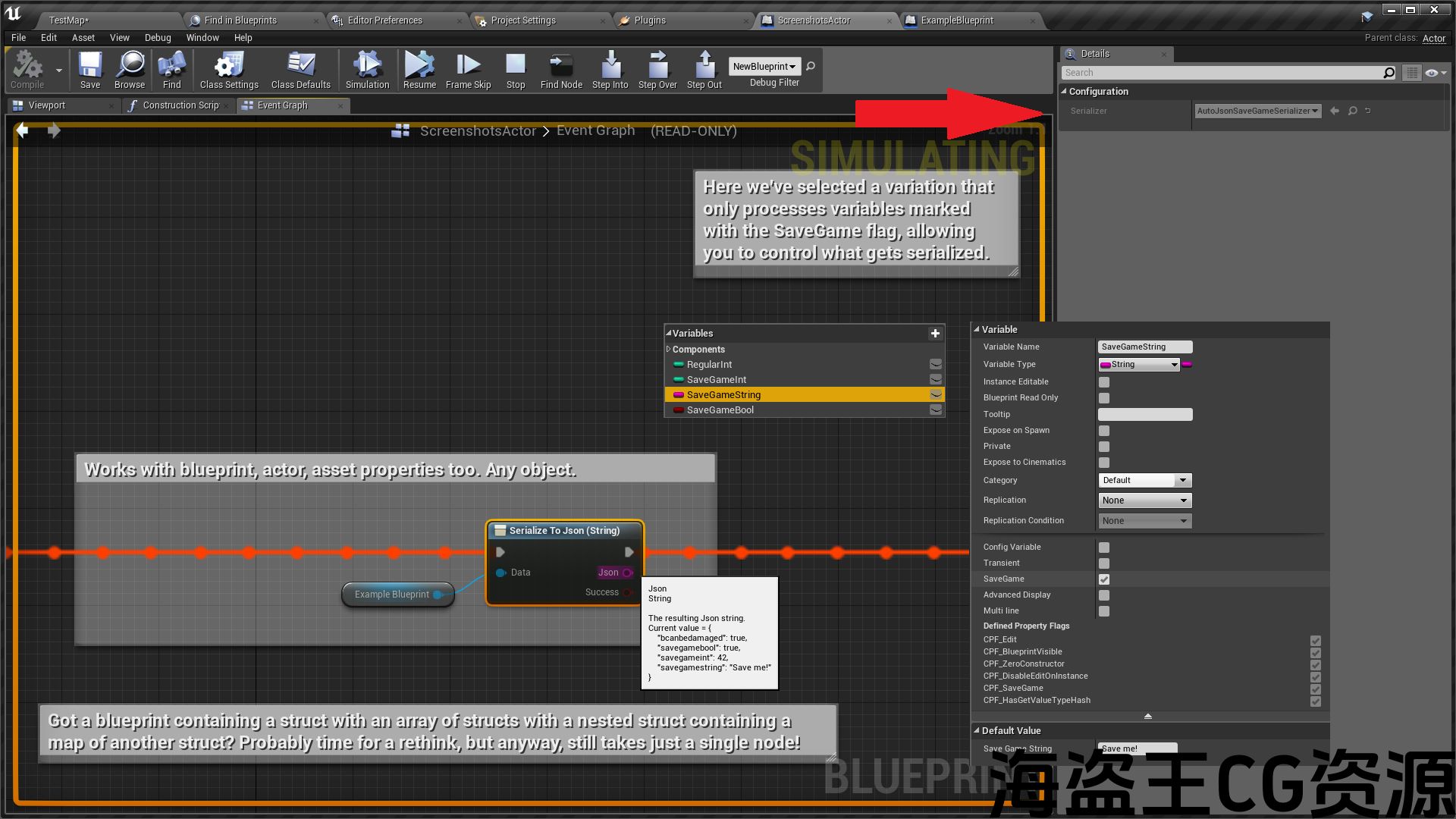
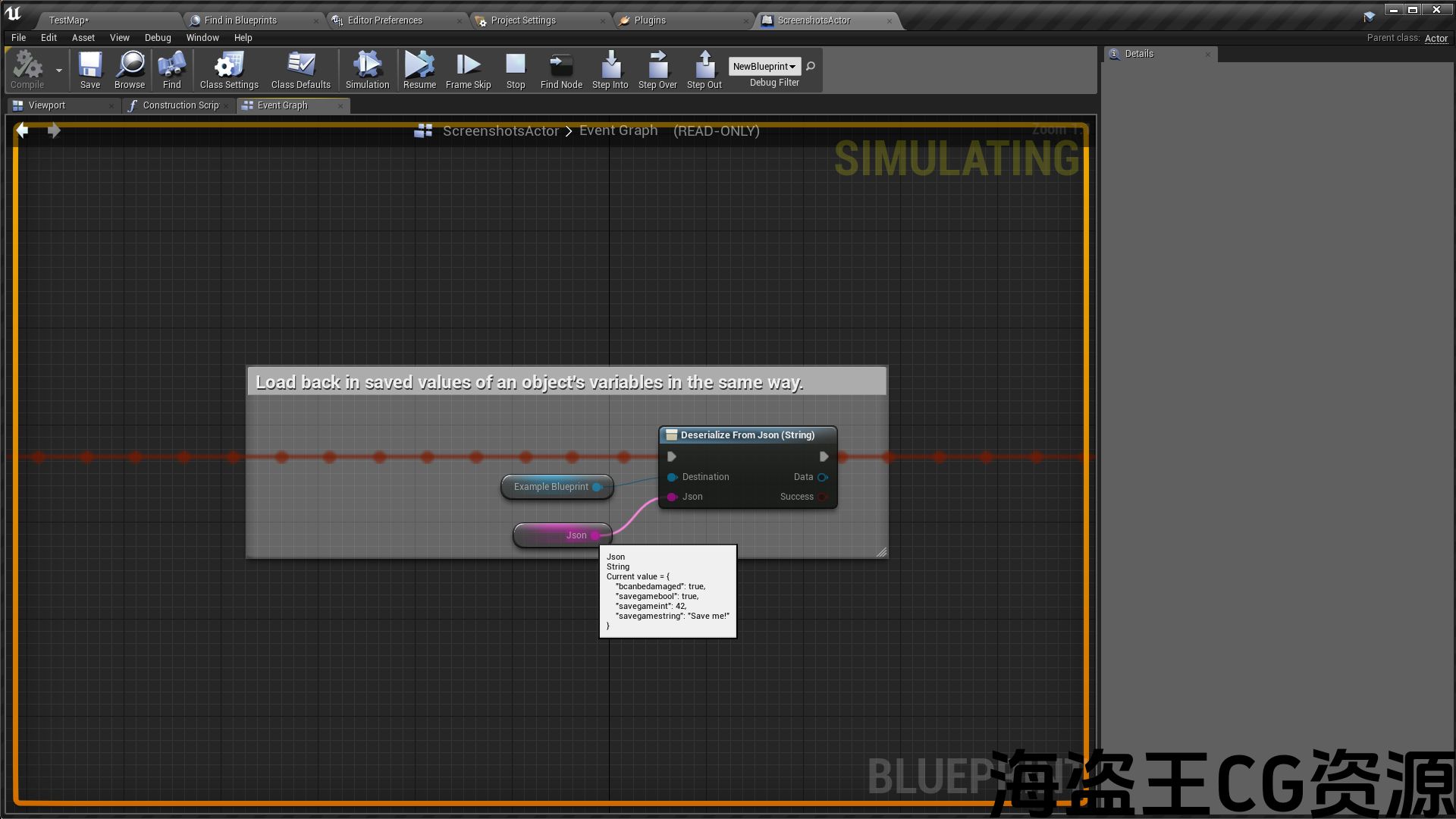
Kantan AutoJSON provides Blueprint nodes for converting data between UE4 types and JSON. It harnesses the UE4 property system to create mappings automatically so there is no need for direct JSON manipulation. Simply wire up any object, struct or container (array, map, set) to a single node and the plugin will map the data to, or import from, an equivalent JSON representation.
Possible use cases:
- Initialization of data-driven systems (the JSON representation is very intuitive; to author data directly, simply ensure the JSON field keys match the UE4 variable names of your struct/class).
- Runtime saving/loading of game state.
- Custom networking code.
- Design time editor scripting with Blutilities, such as asset generation and procedural level building.
LIMITATIONS AND NOTES:
- This plugin does not provide any low level JSON manipulation nodes, but converts to/from JSON text in a single operation. Any further composition/modification of the JSON would require another plugin or solution.
- Since Blueprint is statically typed, it is assumed you always know in advance the structure of the JSON data you want to load. As such, dynamic creation of objects from JSON is not supported – you must have an existing object, which you plug into the Deserialize node, and will then be populated with the JSON data.
- Recursive serialization of sub-object properties is currently not supported. For example, if serializing an actor, properties on its components will not be included (though you can of course explicitly serialize components yourself if needed).
Kantan AutoJSON提供蓝图节点,用于在UE4类型和JSON之间转换数据。 它利用UE4属性系统自动创建映射,因此不需要直接的JSON操作。 只需将任何对象,结构体或容器(数组,映射,集)连接到单个节点,插件就会将数据映射到等效的JSON表示形式或从中导入。
可能的用例:
- 数据驱动系统的初始化(JSON表示非常直观;要直接编写数据,只需确保JSON字段键与结构/类的UE4变量名匹配即可)。
- 游戏状态的运行时保存/加载。
- 自定义网络代码。
- 使用蓝视来设计时间编辑器脚本,如资产生成和过程级构建.
限制及注意事项:
- 此插件不提供任何低级别的JSON操作节点,而是在单个操作中转换为/从JSON文本。 任何进一步的JSON组合/修改都需要另一个插件或解决方案。
- 由于蓝图是静态类型的,因此假设您始终事先知道要加载的JSON数据的结构。 因此,不支持从JSON动态创建对象-您必须有一个现有对象,您将其插入反序列化节点,然后将使用JSON数据填充该对象。
- 当前不支持子对象属性的递归序列化。 例如,如果序列化一个actor,它的组件上的属性将不包括在内(尽管如果需要,您当然可以自己显式序列化组件)。
评论(0)