
- Number of Blueprints: 11+ (2 Actors, 5 Components, 2 Function Libraries, 2 Interfaces) + DemoContent
- Number of included levels: 15 tutorial scenes (47 including sublevels)
- Network Replicated: No
- Platforms Tested: PC (should work on all platforms)
Documentation: includes 15 tutorial levels with the following setup and usability examples:
- Minimal Setup, Drag&Drop Example
- Blueprint Only Setup, everything spawned and set up in BP
- Reference Handling, access the actor reference
- Switching between Multiple Loading Screens
- Level Persistence, keep level in memory after transition
- Advanced Event Handling, access to all dispatchers
- Progress Bars
- Main Menu & Pause Menu Example
- User Interface handling
- Advanced Loading Order
- Transition via OpenLevel
- Mini Game in Loading Screen example: Pong
- Mini Game example: “SpaceShooter”
- Video Playback
- Pawn Handling
Additional Information
- The system is intended as a framework to be utilized with your own artwork – included scenes and UIs are considered templates / examples
- Extensive Blueprint Function Library included
- Tested with Blueprint Nativization
- Uses Level Streaming (requires use/addition of a root level, please see documentation)
- Progress Bar functionality, if enabled, requires installation of a free code plugin (see doc)
★ Contact & Support: For questions please use the Support Thread, email me or leave a comment below. Feedback & Requests always welcome!
- 蓝图数量:11+(2个Actor,5个组件,2个函数库,2个接口)+DemoContent
- 包含关卡数量:15个教程场景(47个包含子关卡)
- 网络复制:没有
- 平台测试:PC(应适用于所有平台)
文档:包括15个教程级别,其中包含以下设置和可用性示例:
- 最小设置,拖放示例
- 蓝图只设置,所有的东西都在BP中生成和设置
- 引用处理,访问actor引用
- 在多个加载屏幕之间切换
- 级别持久化,转换后将级别保留在内存中
- 高级事件处理,访问所有调度程序
- 进度条
- 主菜单&暂停菜单示例
- 用户界面处理
- 高级装货订单
- 通过OpenLevel过渡
- 加载屏幕中的迷你游戏示例:Pong
- 迷你游戏示例:”SpaceShooter”
- 视频播放
- 典当处理
其他资料
- 该系统旨在作为一个框架,用于您自己的艺术品-包括场景和Ui被认为是模板/示例
- 包含丰富的蓝图函数库
- 用蓝图原生化测试
- 使用级别流(需要使用/添加根级别,请参阅文档)
- 如果启用进度条功能,则需要安装免费的代码插件(请参阅doc)
★ 联络及支援: 如有问题,请使用 支持线程,给我发电子邮件或在下面发表评论。 随时欢迎反馈和请求!
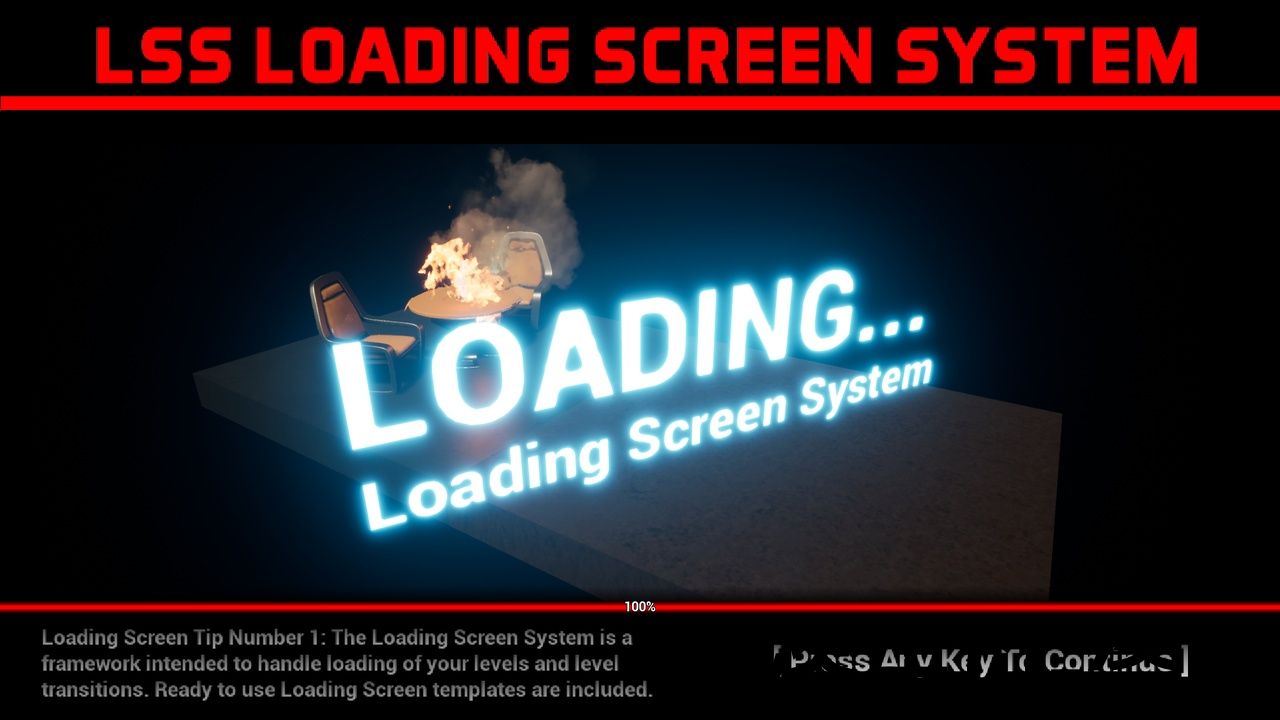


Create fully customizable LOADING SCREENS – with Progress indicators, videos, any UI or 3D elements. During Level Transitions as well as on game start. Easy to integrate in your Projects, vastly versatile and functional and entirely yours to design and customize as you see fit.
★ Links: Tutorials | Docs | Support Email | Support Forum | Demo | Free Plugin (*)
(*) Optional Code Plugin available, which allows display of loading progress percentages
Designed with convenience in mind. Drop one Actor into your world and set everything up in its details. Call level transitions from anywhere with a single node. The system will handle the transition and smoothly fade into the interactive loading screen and then into your level.
-
Exact Loading Progress Indication (Progress Bars, Percentages)
-
15 “Content Example”-style tutorial levels included
-
Playable INTERACTIVE loading screens (think Assassin’s Creed)
-
MINI GAMES during loading (“Pong” and “Invaders” examples included)
-
VIDEO Playback during loading
-
Loading screens during LEVEL TRANSITIONS and on STARTUP
-
Use different loading screens in a single project
-
Fully customizable UMG overlays (Random Game Hints example included)
-
Support for “Press To Continue” option
-
Advanced features: Event Handling, Latent Actions (see doc)
★ Documentation: includes 15 tutorial levels with the following setup and usability examples:
-
Minimal Setup, Drag&Drop Example
-
Blueprint Only Setup, everything spawned and set up in BP
-
Reference Handling, access the actor reference
-
Switching between Multiple Loading Screens
-
Level Persistence, keep level in memory after transition
-
Advanced Event Handling, access to all dispatchers
-
Progress Bars
-
Main Menu & Pause Menu Example
-
User Interface handling
-
Advanced Loading Order
-
Transition via OpenLevel
-
Mini Game in Loading Screen example: Pong
-
Mini Game example: “SpaceShooter”
-
Video Playback
-
Pawn Handling
★ Additional Information
-
The system is intended as a framework to be utilized with your own artwork – included scenes and UIs are considered templates / examples
-
Extensive Blueprint Function Library included
-
Tested with Blueprint Nativization
-
Uses Level Streaming (requires use/addition of a root level, please see documentation)
-
Progress Bar functionality, if enabled, requires installation of a free code plugin (see doc)
★ UE5 Notes & Troubleshooting: the included example content uses the legacy Input system. If you find yourself unable to move the demo character (e.g. in a clean UE5 template), you will need to configure inputs in Project Settings or copy the DefaultInput.ini from a UE4 Third person template.
创建完全可自定义的加载屏幕-与进度指示器,视频,任何UI或3D元素。 在关卡过渡期间以及游戏开始时。 易于集成到您的项目,广泛的用途和功能,完全您的设计和定制您认为合适。
★链接: 指南 | 文件 | 支援电邮 | 支持论坛 | 示范 | 免费插件 (*)
(*) 可选的代码插件可用,它允许显示加载进度百分比
设计时考虑到方便。 将一个Actor放入您的世界,并在其细节中设置所有内容。 使用单个节点从任何地方进行呼叫级别转换。 系统将处理过渡并平滑地淡入交互式加载屏幕,然后进入您的关卡。
-
准确的加载进度指示(进度条,百分比)
-
包括15个”内容示例”风格的教程级别
-
可玩的交互式加载屏幕(想想刺客信条)
-
加载过程中的迷你游戏(包括”Pong”和”Invaders”示例)
-
加载过程中的视频播放
-
在关卡转换和启动时加载屏幕
-
在单个项目中使用不同的加载屏幕
-
完全可定制的UMG复盖(包括随机游戏提示示例)
-
支持”按继续”选项
-
高级功能:事件处理,潜在操作(见doc)
★ 文件:包括15个教程级别,包括以下设置和可用性示例:
-
最小设置,拖放示例
-
蓝图只设置,所有的东西都在BP中生成和设置
-
引用处理,访问actor引用
-
在多个加载屏幕之间切换
-
级别持久化,转换后将级别保留在内存中
-
高级事件处理,访问所有调度程序
-
进度条
-
主菜单&暂停菜单示例
-
用户界面处理
-
高级装货订单
-
通过OpenLevel过渡
-
加载屏幕中的迷你游戏示例:Pong
-
迷你游戏示例:”SpaceShooter”
-
视频播放
-
典当处理
★ 其他资料
-
该系统旨在作为一个框架,用于您自己的艺术品-包括场景和Ui被认为是模板/示例
-
包含丰富的蓝图函数库
-
用蓝图原生化测试
-
使用级别流(需要使用/添加根级别,请参阅文档)
-
如果启用进度条功能,则需要安装免费的代码插件(请参阅doc)
★ UE5注释和故障排除: 包含的示例内容使用传统的输入系统。 如果您发现自己无法移动演示角色(例如在干净的UE5模板中),则需要在项目设置中配置输入或复制DefaultInput。来自UE4第三人称模板的ini。
评论(0)