
Features:
-
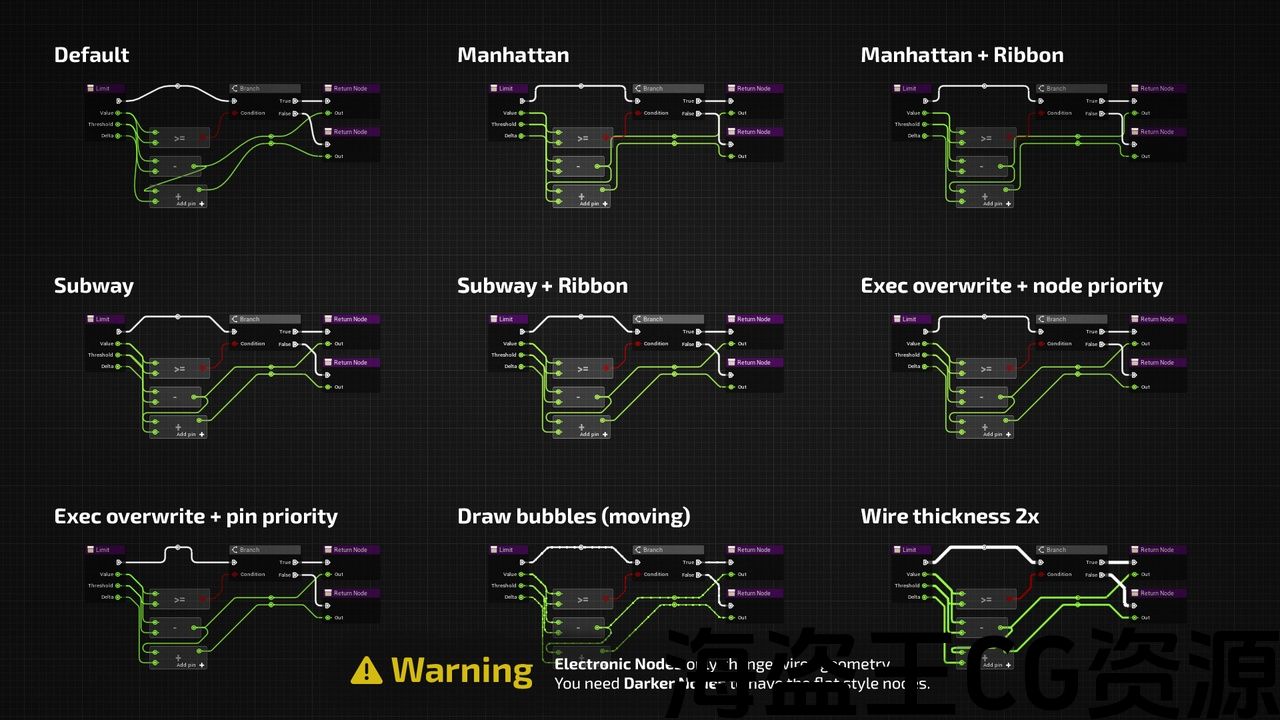
Manhattan Style – Wiring style with 90° edges
-
Subway Circuit – Wiring style with 45° edges
-
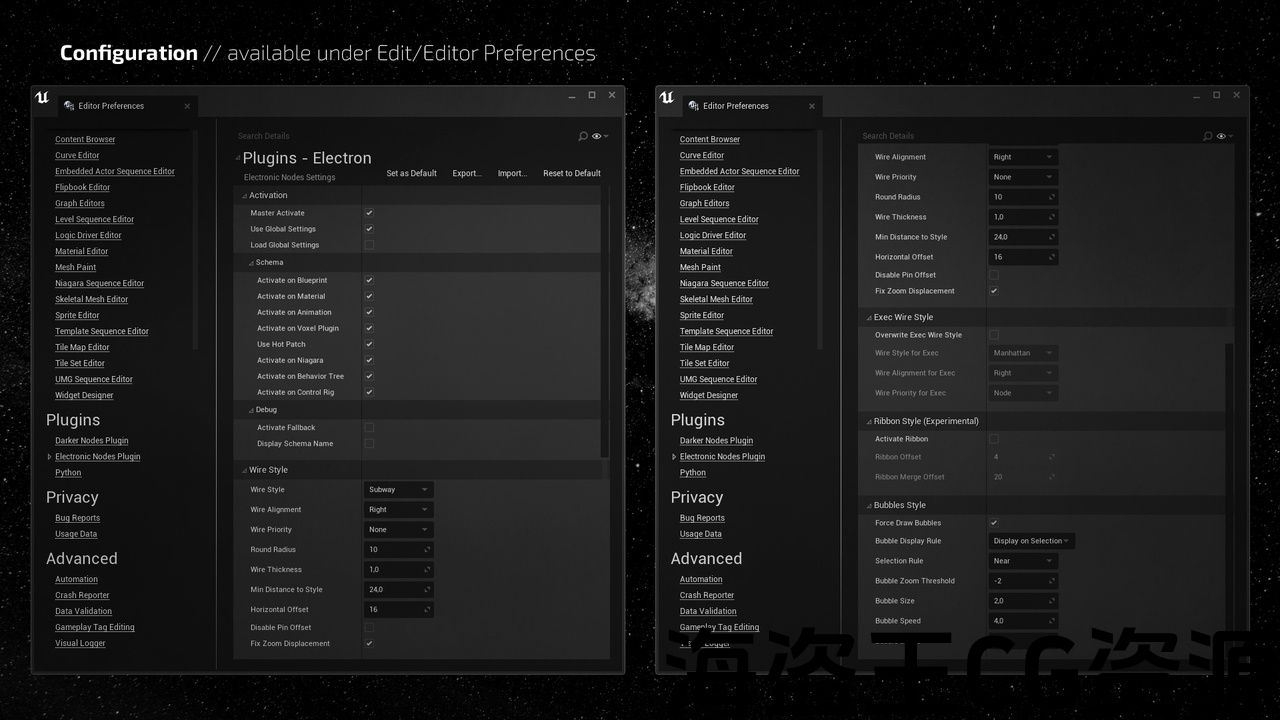
Wires customization (alignment, priority, radius, thickness, offset…)
-
Overwrite customization for exec wires
-
Offset overlapping wires (experimental)
-
Draw moving bubbles on wires
-
Bubbles customization (size, speed, space, zoom threshold…)
Code Modules: Editor
Supported Development Platforms: Win64, Mac, Linux
特征:
-
曼哈顿风格-带90°边缘的布线风格
-
地铁线路-带45°边缘的布线风格
-
电线定制(对齐,优先,半径,厚度,偏移…)
-
复盖exec电线的自定义
-
偏移重叠导线(实验)
-
在电线上绘制移动气泡
-
气泡定制(大小,速度,空间,缩放阈值。..)
代码模块:编辑
支持的开发平台:Win64,Mac,Linux
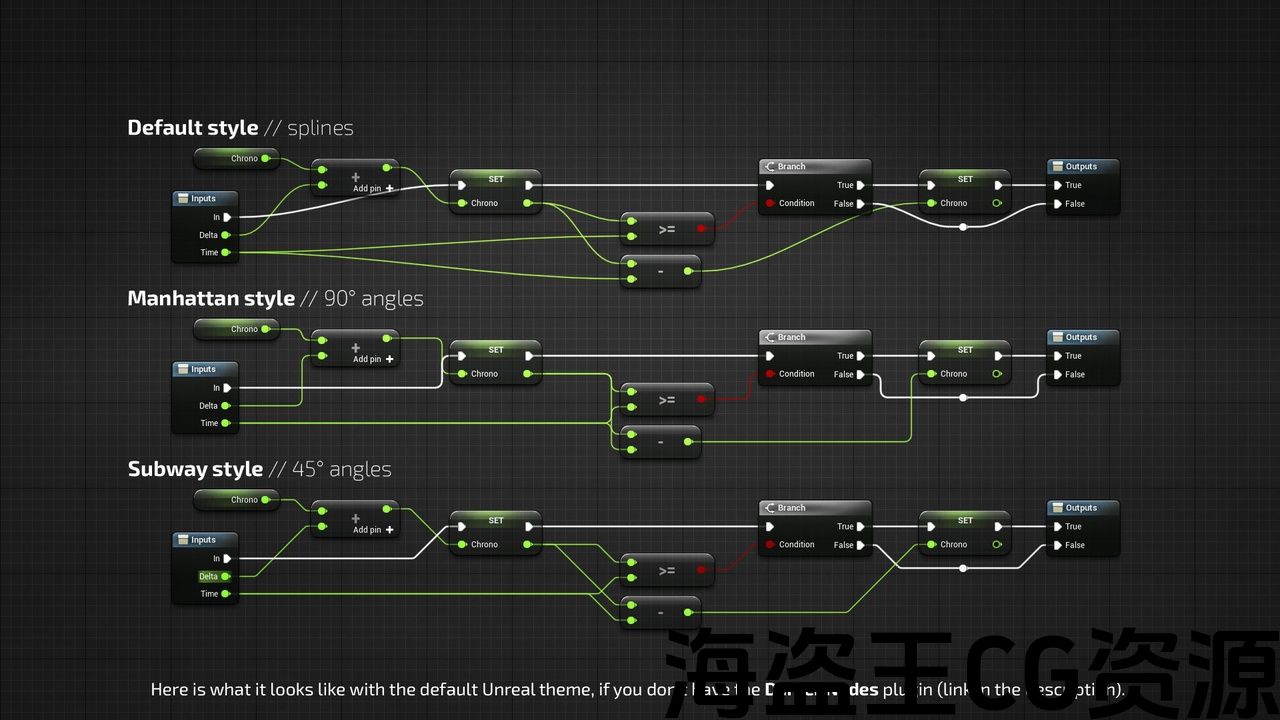
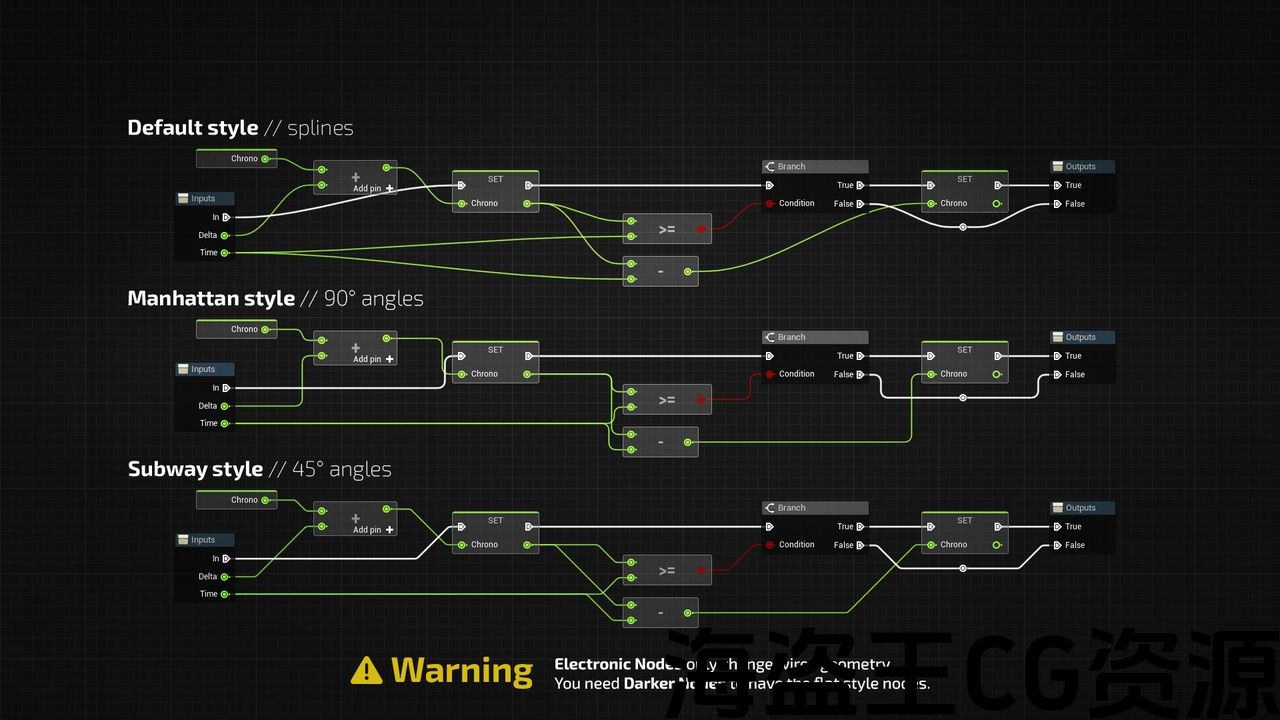
Electronic Nodes allows you to better picture your logic in visual scripting editors (Blueprints, Materials, Niagara…) by changing the shape of wires to make them straight with 45° or 90° angle. It’s a bit like circuit boards, no more spaghetti!
Getting started | FAQ | Support topic
See old reviews and questions on Orbital Market
(Orbital Market is a search engine for the Fab marketplace)
Changes:
-
Custom wire angles (45° or 90°), size and radius
-
Update Blueprint, Material, and Animation editors (available on Windows/Mac/Linux)
-
Update Niagara, Control Rig, and Gameplay Ability editors (available only on Windows)
-
and a lot more… you can find the changelog of all modifications here.
WARNING: The custom theme used in the screenshots is not included, it’s another plugin of mine called Darker Nodes. Electronic Nodes only affect wires between nodes.
电子节点 允许您在可视化脚本编辑器(蓝图、材质、Niagara)中更好地描绘您的逻辑。..)通过改变电线的形状,使它们直成45°或90°角。 这有点像电路板,没有更多的意大利面条!
(Orbital Market是Fab marketplace的搜索引擎)
变化:
-
自定义导线角度(45°或90°),尺寸和半径
-
更新蓝图、材质和动画编辑器(可在Windows/Mac/Linux上使用)
-
更新Niagara、Control Rig和Gameplay能力编辑器(仅在Windows上可用)
-
还有更多。.. 您可以找到所有修改的更新日志 这里.
警告: 截图中使用的自定义主题不包括在内,这是我的另一个插件,称为 较暗的节点. 电子节点 仅影响节点之间的导线。
评论(0)