
Features:
- Full access to logs from blueprints
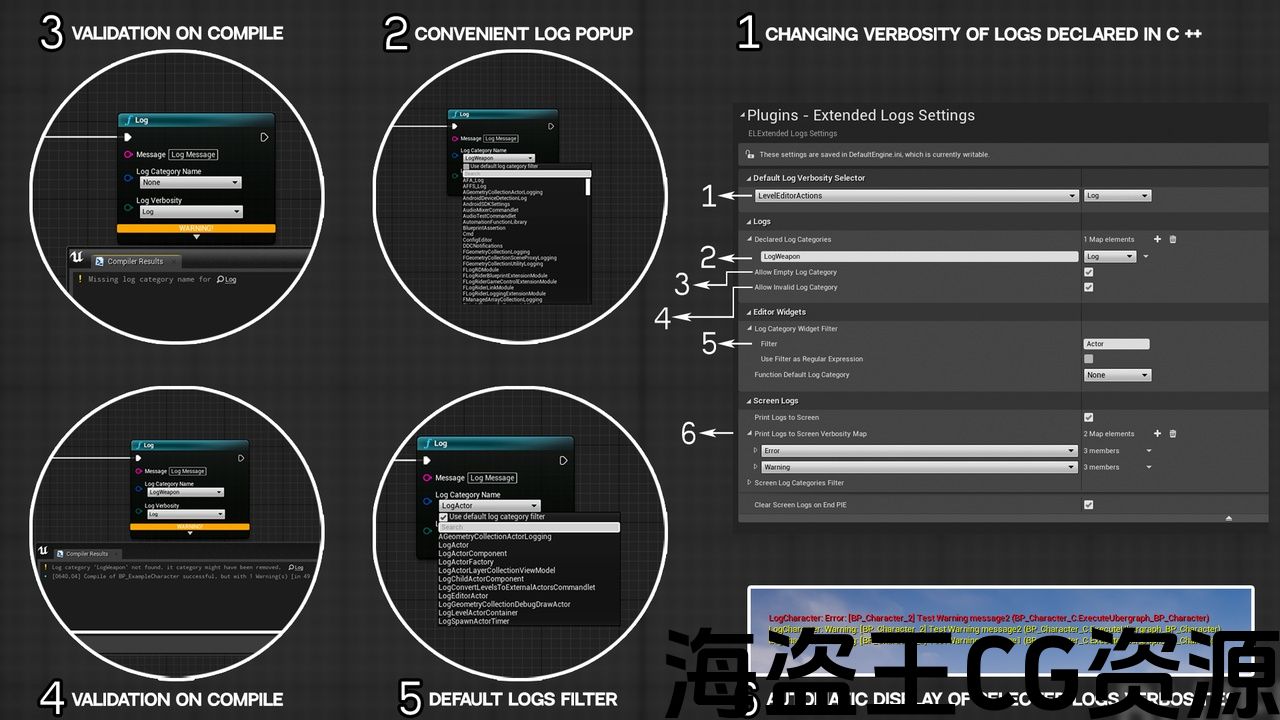
- Declare log categories from the editor
- Change default log verbosity from the editor
- Print log to screen in manual and automatic modes
- Tracklogs of certain verbosities and display a message on the screen in automatic mode
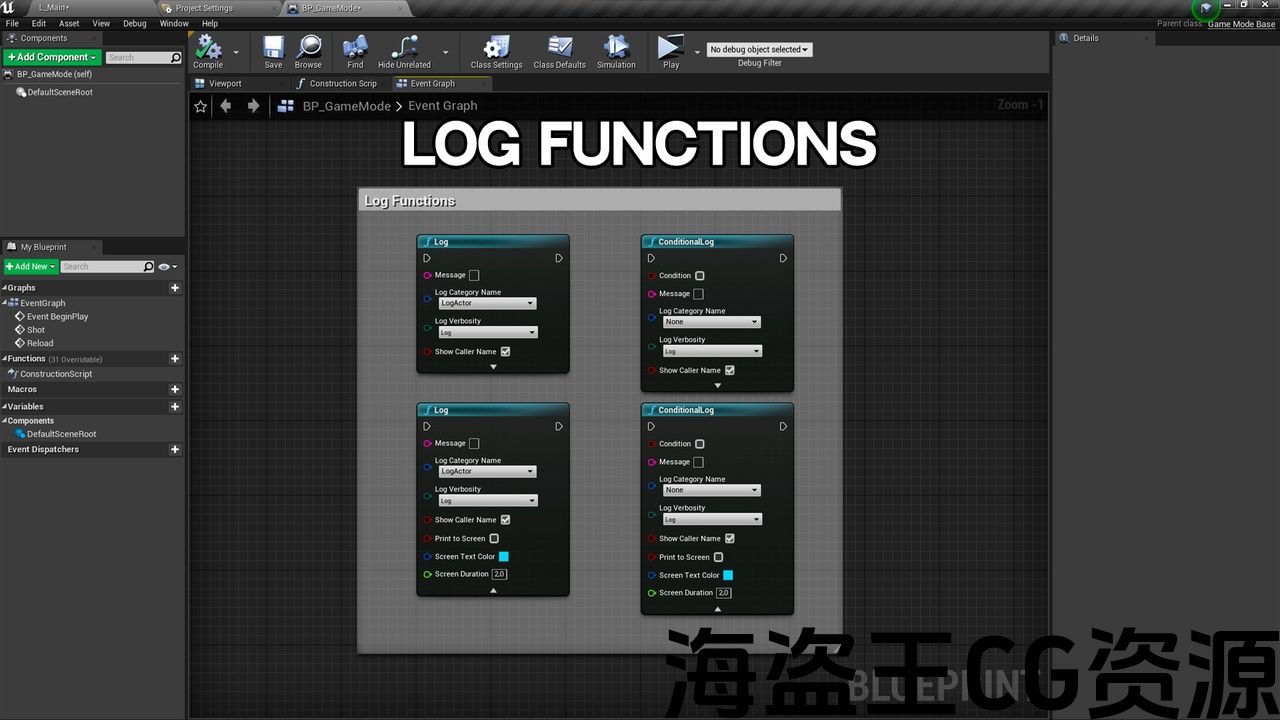
Convenient log function and node
- used ue function to logs from blueprints(as in c++)
- pick log category from a dropdown list with searchable and filterable window
- pick log verbosity
- add caller object name to log message
- add function name to log message
- custom compile-time check log category
- print logs to screen
UE5 support
Code Modules:
- Extended Logs (Runtime)
- Extended Logs Developer (Runtime)
- Extended Logs Editor (Editor)
Number of Blueprints: 0
Number of C++ Classes: 10
Supported Development Platforms: All Platforms
Supported Target Build Platforms: All Platforms
Documentation: Link
Example project: Link
特征:
- 完全访问蓝图中的日志
- 从编辑器声明日志类别
- 从编辑器更改默认日志详细程度
- 在手动和自动模式下打印日志到屏幕
- 跟踪某些详细信息,并在自动模式下在屏幕上显示消息
方便的日志功能和节点
- 使用ue函数从蓝图记录(如c++)
- 从带有可搜索和可过滤窗口的下拉列表中选择日志类别
- 选择log verbosity
- 将调用方对象名称添加到日志消息
- 将函数名添加到日志消息
- 自定义编译时检查日志类别
- 打印日志到屏幕
UE5支持
代码模块:
- 扩展日志(运行时)
- 扩展日志开发人员(运行时)
- 扩展日志编辑器(Editor)
蓝图数目:0
C++类数:10
支持的开发平台:所有平台
支持的目标构建平台:所有平台
文件: 连结
示例项目: 连结
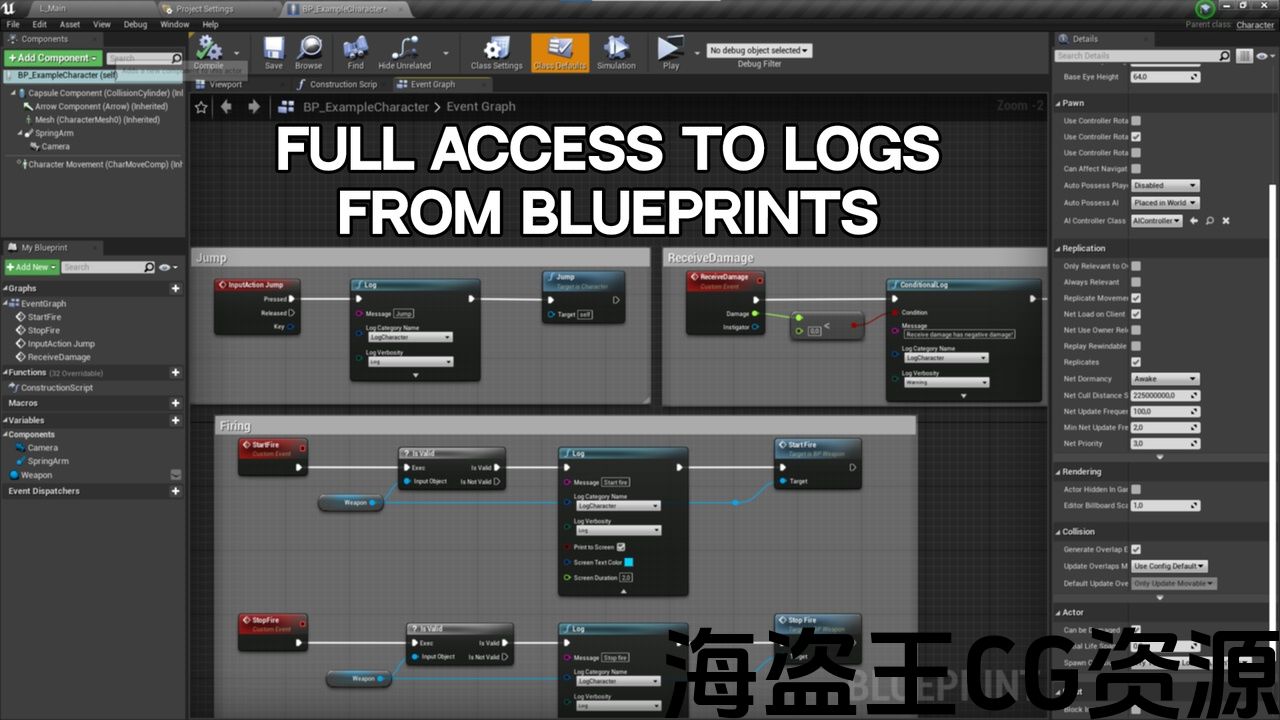
Logging is an important part of any product development. Now you can use the full power of blueprint logging.
Configure and declare logs, change the verbosity of logs from the editor without editing configuration files. Automatically display warnings and errors from logs, and more!
Blueprint logs are built on engine logs and work exactly the same as if you did it in C ++
Discord Channel for support and questions
Documentation: Link
Trailer: Link
Example project: Link
日志记录是任何产品开发的重要组成部分。 现在,您可以使用蓝图日志记录的全部功能。
配置和声明日志,从编辑器更改日志的详细程度,而无需编辑配置文件。 自动显示日志中的警告和错误,以及更多!
蓝图日志基于引擎日志构建,工作方式与使用C++时完全相同
不和谐 频道 对于支持和问题
文件: 连结
拖车/拖车: 连结
示例项目: 连结
评论(0)